Structured Output and Validation Loops
Getting output a downstream system can consume without a fragile parser, then checking it's actually right: why free-form text breaks pipelines, how tool use with a JSON schema guarantees the shape, why a strict schema fixes syntax but never semantics, and the retry loop — plus knowing when a retry can't possibly help.
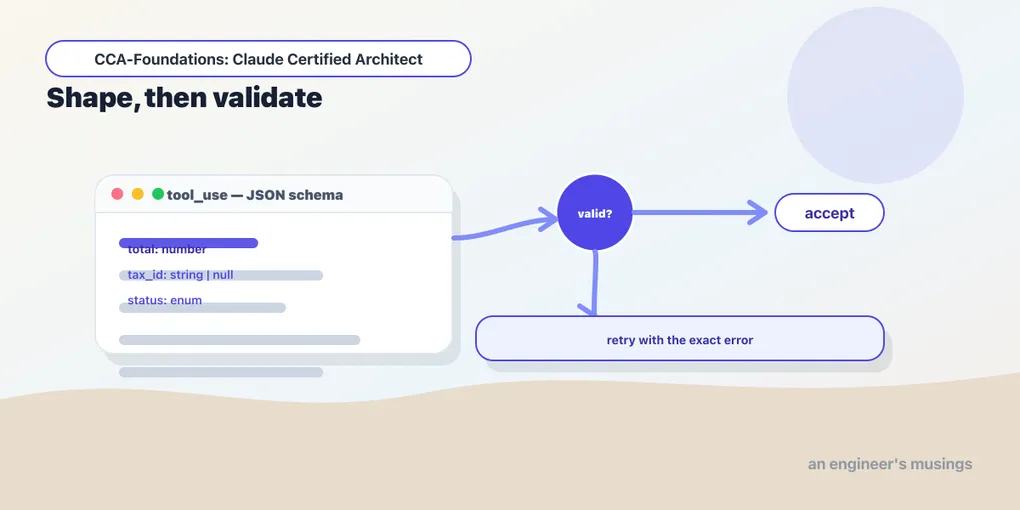
The previous chapter made the model’s reasoning reliable — precise criteria, examples that generalize. This one makes its output reliable, which is a different problem. A model naturally writes prose: helpful, fluent, and useless to a program that expects a specific set of fields. The instant you want another system to consume Claude’s answer (a database insert, a dashboard, a pipeline step), that free-form text becomes a liability. A parser reading loosely-shaped output breaks the first time a field moves, a value is phrased differently, or the model wraps its JSON in a sentence of explanation.
Why guaranteed structure matters
The goal is structured output: data in a fixed shape your code can read without guessing. The naive approach is to ask for it — “reply with JSON containing these fields” — and it works often enough to be dangerous. Often enough means it fails in production, on the input you didn’t test, and takes the pipeline down with a parse error. What you want is not “the model usually returns the right shape” but “the model cannot return the wrong shape,” and there is a mechanism that delivers exactly that.
There is a second, subtler goal that the whole back half of this chapter turns on. Getting the shape right is not the same as getting the content right. A system that conflates the two trusts wrong answers because they were well-formatted. So the work splits in two: guarantee the structure, then validate the meaning. Tasks 4.3 and 4.4 respectively, and the Structured Data Extraction scenario is exactly this pair — extract fields, guarantee the shape, catch the errors the shape can’t.
Tool use is how you guarantee the shape
The most reliable way to get schema-compliant structured output from Claude is tool use with a JSON schema. You define an “extraction tool” whose input schema is the shape you want, force the model to call it, and read the structured data out of the resulting tool_use block. Because the model is filling a tool’s typed arguments rather than free-writing JSON, this eliminates JSON syntax errors — no missing commas, no unquoted keys, no truncated braces.
import anthropic

client = anthropic.Anthropic()
document = "Invoice INV-4021. Total: $260.00. Line items: 2 widgets @ $120.00."

extract_invoice = {
    "name": "extract_invoice",
    "description": "Extract structured fields from an invoice.",
    "input_schema": {
        "type": "object",
        "properties": {
            "invoice_number": {"type": "string"},
            "total": {"type": "number"},
            "line_items": {"type": "array", "items": {"type": "object"}},
        },
        "required": ["invoice_number", "total"],
    },
}

resp = client.messages.create(
    model="claude-haiku-4-5", max_tokens=1024,
    tools=[extract_invoice],
    tool_choice={"type": "tool", "name": "extract_invoice"},   # force this exact tool
    messages=[{"role": "user", "content": document}],
)
data = next(b.input for b in resp.content if b.type == "tool_use")   # the structured result
The tool_choice control is what turns “structured output is likely” into “structured output is guaranteed”:
- Forced —
{"type": "tool", "name": "extract_invoice"}— the model must call that exact tool. Use it when you know the schema you want. "any"— the model must call a tool but chooses which. Use it when several extraction schemas exist and the document type is unknown — the model picks the right extractor."auto"— the model may return text instead. Wrong for guaranteed extraction, because it leaves the door open to a prose reply your parser chokes on.
Schemas fix syntax, not semantics
Here is the exam trap in this area, and it’s a good one: a strict JSON schema eliminates syntax errors but does nothing about semantic ones. The output will be well-formed and type-correct — and still wrong. Line items that don’t sum to the stated total, a value placed in the wrong field, a date that parses but is nonsensical: all of these satisfy the schema perfectly. Schema validation guarantees the shape, never the correctness of the content — the same distinction that structured output in general can’t escape. If an exam item claims “we use a strict schema, so the extraction is validated,” that’s the trap; the schema validated the shape, and the numbers can still be nonsense.
Two schema-design skills mitigate this, both about not forcing the model to lie:
- Make fields optional/nullable when the source may not contain them. A
requiredfield the document doesn’t have forces the model to fabricate a value to satisfy the schema. Marking it optional lets the model return null honestly instead of inventing data — a direct hallucination reducer. - Use enums with an escape hatch. For a categorization field, add an
"unclear"value for ambiguous cases and an"other"+ free-textdetailfield for cases outside your categories. Without them, the model jams a genuinely-other case into the nearest wrong bucket. And include format-normalization rules in the prompt alongside the schema, so inconsistent source formatting (dates, currencies) comes out uniform.
Validation and retry loops
Because schemas don’t catch semantic errors, you validate the output yourself and retry when it’s wrong. The core technique is retry-with-error-feedback. When validation fails, send a follow-up that includes the original document, the failed extraction, and the specific validation errors. The model can then self-correct against precise feedback rather than a vague “try again.”
Your extraction had errors. Fix them and re-extract.
- line_items sum to 240.00 but total is 260.00 (discrepancy of 20.00)
- ship_date "2026-13-02" is not a valid date
[original document follows]
The design pattern that makes semantic validation possible is having the model extract the checkable pieces. Pull calculated_total (sum of line items) alongside stated_total, so your validator can compare them and flag a discrepancy. Add a conflict_detected boolean when the source data is internally inconsistent. You’re designing the schema so that correctness becomes checkable, not just shape-conformant. (Forced via tool_choice, the model extracts calculated_total 45 alongside stated_total 50 and sets conflict_detected: true. It returns null for an absent tax_id rather than inventing one — the discrepancy becomes checkable exactly as designed.)
When a retry can’t help
The judgment that separates a well-designed loop from one that burns turns forever: retries only help when the error is fixable from what the model has. Format errors and structural output mistakes are fixable — the information is present, the model just rendered it wrong, and error-feedback corrects it. But if the required information is simply absent from the source document — the invoice never stated a PO number — no amount of retrying will conjure it. Each retry wastes a call producing the same null or the same fabrication.
So a good validation loop distinguishes the two. Retry on format/structural errors. On “information missing,” stop — return the field as null with a note, or route to a human, rather than looping. An exam item describing an extraction pipeline that “retries up to 5 times on any validation failure” is describing a broken loop: it will burn all five retries on a field the document never contained. The right design retries what’s fixable and gives up early on what isn’t.
Final thoughts
Guaranteed structured output is tool use with a JSON schema, forced (or "any") via tool_choice so the model can’t return prose. That eliminates syntax errors but not semantic ones, so a strict schema is never a correctness guarantee. Schema design reduces fabrication (optional/nullable fields, "unclear"/"other" enums) and validation loops catch what schemas can’t, using retry-with-specific-error-feedback and checkable fields like calculated_total versus stated_total. The judgment that separates good from bad: retry format and structural errors, but recognize when the information is absent and stop instead of looping. Next: doing this at scale, and reviewing it well.
Next: batch processing and multi-pass review — the Message Batches API’s trade-offs, and why an independent reviewer beats a self-review.
Comments