Calculate with Values and Convert Deliberately
An order line gives us a price and a quantity.
An order line gives us a price and a quantity. We will calculate its amount, then repeat the calculation when the supplier sends the numbers as text. Keeping this to one line lets us see the effect of each operator.
Example 12 — Calculate one line.
Input payload — calculate-one-line-input.json:
{
  "sku": "PEN-01",
  "price": 2.5,
  "qty": 4
}
%dw 2.0
output application/json
---
{ sku: payload.sku, lineTotal: payload.price * payload.qty }Result:
{
  "sku": "PEN-01",
  "lineTotal": 10
}
Four pens at 2.5 each cost 10. * multiplies the two selected numbers, and the resulting number becomes lineTotal. The input is a single item object; there is no collection to traverse yet.
Arithmetic belongs on the right of the colon just as a selector did. The object expression does not care whether a field’s value came directly from the input or from a calculation.
Example 13 — Name the line calculation.
Use calculate-one-line-input.json as payload, as above.
%dw 2.0
output application/json
var lineTotal = payload.price * payload.qty
---
{ sku: payload.sku, lineTotal: lineTotal, withDelivery: lineTotal + 4.99 }
Result:
{
  "sku": "PEN-01",
  "lineTotal": 10,
  "withDelivery": 14.99
}
var declares a name in the header. Both output expressions can refer to lineTotal; the second adds a delivery charge. The field lineTotal and the variable lineTotal have the same spelling here, but different jobs: the field names a result entry, while the variable names the calculated value.
These bindings are immutable. To obtain a discounted value, declare another name or write a new expression; do not try to update lineTotal as a counter. A header is a set of definitions used by the body, not a sequence of assignment statements.
Example 14 — Inspect scalar types.
Input payload — inspect-scalar-types-input.json:
{
  "sku": "PEN-01",
  "price": "2.50",
  "qty": "4"
}
%dw 2.0
output application/json
---
{ price: typeOf(payload.price), qty: typeOf(payload.qty), numericPrice: payload.price is Number, textPrice: payload.price is String }Result:
{
  "price": "String",
  "qty": "String",
  "numericPrice": false,
  "textPrice": true
}
typeOf(value) is a function call: the expression in parentheses is its argument. It reports the value’s type. is Number asks a narrower question and returns a Boolean, true or false. Here the supplier sends both quantities as text, so the price is a String even though its characters describe a number.
Example 15 — Convert a supplier price.
Use inspect-scalar-types-input.json as payload, as above.
%dw 2.0
output application/json
---
{ sku: payload.sku, price: payload.price as Number, qty: payload.qty as Number, lineTotal: (payload.price as Number) * (payload.qty as Number) }
Result:
{
  "sku": "PEN-01",
  "price": 2.5,
  "qty": 4,
  "lineTotal": 10
}
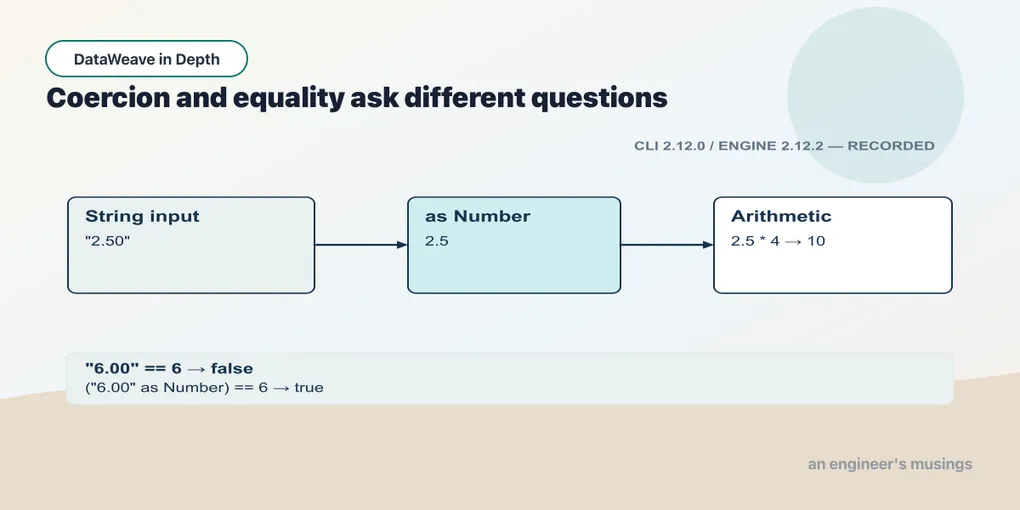
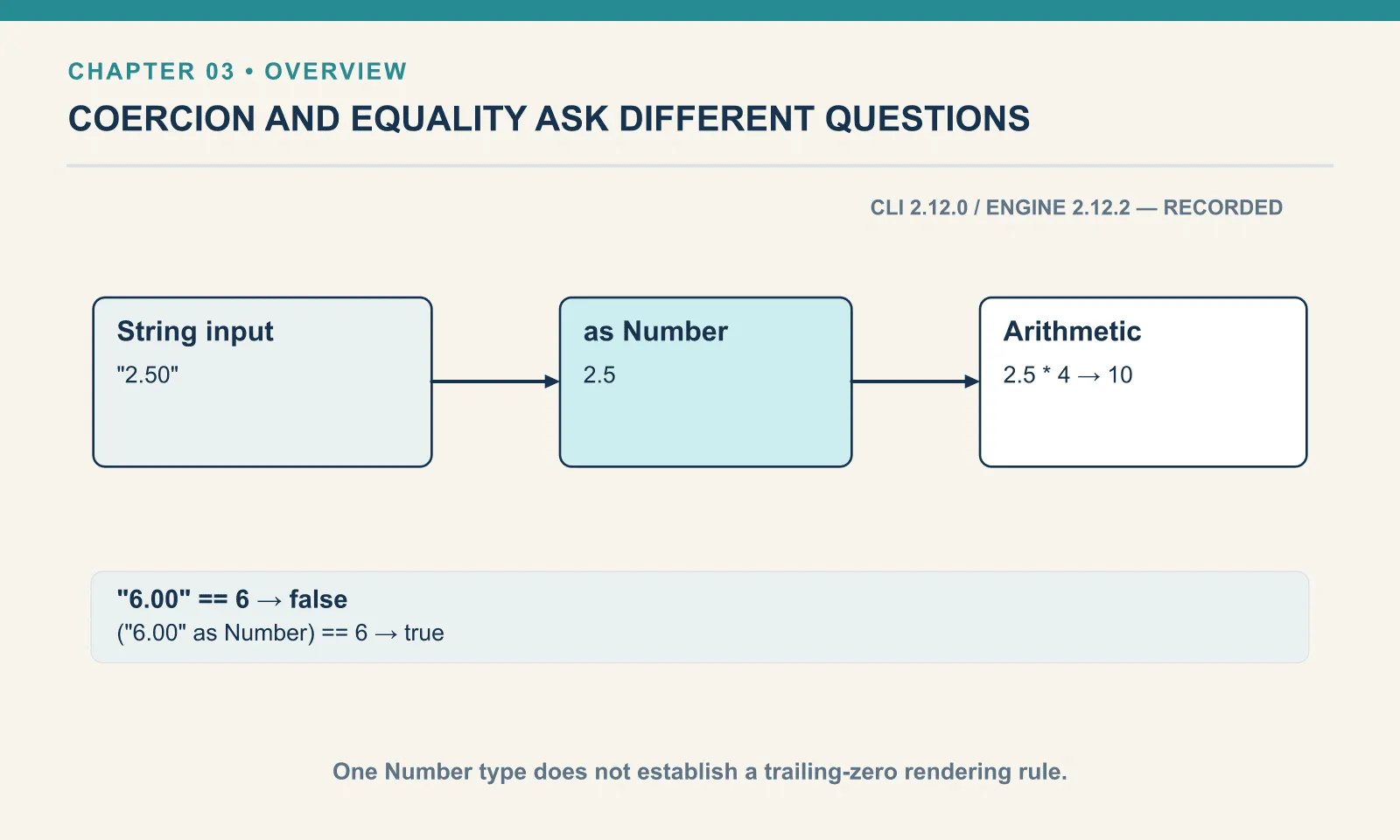
as Number requests a conversion. The strings "2.50" and "4" become numbers before multiplication. Conversion also matters for the fields copied into the result: without it, the output would carry quoted text there.
DataWeave has one Number type for whole and decimal values. The value ten can be represented as 10 or 10.0; that representation does not create a different numeric type. When a consumer requires particular digits, such as two decimal places, chapter 17 will format the value as text at the output boundary.
Example 16 — Arithmetic and concatenation.
Use inspect-scalar-types-input.json as payload, as above.
%dw 2.0
output application/json
---
{ product: payload.price * payload.qty, joined: payload.price ++ payload.qty, sameValue: payload.price == 2.5, convertedValue: (payload.price as Number) == 2.5 }
Result:
{
  "product": 10,
  "joined": "2.504",
  "sameValue": false,
  "convertedValue": true
}
The multiplication succeeds because DataWeave attempts to coerce these numeric strings to the Number operands required by *. That conversion is implicit coercion. The ++ expression has two strings and concatenates their characters. Ordinary equality, ==, does not make the string equal to a number.
Explicit conversion makes the intended calculation visible and gives later expressions a known type. An operator doing a helpful conversion in one place does not establish the type of the original field elsewhere.
Example 17 — Reject a nonnumeric price.
%dw 2.0
output application/json
---
"many" as Number
Result (expected exit 255):
[ERROR] Error while executing the script:
[ERROR] Cannot coerce String (many) to Number

4| "many" as Number
   ^^^^^^^^^^^^^^^^
Trace:
  at 017-reject-a-nonnumeric-price::main (line: 4, column: 1) at:

4| "many" as Number
   ^^^^^^^^^^^^^^^^
A word that cannot be interpreted as a number causes conversion to fail. Do not substitute zero merely to make the script run: that would turn invalid input into a believable price.
Example 18 — Division produces a number.
%dw 2.0
output application/json
---
{ fraction: 10 / 4, decimalSum: 0.1 + 0.2, sameNumber: 79 == 79.0 }
Result:
{
  "fraction": 2.5,
  "decimalSum": 0.3,
  "sameNumber": true
}
Division is not integer division: 10 / 4 produces 2.5. These examples also show decimal arithmetic and equality between two representations of 79. Finite precision and formatting deserve their own checks when the receiving system has a stricter numeric contract.
Try it
Add a 10% discount to Example 13 — Name the line calculation. Keep the original total and put the reduced value in discounted. Use the already calculated total.
Show answer
Example 19 — Discount one line.
Use calculate-one-line-input.json as payload, as above.
%dw 2.0
output application/json
var lineTotal = payload.price * payload.qty
---
{ lineTotal: lineTotal, discounted: lineTotal * 0.9 }
Result:
{
  "lineTotal": 10,
  "discounted": 9
}
Multiplying by 0.9 keeps ninety percent of the amount. The original value remains available; the second field is a new calculation.
You now have enough information to distinguish an absent value, a numeric value and text that can be converted. The next step is deciding which result to produce when the input varies.
Comments