Appendix C: Additional Formats and Mule Integration
These independent workshops apply the reader/writer model to Java, fixed-width records, Excel and multipart, then place checks around a Mule flow.
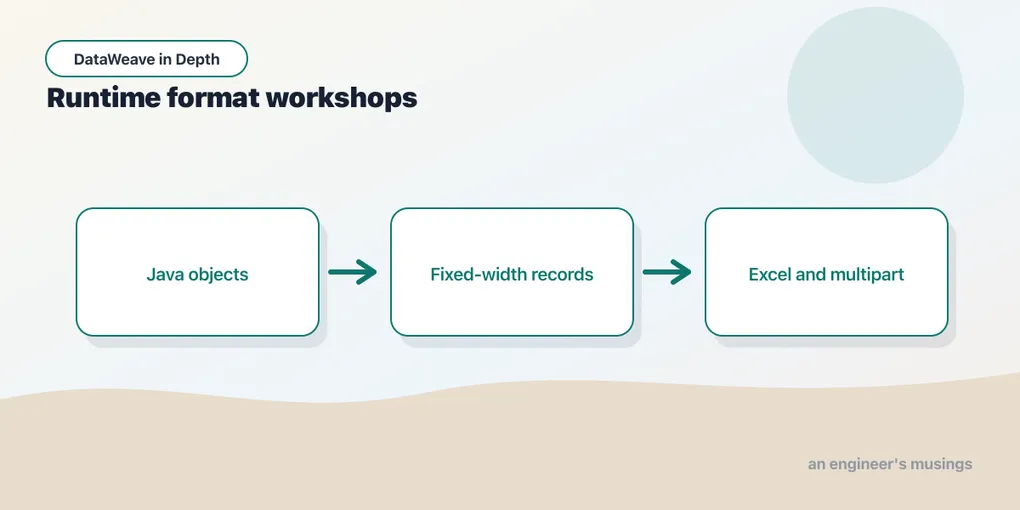
These independent workshops apply the reader/writer model to Java, fixed-width records, Excel and multipart, then place checks around a Mule flow. The CLI supports multipart. The Java, fixed-width and Excel probes shown here need the separately identified Mule runtime. Run the workshop that matches the boundary your application actually uses.
application/java: where the model meets the JVM
Inside a Mule application the data flowing between steps is frequently plain Java objects rather than serialised bytes. application/java is the reader and writer for that boundary. The writer hands the next step Java objects, and the reader lets a script select into a POJO or a Map a connector produced.
The DataWeave CLI does not ship the Java format; its rejection is shown first, followed by the separate Mule probe:
Example 276 — Try Java output in the CLI.
Input payload — order.json:
{ "orderId": "A-1001", "customer": "Dana", "coupon": null, "tags": ["gift", null, "rush"],
  "items": [
    { "sku": "PEN-01", "price": 2.5, "qty": 4, "note": null },
    { "sku": "PAD-22", "price": 6.0, "qty": 2 },
    { "sku": "CLP-08", "price": 1.0, "qty": 10 }
  ] }
%dw 2.0
output application/java
---
{
id: payload.orderId,
items: payload.items map { sku: $.sku, qty: $.qty }
}[ERROR] Error while executing the script:
[ERROR] Unknown content type `application/java`. Supported content types are: `application/dw`, `application/json`, `application/xml`, `application/csv`, `application/octet-stream`, `text/plain`, `application/x-www-form-urlencoded`, `multipart/form-data`, `text/x-java-properties`, `application/yaml`
2| output application/java
^^^^^^^^^^^^^^^^
Trace:
at 276-java-output::main (line: 2, column: 8) at:
2| output application/java
^^^^^^^^^^^^^^^^That diagnostic establishes the CLI’s boundary. A separate probe was then run in Mule 4.12.3 on Java 17.0.13. Its first Transform Message wrote this object as Java:
Example 277 — Produce Java scalar objects in Mule.
Recorded Mule probe. This listing requires the separately identified Mule runtime; it is not a standalone CLI example.
%dw 2.0
output application/java
---
{integer: 42, decimal: 1.5}
A second transform inspected the Java class metadata and wrote JSON:
Example 278 — Inspect Java scalar classes in Mule.
Recorded Mule probe. This listing requires the separately identified Mule runtime; it is not a standalone CLI example.
%dw 2.0
output application/json
---
{
  integerClass: payload.integer.^class,
  decimalClass: payload.decimal.^class
}
The HTTP response contained:
{"integerClass":"java.lang.Integer","decimalClass":"java.lang.Double"}Those are two observed mappings on the pinned Mule runtime. They do not establish a universal rule for every integer magnitude, decimal precision, or requested Java class. A rule that every decimal becomes BigDecimal, for instance, does not match this run. Before writing, both literals are DataWeave Numbers; the Java boundary supplies the concrete JVM classes.
The documentation also describes objects, lists and Java bean access. Custom POJO construction, getter visibility and primitive-field null handling were not exercised. A Java method with an exact parameter type needs a test of that signature and its actual value range. The two successful literals above cannot establish compatibility with an arbitrary downstream library.
Fixed-width: the schema does the parsing
Fixed-width files have no delimiter at all. Every field is defined by position and length: customer id in characters 1–10, name in 11–40, amount in 41–52, padded with spaces or zeros.
4021      Dana Lopez                    000000012950
4022      Sam Okafor                    000000004999
DataWeave’s answer is the application/flatfile format, which parses against a schema. This separate file names each field, its offset, width and padding. It can also distinguish record types by a tag at a fixed position. With the schema supplied as a reader property, payload becomes an array of objects keyed by the schema’s field names. The body never mentions a position.
The native CLI does not ship the flat-file format. Its attempted read produced:
[ERROR] Unknown content type `application/flatfile`. Supported content types are: `application/dw`, `application/json`, `application/xml`, `application/csv`, `application/octet-stream`, `text/plain`, `application/x-www-form-urlencoded`, `multipart/form-data`, `text/x-java-properties`, `application/yaml`A separate Mule 4.12.3 / DataWeave 2.12.3 probe then read the same two records using a schema. The resource customers.ffd defines one record type:
form: FIXEDWIDTH
id: Customers
name: Customers
values:
- { name: customerId, type: String, length: 10 }
- { name: name, type: String, length: 30 }
- { name: amountCents, type: Integer, length: 12 }
Both the schema and the text fixture sit in src/main/resources. This transform was executed through a local HTTP endpoint:
Example 279 — Read fixed-width customers in Mule.
Recorded Mule probe. This listing requires the separately identified Mule runtime; it is not a standalone CLI example.
%dw 2.0
output application/json
---
readUrl("classpath://customers.txt", "application/flatfile", {schemaPath:"customers.ffd"})
Its JSON response contained two objects with customer IDs 4021 and 4022, names Dana Lopez and Sam Okafor, and numeric amounts 12950 and 4999. Padding was removed from the String fields. The schema’s field widths, classpath lookup and numeric conversion therefore have direct evidence on the pinned Mule runtime. The FFD schema reference describes more complex record structures; tagged multi-record schemas and malformed-record recovery were not tested.
The same input was also parsed by positional String operations in the CLI. This alternative makes the offsets visible, which helps explain what the schema removes from the transform:
Example 280 — Parse fixed-width fields with string ranges.
Input payload — customers.txt:
4021      Dana Lopez                    000000012950
4022      Sam Okafor                    000000004999
%dw 2.0
output application/json
---
(payload splitBy "\n") filter (!isEmpty($)) map (line) -> {
customerId: trim(line[0 to 9]),
name: trim(line[10 to 39]),
amountCents: line[40 to 51] as Number
}[
{
"customerId": "4021",
"name": "Dana Lopez",
"amountCents": 12950
},
{
"customerId": "4022",
"name": "Sam Okafor",
"amountCents": 4999
}
]String ranges are inclusive and zero-based — line[0 to 9] is the first ten characters. Maintaining this version means reading field positions from the code; a second record type would need its own branch. A schema puts those field definitions together, making layout changes easier to review when the runtime supports the format.
Excel and multipart
The CLI rejects Excel (application/xlsx), but a separate Mule 4.12.3 / Java 17 probe ran a small workbook round trip. It wrote one sheet, then read the resulting bytes in the same expression:
Example 281 — Round-trip an Excel sheet in Mule.
Recorded Mule probe. This listing requires the separately identified Mule runtime; it is not a standalone CLI example.
%dw 2.0
output application/json
var bytes = write({Orders: [{id: "A-1001", total: 32}]}, "application/xlsx")
---
read(bytes, "application/xlsx")
The HTTP response contained:
{"Orders":[{"id":"A-1001","total":32}]}The sheet name survives as an object key, the row is an object in an array, and this numeric cell returns as a Number. This tests a workbook produced by the same runtime. An externally authored workbook with merged headers, formulas, date styles or unusual number formats needs separate fixtures; none was tested here.
Multipart the CLI does support, and it works better than I expected. A form upload carrying a text field and a CSV file:
--boundary42
Content-Disposition: form-data; name="orderId"

A-1001
--boundary42
Content-Disposition: form-data; name="items"; filename="items.csv"
Content-Type: application/csv

sku,qty
PEN-01,4
PAD-22,2
--boundary42--
Example 282 — Read multipart content.
Input payload — upload.multipart.txt:
--boundary42
Content-Disposition: form-data; name="orderId"

A-1001
--boundary42
Content-Disposition: form-data; name="items"; filename="items.csv"
Content-Type: application/csv

sku,qty
PEN-01,4
PAD-22,2
--boundary42--
%dw 2.0
output application/json
var form = read(payload, "multipart/form-data", { boundary: "boundary42" })
---
{
partNames: keysOf(form.parts) map ($ as String),
orderId: form.parts.orderId.content,
disposition: form.parts.items.headers."Content-Disposition",
contentType: form.parts.items.headers."Content-Type",
rows: form.parts.items.content map { sku: $.sku, qty: $.qty as Number }
}{
"partNames": [
"orderId",
"items"
],
"orderId": "A-1001",
"disposition": {
"name": "items",
"filename": "items.csv",
"subtype": "form-data"
},
"contentType": "application/csv",
"rows": [
{
"sku": "PEN-01",
"qty": 4
},
{
"sku": "PAD-22",
"qty": 2
}
]
}Each entry in parts is keyed by the part’s name and contains headers and content. The CSV part’s Content-Type: application/csv has already selected a reader, so its content is an array of objects. Calling read(form.parts.items.content, "application/csv") tries to parse it again and fails because read received an array. With no Content-Type, a part arrives as a string and needs read() in the script. Inspect the content’s type before adding another parsing step.
Writing multipart mirrors the read — each part contains model data, and its Content-Type header picks the writer:
Example 283 — Write multipart content.
Input payload — order.json:
{ "orderId": "A-1001", "customer": "Dana", "coupon": null, "tags": ["gift", null, "rush"],
  "items": [
    { "sku": "PEN-01", "price": 2.5, "qty": 4, "note": null },
    { "sku": "PAD-22", "price": 6.0, "qty": 2 },
    { "sku": "CLP-08", "price": 1.0, "qty": 10 }
  ] }
%dw 2.0
output multipart/form-data boundary="boundary42"
---
{
parts: {
orderId: { headers: { "Content-Type": "text/plain" }, content: payload.orderId },
items: { headers: { "Content-Type": "application/csv",
"Content-Disposition": { name: "items", filename: "items.csv" } },
content: payload.items map { sku: $.sku, qty: $.qty } }
}
}--boundary42
Content-Type: text/plain
Content-Disposition: form-data; name="orderId"
A-1001
--boundary42
Content-Type: application/csv
Content-Disposition: form-data; name="items"; filename="items.csv"
sku,qty
PEN-01,4
PAD-22,2
CLP-08,10
--boundary42--My first attempt passed write(…, "application/csv") as the content, which is a string. The CSV writer inside the multipart writer rejected it with CSV Structure should be either an Array<Object> or an Object but got String. The part needs model data — its writer produces the bytes.
What was not run
The fixed-width reader was run for the single-record-type schema above. Tagged multiple-record schemas, flat-file writing and malformed-record recovery remain unrun. The CLI rejects both flat-file and Excel content types; the Excel section records the separate, small Mule workbook round trip. External Excel formatting and merged cells remain unrun. The streaming reader property is chapter 24’s. Everything else in this chapter, including every property named in the two option lists that appears in a script, is pasted from the CLI.
MUnit, which needs the runtime
Inside a Mule application a corresponding assertion can use MUnit, the runtime’s test framework. This fragment wraps the flow containing the transform; it still needs the input event arranged before the flow reference:
<munit:test name="normalize-order-produces-expected-json">
  <munit:execution>
    <flow-ref name="normalize-order"/>
  </munit:execution>
  <munit:validation>
    <munit-tools:assert-that
      expression="#[payload]"
      is="#[MunitTools::equalTo(
        readUrl('classpath://golden/order-normalized.json','application/json'))]"/>
  </munit:validation>
</munit:test>
The documented difference from the diff version is that readUrl loads the golden JSON as data, so the comparison is structural and a reordered key would not fail it. MUnit needs a Mule runtime and a Maven build, which this chapter’s lab does not have. The element names and the equalTo shape are from the documentation; check them against the MUnit version in your project. MUnit earns its keep on the flow around the transform. For the transform itself, the CLI never leaves the language.
What was not run
Not run. The
dw::testsuite and the MUnit test above.The
dw::testsuite is printed to show the shape the documentation describes; it failed to import in the CLI and was not run anywhere. The Mule-application module root (src/main/resources) and Anypoint Exchange packaging are from the documentation.spell,wizardand thereplwere invoked only far enough to see what they are. Everything else in this chapter — every module error, import,validateresult, exit code and diff — is pasted from the CLI. Exchange publication needs an Anypoint account and was not run. Neither the VS Code tooling nor its Maven plugin was stood up, so thedw::testsuite was not run. The MUnit fragment was not run. No Mule project was stood up, so thesrc/main/resourcesmodule root is documentation-sourced.
The small Mule probes establish their own results. They do not establish support for every Java class, external workbook feature or flat-file schema. Keep the unrun cases identified until their fixtures are executed on the intended runtime.
Comments