Everything Is a Reader: Files and the io Interfaces
Reading and writing files with os, the two tiny interfaces io.Reader and io.Writer that unify every stream in Go, io.Copy, buffered scanning and its 64KB line trap, and why io.EOF is a value you expect. Compiled and run against Go 1.26.5.
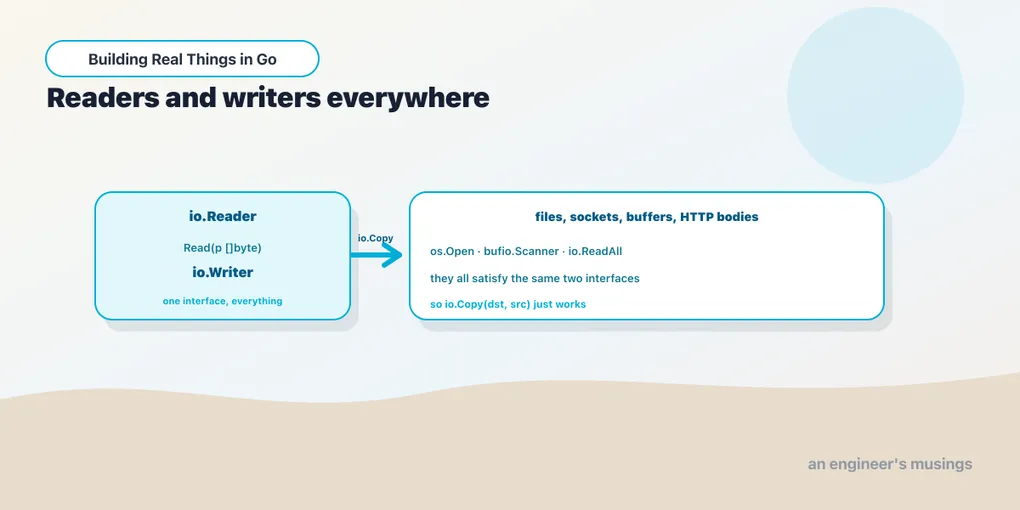
Go’s approach to input and output is built on two interfaces so small you could write them from memory, and almost everything that moves bytes in the standard library satisfies one of them. A file, a network socket, an in-memory buffer, the body of an HTTP request, a gzip stream: all of them are readers, writers, or both. Learn the two interfaces and you have learned how to plumb data between any two of those things, in any combination, without the pieces knowing about each other. That is the whole idea, and it is worth internalizing before the convenience functions, because the convenience functions are just sugar over it.
Reading and writing a whole file
When a file is small enough to fit in memory and you want all of it, two functions do the job with no ceremony:
package main

import (
	"fmt"
	"os"
	"path/filepath"
)

func main() {
	path := filepath.Join(os.TempDir(), "note.txt")

	// Write the whole file in one call. 0o644 = owner read/write, others read.
	data := []byte("first line\nsecond line\nthird line\n")
	if err := os.WriteFile(path, data, 0o644); err != nil {
		fmt.Println("write:", err)
		return
	}

	// Read it all back in one call.
	got, err := os.ReadFile(path)
	if err != nil {
		fmt.Println("read:", err)
		return
	}

	fmt.Printf("wrote %d bytes, read %d bytes back\n", len(data), len(got))
	fmt.Print(string(got))

	os.Remove(path)
}
wrote 34 bytes, read 34 bytes back
first line
second line
third lineos.WriteFile takes a path, a byte slice, and a Unix permission mode (the 0o644 is octal, the usual “owner writes, everyone reads”). os.ReadFile gives you back the entire contents as a fresh []byte. Both open the file, do the work, and close it for you. They are the right tool when the file is a config, a small document, or a fixture, and the wrong tool the moment the file might be gigabytes, because they pull all of it into memory at once. For anything large, or anything you want to process as it arrives, you stream. And streaming is where the interfaces come in.
The two interfaces that unify everything
Here they are, in full. There is nothing hidden:
type Reader interface {
	Read(p []byte) (n int, err error)
}

type Writer interface {
	Write(p []byte) (n int, err error)
}
An io.Reader is anything with a Read method that fills a byte slice you hand it and reports how many bytes it wrote into that slice. An io.Writer is anything with a Write method that consumes a byte slice and reports how many bytes it accepted. That is the entire contract. Read fills a buffer you own; it does not allocate. You give it room, it puts bytes there, it tells you how many.
The power is that these are the only types most stream-processing code needs to know about. A function that compresses data takes an io.Reader and writes to an io.Writer, and it does not care whether the reader is a file, a socket, or a string in memory. Because *os.File satisfies io.Reader, opening a file gives you something you can hand to any of those functions:
f, err := os.Open(path) // returns *os.File, which is an io.Reader
if err != nil {
	fmt.Println("open:", err)
	return
}
defer f.Close() // always paired with a successful Open

contents, err := io.ReadAll(f) // drains any io.Reader to a []byte
read 19 bytes: "opened as a stream\n"Two things there earn their place. os.Open opens a file for reading and returns an *os.File; note that it is Open for reading and os.Create for writing, a distinction the names make easy to forget. And defer f.Close() is the idiom for releasing the handle: it runs when the surrounding function returns, so the file is closed on every exit path, including the error ones. Pair every successful Open or Create with a deferred Close and you will not leak file descriptors. io.ReadAll, meanwhile, is the streaming cousin of os.ReadFile: it drains any reader to a slice, not just a file.
io.Copy: the pipe
Once both sides of a transfer are interfaces, connecting them is one function. io.Copy(dst, src) reads from a source and writes to a destination until the source is exhausted, and it handles the buffering in between:
src := strings.NewReader("stream me through the pipe")
var dst bytes.Buffer

n, err := io.Copy(&dst, src)
copied 26 bytes
buffer now holds: "stream me through the pipe"strings.NewReader wraps a string as an io.Reader; bytes.Buffer is a growable byte buffer that is both a reader and a writer. Neither knows anything about the other, yet io.Copy moves the bytes across in a single call, allocating a modest internal buffer and looping until EOF. Swap the source for an open file and the destination for the HTTP response writer and you have a file download, with the same one line. That substitutability is the payoff of programming to the interfaces rather than to concrete types.
Scanning lines, and the 64KB trap
Reading a file line by line is common enough to have a dedicated tool: bufio.Scanner. You wrap a reader, then loop while Scan() returns true, pulling each line out with Text():
scanner := bufio.NewScanner(strings.NewReader("alpha\nbeta\ngamma\n"))
for scanner.Scan() {
	fmt.Println(scanner.Text())
}
if err := scanner.Err(); err != nil {
	fmt.Println("scan error:", err)
}
Scan returns false at end of input or on error, so you check Err() after the loop to tell the two apart. A clean end of file leaves Err() nil. This is the first place the “errors are values” habit shows up in I/O: the loop condition and the error check are separate steps.
Now the sharp edge, and it bites people in production. A bufio.Scanner refuses to return a token larger than its buffer, and the default maximum is bufio.MaxScanTokenSize, about 64KB. Feed it a single line longer than that and Scan stops early with an error rather than reading a partial line:
long := strings.Repeat("x", 200_000) + "\n" // one 200KB line

s1 := bufio.NewScanner(strings.NewReader(long))
for s1.Scan() {
	fmt.Println("default scanned a line of length", len(s1.Bytes()))
}
fmt.Println("default Err():", s1.Err())

s2 := bufio.NewScanner(strings.NewReader(long))
s2.Buffer(make([]byte, 0, 64*1024), 1024*1024) // allow up to 1MB
for s2.Scan() {
	fmt.Println("buffered scanned a line of length", len(s2.Bytes()))
}
fmt.Println("buffered Err():", s2.Err())
default Err(): bufio.Scanner: token too long
buffered scanned a line of length 200000
buffered Err(): <nil>The first scanner never entered its loop body and left token too long in Err(). The fix is Scanner.Buffer, which takes an initial buffer and a maximum size; raise the max above your longest expected line and the same input scans cleanly. This is exactly the kind of thing that works on every line in your test fixture and then fails at 3am on one pathological log entry, so if you scan input you do not control, set the buffer deliberately.
Buffered writing, and the Flush you must not forget
The mirror image of scanning is bufio.Writer, which batches many small writes into fewer, larger ones for the underlying file. It has one rule that trips everyone at least once: buffered bytes are not on disk until you Flush.
w := bufio.NewWriter(f)
for i := 1; i <= 3; i++ {
	fmt.Fprintf(w, "row %d\n", i)
}

before, _ := os.ReadFile(path) // read the file back mid-write
fmt.Printf("bytes on disk before Flush: %d\n", len(before))

w.Flush()
after, _ := os.ReadFile(path)
fmt.Printf("bytes on disk after Flush:  %d\n", len(after))
bytes on disk before Flush: 0
bytes on disk after Flush: 18Eighteen bytes were written to the buffer and zero of them had reached the file until Flush ran. Forget the Flush and you get a truncated or empty file with no error to explain it, because as far as Fprintf was concerned every write succeeded. The safe pattern is to defer the flush right after creating the writer, and to check its error, since the flush is where a full disk or a broken pipe finally surfaces.
io.EOF is not an error, it is a signal
One last piece of the model. When you read from a stream in a loop, how does the stream say “there is no more”? It returns the sentinel value io.EOF. Reading past the end is expected, so end-of-file is reported as a specific, recognizable value rather than a failure:
r := strings.NewReader("abcdefgh")
buf := make([]byte, 3) // small, to force several reads

for {
	n, err := r.Read(buf)
	if n > 0 {
		fmt.Printf("read %d bytes: %q\n", n, buf[:n])
	}
	if err == io.EOF {
		fmt.Println("hit io.EOF, done")
		break
	}
	if err != nil {
		fmt.Println("read error:", err)
		break
	}
}
read 3 bytes: "abc"
read 3 bytes: "def"
read 2 bytes: "gh"
hit io.EOF, doneTwo subtleties the loop respects. Read can return bytes and a non-nil error in the same call, so you process the n bytes before you inspect the error. And io.EOF is the normal terminating condition, checked separately from real errors; a genuine failure is anything else. In practice you rarely write this loop by hand, because io.Copy, io.ReadAll, and bufio.Scanner all wrap it for you and treat io.EOF as the quiet signal to stop. But knowing that a bare Read returns it is what makes those higher-level tools stop making magic and start making sense.
Final thoughts
The os package gives you whole-file reads and writes for the small cases, but the real model is the two one-method interfaces: io.Reader fills a buffer you own, io.Writer consumes one you give it, and virtually every byte-moving type in Go satisfies one or both. Program to those and io.Copy pipes any source into any destination, bufio.Scanner reads lines (until a long one hits the 64KB ceiling you can raise with Buffer), bufio.Writer batches writes you must remember to Flush, and io.EOF is the ordinary value that means “done.” Keep the interfaces in your head and the rest of the standard library’s I/O stops being a catalog to memorize and becomes a set of parts that snap together.
Comments