Hello, Go: The Language and Its Toolbox
What Go is and the values that shaped it, the shape of the smallest program, and the built-in toolchain — run, build, module, format, vet, test — that comes with the language rather than bolted on. Compiled and run against Go 1.26.5.
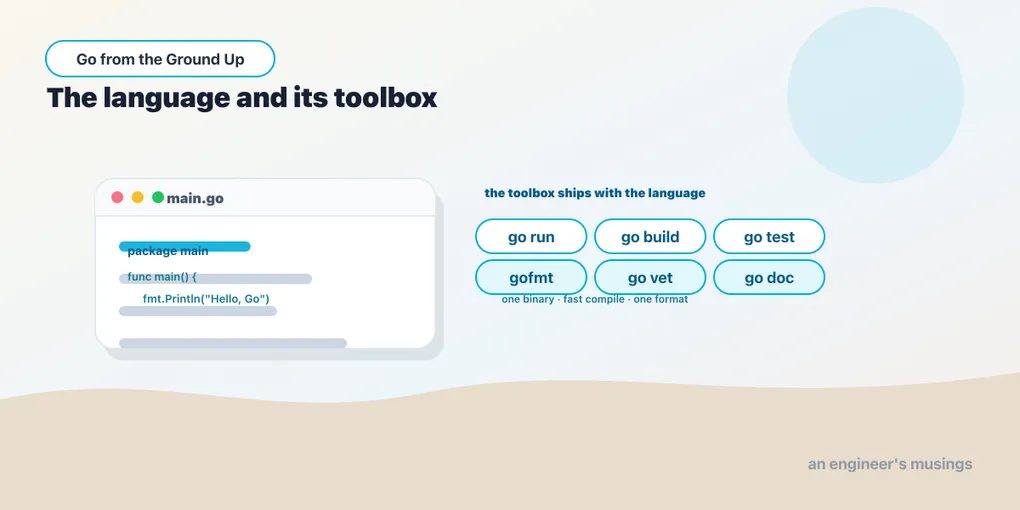
Go is a compiled, statically typed language that produces a single self-contained binary, collects its own garbage, compiles fast enough to feel interpreted, and — this is the part that surprises people — deliberately leaves things out. There are no classes, no exceptions, no generics until you reach for them, and exactly one loop keyword. That minimalism isn’t an oversight; it’s the whole design. Go was built to keep large codebases, worked on by large teams over many years, readable and maintainable, and most of its choices make more sense once you read them as answers to “how do we keep a million-line codebase from rotting.”
This first chapter is orientation: what the language values, the shape of the smallest program, and the toolbox that ships with Go instead of being assembled from third-party pieces.
Run against: Go 1.26.5.
What Go optimizes for
Every language optimizes for something, and knowing what tells you why the rest looks the way it does. Go optimizes for reading code you didn’t write. The consequences run through everything:
- One obvious way to do things. Where other languages give you five ways to format a string or lay out a class, Go tends to give you one, so code from different authors looks the same. Formatting isn’t even a matter of taste (below).
- A small language you can hold in your head. The spec is short. You can learn essentially all of the syntax in a week, which means you spend your time on the problem, not the language.
- Fast compiles and a single binary.
go buildproduces one statically linked executable with no runtime to install on the target machine — you copy the file and run it. Compilation is fast by design, so the edit-build-run loop stays tight even on big projects. - Concurrency as a first-class idea. Goroutines and channels are built into the language, not a library — enough that the second series in this track is devoted to them.
The flip side is real and worth saying plainly: Go can feel verbose and under-featured if you arrive expecting rich type systems or terse expressiveness. The if err != nil you’ll write hundreds of times is the canonical complaint. Whether that trade is worth it depends on what you’re building — but the trade is deliberate, and this series will keep pointing out why each spartan choice was made rather than treating it as a limitation to apologize for.
The smallest program
Here is a complete Go program:
package main

import "fmt"

func main() {
	fmt.Println("Hello, Go")
}
Four things are load-bearing, and they’re worth naming because you’ll write them constantly:
package main. Every Go file belongs to a package. The special packagemainwith amainfunction is what produces an executable; any other package name produces a library. The first line of every file declares its package.import "fmt". You pull in other packages by import path.fmt(from the standard library) is Go’s formatted-I/O package —Println,Printf,Sprintf. Imports are explicit and, notably, an unused import is a compile error, not a warning. Go refuses to build code with dead imports, which is the first hint of how opinionated the compiler is.func main(). Execution starts here. No arguments, no return value.- The capital
PinPrintln. Identifiers that start with an uppercase letter are exported (visible outside their package); lowercase ones are package-private. That single rule replacespublic/privatekeywords entirely, and it’s whyfmt.Printlnis capitalized — you’re calling an exported function.
Run it with go run:
$ go run main.go
Hello, Go
go run compiles to a temporary binary and executes it in one step — the closest Go gets to a scripting feel. When you want the artifact, go build produces the standalone binary:
$ go build -o hello main.go
$ ./hello
Hello, Go
That ./hello is a complete, statically linked executable you can ship as-is. No interpreter, no virtual machine, no dependency install on the target box.
Modules: how Go finds your code
A real program is more than one file, and Go organizes code into modules. A module is a directory tree with a go.mod file at its root that names the module and records its dependencies. You create one with go mod init and an import path (conventionally a URL you control):
$ go mod init example.com/helloThat writes a go.mod recording the module path and the Go version. From then on, go build, go run, and go test operate on the module, go get adds dependencies to it, and the toolchain resolves imports against it. We give modules a full chapter at the end of the series; for now, know that go mod init is the first command you run in a new project, and the go.mod file is the source of truth for what your code depends on.
The toolbox is the language
Here’s where Go differs most from what you may be used to: the tooling is part of the distribution, not a marketplace of competing third-party tools. Installing Go gives you the compiler, the formatter, the test runner, the vet checker, the documentation viewer, and the dependency manager — one go command, subcommanded:
go run— compile and run in one step (development).go build— produce a binary.go test— run tests (below).gofmt(orgo fmt) — canonical formatting. This is the one to internalize: Go has a single official code format, andgofmtrewrites your file to it. Tabs, brace placement, alignment — all decided, none argued about. Teams don’t run style debates or bikeshed a linter config; they rungofmtand move on. Most editors run it on save.go vet— a static analyzer that flags correct-looking but probably-wrong code (aPrintfformat string that doesn’t match its arguments, an unreachable branch). It’s not a style checker; it’s a bug catcher, and it’s worth wiring into CI.go doc— prints documentation for a package or symbol from the source itself (go doc fmt.Println), because doc comments live next to the code.
The point is cultural as much as technical: because these ship together and everyone uses them, a Go codebase from anywhere looks and behaves like a Go codebase from anywhere else. That uniformity is exactly what the language was optimizing for.
Testing comes in the box too
Tests aren’t a separate framework you choose; they’re built in. A test is a function named TestXxx taking a *testing.T, in a file ending _test.go, run by go test:
// greet.go
package main

import "fmt"

func Greet(name string) string {
	return fmt.Sprintf("Hello, %s", name)
}
// greet_test.go
package main
import "testing"
func TestGreet(t *testing.T) {
got := Greet("Ada")
want := "Hello, Ada"
if got != want {
t.Errorf("Greet(Ada) = %q, want %q", got, want)
}
}$ go test
ok example.com/hello 0.27sNotice there’s no assertion library and no expect(...).toBe(...) — you compare with plain if and report with t.Errorf. That’s idiomatic Go testing, and it’s another instance of “one small way, built in.” We cover testing properly (table-driven tests, benchmarks, fuzzing) in the Building Real Things in Go series; here it’s enough to see that go test is a first-class citizen and that a _test.go file sitting next to your code is all a test needs.
The workflow, start to finish
Putting it together, the loop you’ll live in:
$ go mod init example.com/thing   # once, at project start
$ go run .                        # write code, run it
$ gofmt -w .                      # format (usually your editor does this)
$ go vet ./...                    # catch likely bugs
$ go test ./...                   # run the tests
$ go build -o thing .             # produce the binary to ship
The ./... you’ll see everywhere means “this directory and every package under it” — the recursive wildcard the go command uses to operate on a whole module at once. go test ./... runs every test in the project; go vet ./... checks all of it.
Final thoughts
Go is a small, compiled, opinionated language that trades expressiveness for readability and produces a single binary with a fast compile. A program is a package, an import or two, and a func main; capitalization decides what’s exported; unused imports don’t compile. And the toolbox — run, build, module management, gofmt, vet, test, doc — ships with the language, which is why Go code from anywhere feels the same. Hold onto the philosophy as much as the syntax: nearly every “why is it like this?” in the chapters ahead has the same answer — because it keeps large code readable. Next we start on the language itself, with the pieces you declare before you can do anything else.
Next: variables, constants, and zero values — how Go declares things, and the idea that there is no such thing as uninitialized memory.
Comments