I Stopped My 2019 Intel MacBook Pro From Bleeding Battery Overnight — Here's What Actually Worked
An Intel Mac draining ~28% overnight wasn't the failing battery — it was one Continuity feature holding the CPU awake. The one-toggle fix, with measured results.
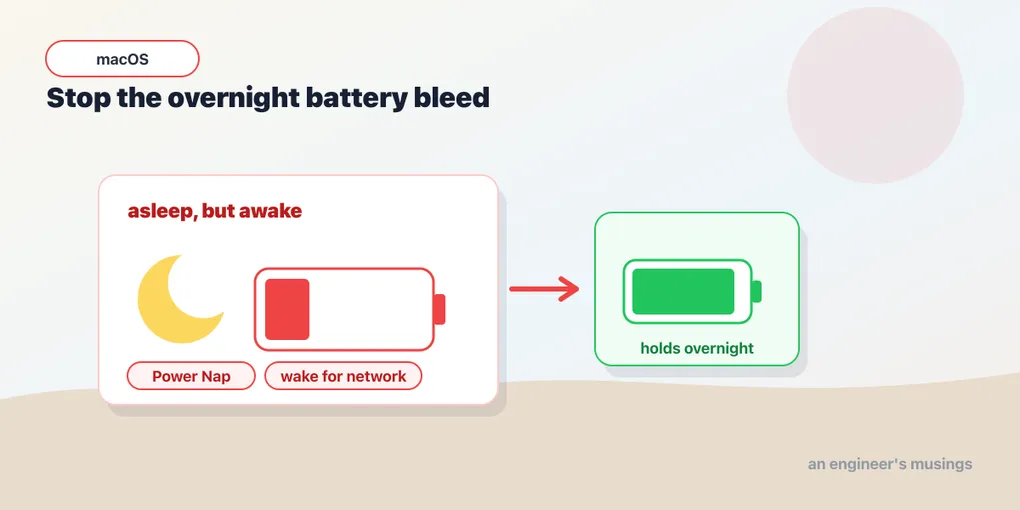
A practical guide for Intel Mac owners who feel like Apple has quietly stopped caring about them.
If you own a 2019 (or earlier) Intel MacBook Pro, you’ve probably felt the same thing I have: you close the lid with a near-full battery, come back the next morning, and the thing is gasping at 15%. You blame the aging battery, sigh, and start looking at M-series replacement prices.
I almost did exactly that. My 2019 16-inch MacBook Pro with the 2.4 GHz 8-core i9 and 32 GB of RAM was draining roughly 2.8% per hour with the lid closed — about 28% overnight. AppleCare expired years ago. Battery health reported as “Normal.” Cycle count was a healthy 261. So what was going on?
After a few hours of digging, I found the culprit. It wasn’t the battery. It was a feature Apple introduced over a decade ago that runs by default on every Mac you’ve ever owned — and it’s silently killing battery life on Intel machines while costing nothing on Apple Silicon.
Here’s what I learned, what I changed, and the measured results.
The diagnostic journey (skip to the fix if you don’t care about the why)
The first thing I checked was the battery itself, because that’s the obvious suspect:
system_profiler SPPowerDataType | grep -E "Cycle Count|Condition|Maximum Capacity|Full Charge Capacity|Manufacturer"Output:
Manufacturer: SMP
Full Charge Capacity (mAh): 7016
Cycle Count: 261
Condition: Normal
For a 2019 MacBook Pro, that’s a healthy battery. The design capacity is 8,790 mAh, so 7,016 mAh works out to about 80% — exactly the threshold Apple considers a battery still healthy. Cycle count of 261 against a rated lifespan of 1,000 is actually excellent. Most 2019 MBPs I see online are at 500–800+ cycles.
So if the battery wasn’t the problem, what was? The next command tells you everything:
pmset -gBuried in the output, this line was the smoking gun:
sleep 1 (sleep prevented by sharingd)That parenthetical is doing a lot of work. It means the sharingd daemon — the system service responsible for Apple’s Continuity features (Handoff, Universal Clipboard, AirDrop) — was holding a continuous assertion that prevented my Mac from ever entering proper sleep when I closed the lid.
To confirm what was holding the assertion:
pmset -g assertionsPreventUserIdleSystemSleep 1
pid 477(sharingd): PreventUserIdleSystemSleep named: "Handoff"There it was. Every time I closed the lid, my Mac wasn’t actually sleeping — it was sitting in a higher-power idle state with the CPU and RAM still active, ready to instantly hand off a Safari tab or copied text to my iPhone. A noble feature. An expensive one on Intel hardware.
The fix: turn off Handoff
That’s it. One toggle.
Open System Settings, click General in the sidebar, then AirDrop & Handoff. Find the toggle labeled “Allow Handoff between this Mac and your iCloud devices” and switch it off.
That’s the only setting on this page that matters for the battery fix. You can leave AirDrop and AirPlay Receiver however you had them — they use different mechanisms and don’t hold continuous sleep assertions.
After flipping that switch and re-running pmset -g, the parenthetical was gone:
sleep 1Then I ran the test that mattered: closed the lid at 100% battery in the evening, checked it 10+ hours later in the morning. The result:
95%; discharging; (no estimate)5% drained over more than 10 hours of standby. That works out to about 0.45% per hour — roughly 6× better than before.
| Before | After | |
|---|---|---|
| Idle drain rate | ~2.8%/hour | ~0.45%/hour |
| Overnight (10 hrs) | ~28% | ~5% |
| Effective standby time | ~1.5 days | ~9 days |
For an Intel MacBook Pro that I was about to write off as “battery probably needs replacing,” this was a transformation.
Why does this happen on Intel Macs but not Apple Silicon?
This is the part that nobody tells you.
Continuity — the family of features that includes Handoff, Universal Clipboard, AirDrop, and Continuity Camera — was introduced in 2014 with macOS Yosemite and iOS 8. It’s been quietly running on every Mac since.
The way Handoff works is conceptually simple: your Mac maintains a low-level awareness of your nearby Apple devices so it can instantly pick up activities. To do that “instantly,” sharingd keeps a sleep-prevention assertion active. The Mac’s CPU never goes fully to sleep — it stays in a lighter idle state.
On Apple Silicon Macs (M1 and later), this is essentially free. The M-series chips are designed around aggressive power-state management — they can wake briefly, do tiny tasks, and re-sleep within milliseconds. Maintaining a Handoff assertion costs almost nothing.
On Intel Macs, the same assertion forces the CPU to stay in a much higher idle power state. There’s no equivalent “wake briefly” capability — when sharingd holds that assertion, the chip burns watts continuously.
This is one of the silent reasons people perceive Apple Silicon battery life as dramatically better than Intel. Yes, the M-series chips are more efficient on raw work. But Intel Macs are also paying a hidden tax for ecosystem features that have effectively zero cost on the new architecture. Apple has no incentive to optimize this on Intel — those Macs are end-of-life products in their roadmap.
What you lose by turning off Handoff
Be honest with yourself about whether you actually use it.
You lose:
- Continuing Safari tabs / Mail drafts / Notes between iPhone and Mac
- Universal Clipboard between devices (copy on iPhone, paste on Mac and vice versa)
- A few smaller Continuity activities
You keep:
- AirDrop (different daemon path)
- AirPlay Receiver
- iMessage / FaceTime
- iCloud sync of all kinds (Photos, Drive, Documents)
- Sidecar (using iPad as a second display)
- Continuity Camera
For most of us — and especially anyone who didn’t realize Handoff was on in the first place — this is an obvious trade.
Other Intel Mac optimizations worth doing
While you’re tuning power settings, here are a few more issues specific to Intel Macs that are worth addressing.
1. Keep an eye on the discrete GPU
If you have a 15” or 16” Intel MBP, you have both an Intel integrated GPU and an AMD discrete GPU. macOS switches between them automatically, but the switching logic is imperfect. Apps like Chrome, Slack, Zoom, and many Electron apps can trigger the discrete GPU unnecessarily, halving your battery life.
Check what’s currently active: Activity Monitor → Window menu → GPU History.
If you see the AMD GPU active when you’re not doing anything graphically intense, hunt down the offender. Switching from Chrome to Safari is one of the highest-impact changes you can make on an Intel MBP.
Also confirm: System Settings → Battery → Options → “Automatic graphics switching” is ON.
2. Verify Power Nap is off
Power Nap wakes your Mac periodically while sleeping to check email, sync iCloud, run Time Machine. On Intel Macs, every wake is expensive.
pmset -g | grep powernapYou want powernap 0. If it’s 1, turn it off in System Settings → Battery → Options.
3. Watch for third-party sleep blockers
Once Handoff was off, I ran into other brief sleep assertions from backupd-helper (Time Machine doing its job — fine, it ends when the backup ends) and GoogleUpdater (Chrome’s update checker — brief and on-demand).
Run pmset -g assertions periodically and look at the “Listed by owning process” section. Common offenders:
- Dropbox / Google Drive / OneDrive sync clients
- VPN clients (some hold persistent assertions)
- Logitech Options / G Hub
- Some antivirus software
- Any “always on” menu bar utility
If any third-party app is holding a PreventUserIdleSystemSleep assertion continuously (not just briefly), it’s eating your battery the same way sharingd was.
4. Use a laptop stand
The 2019 16” MBP is famous for thermal throttling — the i9 will drop from 2.4 GHz down to ~1.8 GHz under sustained load because the chassis can’t dissipate heat fast enough. Lifting the back of the machine even an inch with a cheap stand makes a measurable difference. The fans don’t have to work as hard, throttling kicks in later, and you stay on the more efficient power curve.
5. Manage battery longevity is your friend
If “Manage battery longevity” is on (System Settings → Battery → Battery Health → ⓘ), macOS deliberately caps your full charge to extend the battery’s lifespan. This is why my 6-year-old battery is still at 261 cycles and “Normal” status. Leave it on. The trade-off — slightly less daily runtime in exchange for years more battery life — is almost always worth it.
A note on long-term planning
If you’re keeping your Intel Mac for now, two things to be aware of:
-
macOS Sequoia (15) is likely the last major macOS for Intel. Apple has been signaling this for several releases. macOS 16 (whatever Apple calls it) is expected to drop Intel support entirely. After that, you’ll get security updates for ~2 more years, then nothing.
-
Third-party apps follow Apple’s lead. Once Apple drops Intel, expect Chrome, Adobe, Microsoft, and JetBrains to phase out Intel Mac support over the following 1–3 years.
Realistically, your Intel Mac has another 2–3 years of fully-supported life. With proper battery hygiene, mine will probably make it that long. After that, it’ll still work — just with a frozen software stack.
TL;DR
If your Intel Mac is hemorrhaging battery overnight, here’s the entire fix in 30 seconds:
- Open Terminal and run
pmset -g | grep sleep - If you see
(sleep prevented by sharingd), that’s your problem - Go to System Settings → General → AirDrop & Handoff and turn off Handoff
- Re-run the command and confirm the parenthetical is gone
- Test overnight: lid closed, unplugged, check
pmset -g battin the morning - Expect ~5% drain instead of ~25–30%
That single toggle gave my Intel MacBook Pro back the standby battery life I’d assumed was gone forever. If you’ve been blaming your aging battery for your overnight drain problem, check this first. The battery is probably fine. Apple’s Continuity features just aren’t.
If this helped, share it with the next Intel Mac owner who’s about to spend money on a battery replacement they don’t need.
Comments