Tools, Properly: Validation, Structured Output, and Errors Worth Reading
Past hello-world MCP tools: validate inputs with the schema, return structured output the host can parse, and fail in a way the model can recover from — in Python and TypeScript.
Series: Building MCP Servers — Part 3 of 12
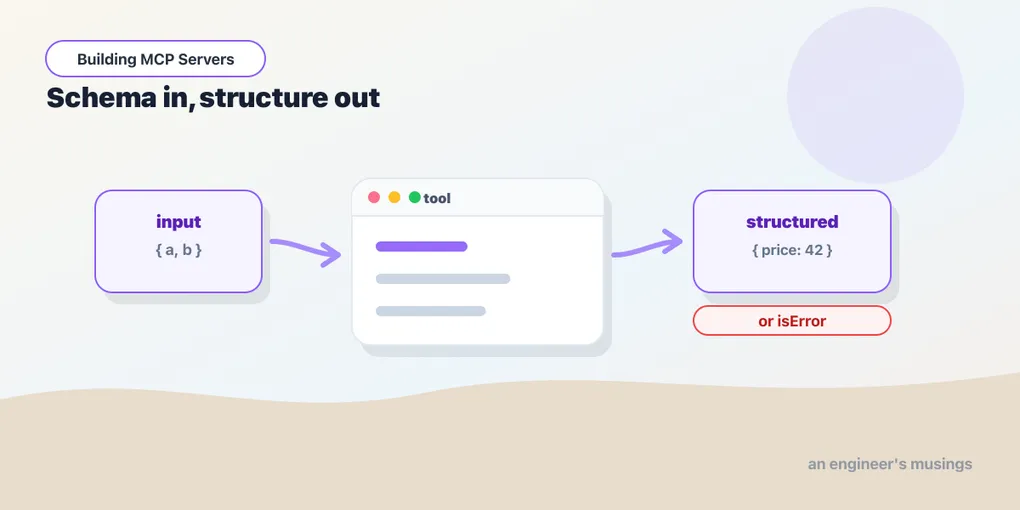
The add tool from Part 2 took two numbers and returned text. Real tools take messier input, return more than a string, and sometimes fail. How you handle those three things decides whether the model uses your tool well or fumbles it. This post turns one toy tool into a couple of honest ones: validated inputs, structured output, and errors the model can actually act on. Same Python and TypeScript tabs as before.
Inputs: the schema is your validation
You already saw that the SDK derives a JSON Schema for a tool’s arguments — from Python type hints, from the Zod shape in TypeScript. That schema isn’t just documentation. The host validates arguments against it before your handler runs, so a tool typed to want a number never sees a string. The richer you make the schema, the less defensive code you write, and the better the model’s guess at how to call you.
from typing import Annotated
from pydantic import Field

@mcp.tool()
def divide(
    a: float,
    b: Annotated[float, Field(description="the divisor; must not be zero")],
) -> float:
    """Divide a by b."""
    if b == 0:
        raise ValueError("b must not be zero")
return a / bserver.registerTool(
"divide",
{
title: "Divide",
description: "Divide a by b.",
inputSchema: {
a: z.number(),
b: z.number().describe("the divisor; must not be zero"),
},
},
async ({ a, b }) => {
if (b === 0) {
return { content: [{ type: "text", text: "b must not be zero" }], isError: true };
}
return { content: [{ type: "text", text: String(a / b) }] };
}
);Annotated[float, Field(...)] in Python and .describe(...) in Zod attach a description to a single parameter. That text rides along in the schema, and it’s exactly what the model reads when deciding what to pass. You can go further (Pydantic’s Field(ge=0), Zod’s z.number().int().min(0)) and the host enforces those bounds for you. Validation you express in the schema is validation you don’t repeat in the body.
Output: return data, not just prose
Text content is fine for a human reading along. But if the host wants to use a tool’s result — feed it to another tool, render it in a UI — it needs structure. Declare an output shape and the SDK advertises an output schema, then returns a machine-readable structuredContent block alongside the text.
from pydantic import BaseModel

class Quote(BaseModel):
    symbol: str
    price: float
    currency: str = "USD"

@mcp.tool()
def get_quote(symbol: str) -> Quote:
    """Look up a stock quote."""
return Quote(symbol=symbol.upper(), price=42.0)server.registerTool(
"get_quote",
{
title: "Get quote",
description: "Look up a stock quote.",
inputSchema: { symbol: z.string() },
outputSchema: { symbol: z.string(), price: z.number(), currency: z.string() },
},
async ({ symbol }) => {
const quote = { symbol: symbol.toUpperCase(), price: 42.0, currency: "USD" };
return {
content: [{ type: "text", text: JSON.stringify(quote) }],
structuredContent: quote,
};
}
);Here’s the asymmetry I flagged in Part 2, paid off. In Python, returning a typed object is enough: FastMCP reads the -> Quote annotation, generates the output schema, and emits both a JSON text block and structuredContent for free. In TypeScript you’re explicit: declare outputSchema and return a structuredContent that matches it. The SDK validates the match and will reject a mismatch. Call either one and the result carries both representations:
{
  "content": [ { "type": "text", "text": "{ \"symbol\": \"AAPL\", ... }" } ],
  "structuredContent": { "symbol": "AAPL", "price": 42, "currency": "USD" }
}
The text keeps a transcript readable; the structured block is what a program downstream actually consumes. Once you declare an output schema, return the structured form — don’t make callers re-parse your prose.
Errors: fail inside the protocol, not around it
A tool that divides will eventually be asked to divide by zero. There are two ways that goes wrong, and only one is useful. A protocol error (the server crashes, the transport drops) tells the model nothing except “it broke.” A tool error — a normal result flagged as failed — hands the model a message it can read and route around.
That’s the distinction the isError flag draws, and the two SDKs reach it from different directions. In Python, raise — FastMCP catches the exception and returns it as a tool error. In TypeScript, return a result with isError: true (throwing works too, but returning lets you control exactly what the model sees). Either way the call comes back like this, and the conversation continues:
{ "content": [ { "type": "text", "text": "b must not be zero" } ], "isError": true }Write the message for the model, not the log. “b must not be zero” lets it retry with a different argument; “ArithmeticError at line 14” does not. The error is part of your tool’s interface — design it like one.
Final thoughts
A good tool is mostly its edges. The happy path is a function call. The value you add over a raw function lives in three places: the schema that constrains the input, the structure that makes the output usable, and the error that tells the model how to recover. Get those three right and the model wields your tool confidently. Get them wrong and it guesses — which, with something that has side effects, is exactly what you don’t want.
Next: Resources: The Read-Only Half of MCP, where we expose data the host can pull into context without ever calling a tool.
Target keyword(s): mcp tool schema, mcp structured output.
Comments