Test, Debug, and Ship
Make an MCP server trustworthy: debug it with the Inspector, test it fast with an in-memory transport, dodge the stdout gotcha, and package or deploy it. In Python and TypeScript.
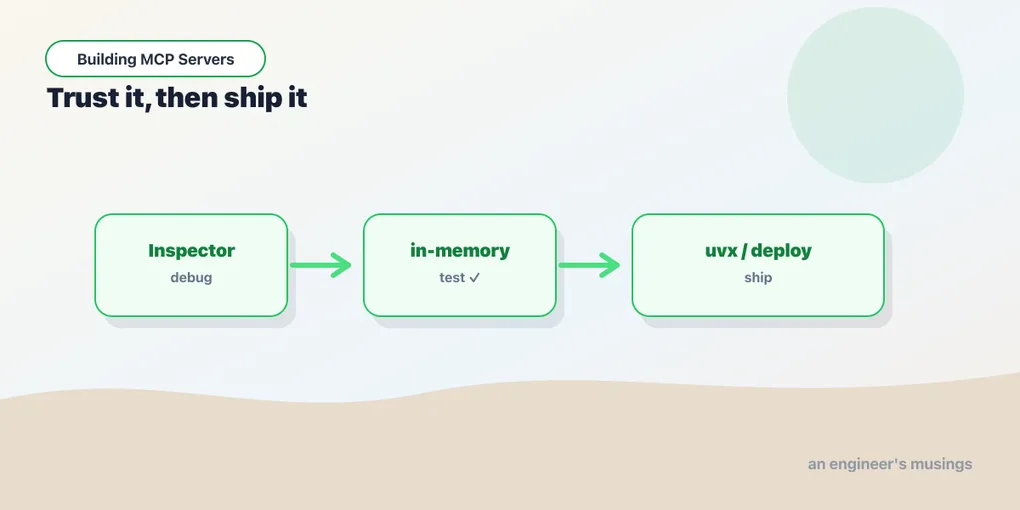
Series: Building MCP Servers — Part 10 of 12
A server that works when you poke it by hand isn’t done — it’s a prototype. The distance to something you’d put in CI and run in production is three things: a debugging loop, a real test, and a way to ship. None of them is much work once you know where the sharp edges are. One of those edges has bitten nearly everyone who’s written a stdio server.
Debug: the Inspector, and the stdout trap
You met the MCP Inspector back in Part 2. It’s still the first tool to reach for: npx @modelcontextprotocol/inspector <command> for the browser UI, or --cli ... --method tools/list for a scriptable check. When a tool misbehaves, call it through the Inspector in isolation. That tells you whether the bug is in your server or in how the host is calling it.
But the single most common stdio bug isn’t in a tool — it’s print. On the stdio transport, stdout is the protocol channel. Every JSON-RPC message flows through it. So anything else you write to stdout lands in the byte stream and corrupts the next message — a stray print, a library banner, a debug console.log. The server appears to hang or the client reports a parse error, and you stare at correct-looking tool code for an hour. The rule is simple: logs go to stderr, never stdout.
import sys

print("starting up")              # ❌ corrupts the protocol
print("starting up", file=sys.stderr) # ✅ safe — stderr is free for logsconsole.log("starting up"); // ❌ console.log writes to stdout — corrupts the protocol
console.error("starting up"); // ✅ console.error writes to stderr — safe(Remote HTTP servers don’t have this problem: stdout is free there. It’s one more quiet argument for the HTTP transport once you’re past local development.)
Test: the in-memory transport
You don’t need a subprocess to test a server. Both SDKs can link a client and server directly in memory. A test spins up the server object, calls a tool, and asserts on the result — no process spawn, no ports, fast enough for a unit-test suite.
from mcp.shared.memory import create_connected_server_and_client_session as connect
from tasks_server import mcp

async def test_add_task():
    async with connect(mcp._mcp_server) as client:
        result = await client.call_tool("add_task", {"title": "test task"})
        assert result.structuredContent["title"] == "test task"
        assert result.structuredContent["done"] is False
import { InMemoryTransport } from "@modelcontextprotocol/sdk/inMemory.js";
const [clientTransport, serverTransport] = InMemoryTransport.createLinkedPair();
await server.connect(serverTransport);
const client = new Client({ name: "test", version: "1.0.0" });
await client.connect(clientTransport);
const result = await client.callTool({ name: "add_task", arguments: { title: "test task" } });
assert.deepEqual(result.structuredContent, { title: "test task", done: false });This is the test you write the most: call a tool through a real session and assert on the structured result. That exercises the schema, the handler, and the serialization in one go. It goes through an actual client session rather than calling your handler function directly, so it catches the things that only break at the protocol boundary: a result that doesn’t match its declared output schema, an argument the schema quietly rejects.
Ship: package or deploy
How you ship depends on the transport, and the split is clean. A stdio server is a program a host launches, so you distribute it like any CLI. Publish the Python package and let users run it with uvx your-server, or publish the npm package with a bin entry and npx your-server. The host’s config just names that command: the same command/args block from Part 2, now pointing at the published tool instead of a local file.
A Streamable HTTP server is a service, so you ship it like one: a container, behind TLS, with the auth from Part 8 in front of it. Nothing MCP-specific here beyond what Part 7 set up — it’s an HTTP service, and your existing deployment story applies. Only two decisions are MCP-shaped: whether you run stateful (sticky sessions) or stateless (scale flat), and making sure the health check doesn’t trip over the auth gate.
Final thoughts
The gap between a demo server and a dependable one is unglamorous and small: send logs to the right stream, write a handful of in-memory tests that go through a real session, and pick the shipping path your transport implies. Do those, and your server stops being a thing that works on your machine and becomes a thing other people can rely on. For an integration meant to be reused, that’s the entire point.
Next: Capstone: A Task Server, End to End, where the whole series comes together in one real server.
Target keyword(s): mcp testing, deploy mcp server.
Comments