Make the Result a Test
Write complete MUnit tests for a greeting and an order calculation before introducing dependency mocks.
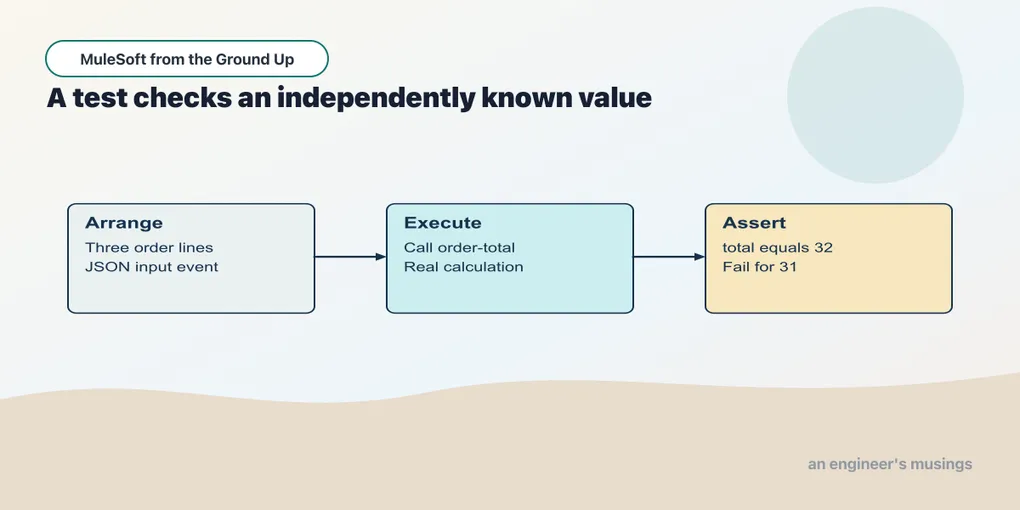
The order calculation returns 32 for Dana today. Then someone adds a processor that replaces the payload before the transform reads it, and the endpoint still returns JSON — it even returns 200 — it just no longer returns an order. A check has to notice the missing order, not merely that the flow completed. You can send those requests by hand, but a repeatable test makes it harder to forget either the greeting or Dana’s total when changing a flow.
MUnit runs Mule flows inside a test runtime. It lets a test arrange an event, invoke a flow and assert the result. The first tests use only local processors, so there is no dependency to mock.
Open this checkpoint in ACB
Stop the previous application. Open book/checkpoints/06-first-tests as the project folder. This chapter uses ACB’s Testing view rather than starting the application in Run and Debug. The test runner starts its own Mule runtime.
For a separate HTTP check, start this checkpoint with Run Mule Application, then run python3 book/run.py verify 06 from the companion root. The Testing runner itself does not leave an HTTP service running for that command. Restore exercise changes before either baseline check.
Start with the complete test project
Checkpoint 06 contains the same application behaviors as checkpoint 05 and adds src/test/munit/app-test.xml. Its POM declares MUnit Runner and MUnit Tools as test dependencies and binds the MUnit Maven plugin to the test phase. All three use version 3.7.4. The application dependencies still belong to the application: adding a test does not remove the need for its HTTP connector. An offline test means the external calls a scenario makes are controlled — it does not mean Maven has no dependencies, or that a global configuration can hold nonsense credentials and still start.
Open Testing in the activity bar. Expand the project, select the app-test.xml suite and click Run Test. To run one scenario, expand the suite and use the run icon beside that test. ACB opens a terminal for the Maven test build and records the outcomes in Testing.
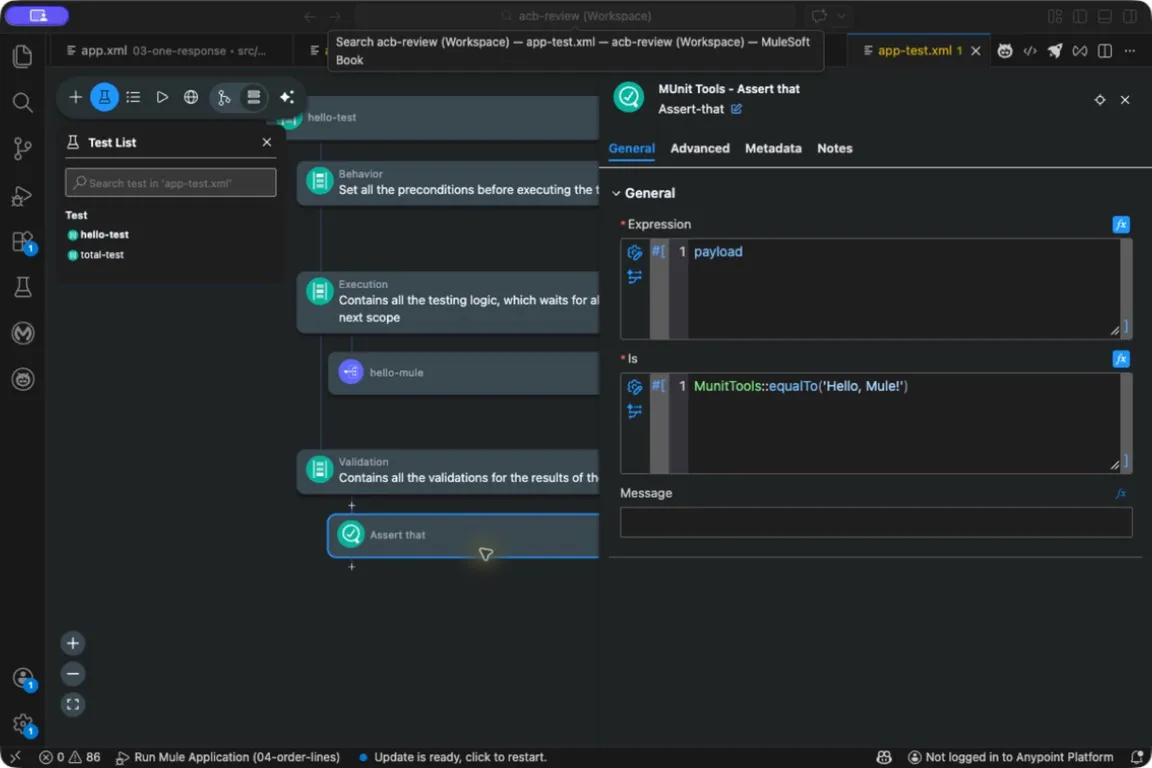
The assertion compares an expression’s actual result with a matcher. It belongs in Validation, after the flow call.
The same suite can run in automation with python3 book/run.py test 06 from the companion root. Keep that command for CI and for comparing editor and terminal failures.
Maven reports the number of tests, errors, failures and skipped tests, and a passing command means something only if it ran the tests you intended — an accidentally ignored suite makes a build faster and greener while removing its protection. A package file appearing in target is not the same evidence as a test report. The companion’s two initial tests are in one complete suite:
Example 015 — Check the greeting and total
The complete source is in checkpoints/06-first-tests/src/test/munit/app-test.xml.
Open src → test → munit → app-test.xml from Explorer. ACB displays a test canvas with Behavior, Execution and Validation sections. Select hello-test in the test list first.
| Test section | Component | Configuration |
|---|---|---|
| Execution | Flow Reference | Name hello-mule |
| Validation | Assert that | Expression payload; Is MunitTools::equalTo('Hello, Mule!') |
Both assertion fields are expressions; enter their contents inside the editor’s displayed brackets. The greeting test needs no arranged payload.
Select total-test. Its Behavior section contains Set Event. Set the payload media type to application/json and use this payload expression:
output application/json
---
{
  orderId: "A-1001",
  customer: {id: "C-42", name: "Dana"},
  items: [
    {sku: "PEN-01", price: 2.5, qty: 4},
    {sku: "PAD-22", price: 6, qty: 2},
    {sku: "CLP-08", price: 1, qty: 10}
  ]
}
In Execution, select Flow Reference and set Name to order-total. In Validation, select Assert that: Expression is payload.total, and Is is MunitTools::equalTo(32). Save the suite, then use the Testing view to run it. Keep the dynamic-port configuration supplied with the project; this test does not need a fixed listener port.
Read the greeting test first
The first test has an execution section and a validation section. Execution invokes hello-mule through Flow Reference. Validation selects payload from the result and compares it with Hello, Mule! using MunitTools::equalTo.
The test calls the flow directly. It does not send an HTTP request, inspect status 200 or establish that port 18881 is reachable — an internal flow reference cannot prove that /hello is configured correctly, and the HTTP check from chapter 1 is what supplies that separate evidence. Direct-flow tests still earn their place, because they let us examine application behavior without requiring every test to travel through a network boundary.
The application’s configurations still initialize in a test runtime. This checkpoint changes the listener port to ${http.port} with a normal default of 18881. The POM’s MUnit plugin reserves http.port through its dynamicPorts configuration before the application loads. The suite declares the same dynamic property. This lets the test runtime coexist with your standalone runtime, including when chapter 9 introduces a properties file. A property is a named configuration value; chapter 9 will load several from a file. MUnit dynamic ports. If a suite fails during startup, read that initialization error before changing an assertion. The earlier edition encountered an occupied listener port during a local MUnit run; directly invoking a flow does not mean its application’s global configurations cease to exist.
Arrange a real input for the total test
The second test adds a behavior section. Set Event supplies a payload before execution. The payload expression uses output application/json to produce JSON content, and the Media Type value application/json describes that content to the input reader.
Those two declarations do different jobs. Producing a Java object and merely labeling it JSON is not a substitute for producing JSON content. That mismatch caused a selector failure in the earlier local suite, which is why the complete example states the output format in the payload expression.
Execution invokes the real order-total flow. Validation checks that its numeric total equals 32, and the expected value is a number, not the string "32". If a formatter turned 32 into "32.00", that numeric expectation is what exposes the change; an assertion checking only for a non-null payload would miss it. A client receiving a textual amount has a different response contract from one receiving a numeric amount.
The fixture has three lines whose totals you can add independently: 10, 12 and 10. That makes the assertion explainable. Copying the flow’s calculation into the expected expression would risk reproducing the same error on both sides of the test. Keep fixtures that small on purpose — a production dump with fifty irrelevant fields makes a failure harder to interpret and can carry customer data into the repository. Add a field when a scenario depends on it, not because the real payload contains it.
Prove that a check can fail
Change the expected total in the test from 32 to 31 and run the suite. The total assertion should fail. Restore 32 and run it again. This small negative control establishes that the selected assertion participates in the test run.
A failure can have several causes. If the test never starts, look at configuration and dependencies. If execution raises an error, inspect the input and the failing processor. If the assertion receives a different value, compare the actual result with the independently calculated expectation. These observations guide different repairs.
Do not change an expectation merely to make the suite green. First decide whether the new behavior is intended. A changed product price might justify a changed fixture and expected total; an accidental selection of the wrong field would not.
Test cases should answer different questions
For a calculation, add a single-line case and the explicit empty-array case. For the intake API later, empty items will be rejected, so its tests will have a different expectation. The same fixture can exercise different contracts at different boundaries.
A coverage percentage records which processors tests visited. It cannot tell whether the test checked the right total or whether an invalid command avoided an external side effect. Use it to find neglected code, and let risk and failure scenarios decide what evidence that code needs. Interaction assertions arrive when an actual connector call makes them meaningful, and the reports find their use in the release pipeline.
Try it
1. Add an identity assertion. The total test could pass if the flow returned the correct amount for the wrong order. Add a check for the returned orderId.
Show answer
Use the + control in Validation to add Assert that. Set Expression to payload.orderId and Is to MunitTools::equalTo('A-1001'). Both identity and amount belong to this response contract.
2. Add a single-line case. Use two pens at 2.5 and an order ID distinct from A-1001.
Show answer
Arrange a JSON payload such as {"orderId":"ONE-LINE","items":[{"sku":"PEN-01","price":2.5,"qty":2}]}. Invoke order-total and expect numeric total 5. Give the test a distinct name.
3. State what remains unchecked. Does this suite prove that an HTTP client receives JSON with status 200?
Show answer
No. It invokes flows directly and checks their results. Keep an HTTP-level test for status, media type and body at the listener boundary. Neither test type replaces the other.
You can now change a small flow and check its intended result. The next chapter turns those calculations into an explicit request contract, including inputs the service must reject.
Comments