Did They Touch?
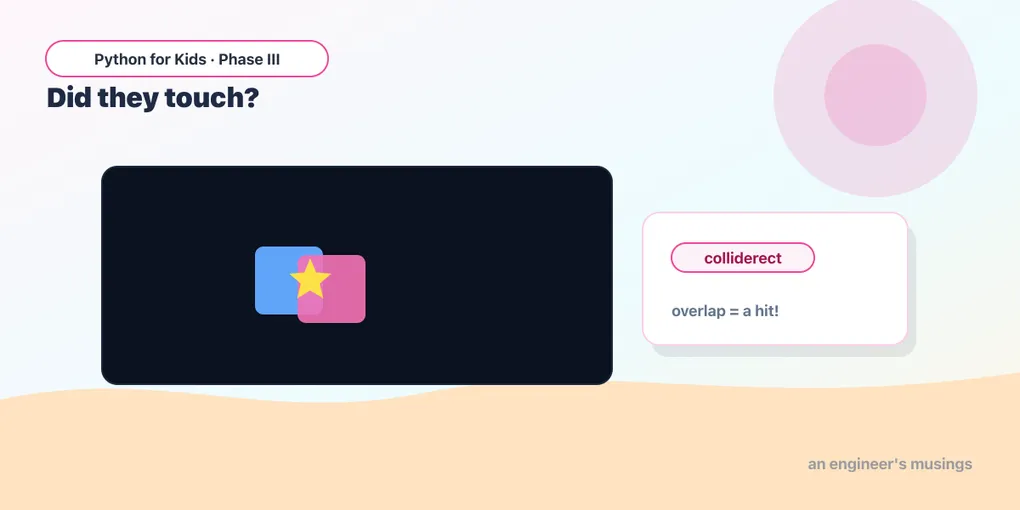
Give your shapes invisible boxes called Rects, then use colliderect to catch the exact moment the player touches a target — and make the target jump to a brand-new random spot.
Last time you moved a player around with the arrow keys. Cool — but right now your player can walk right through everything else like a ghost. Nothing notices. Nothing happens.
Today we fix that. We’re going to teach the game to answer one tiny, very important question: did they touch? That single question is the secret behind catching coins, bumping into walls, and getting tagged. Once you can ask it, you can build almost any game.
Every shape gets an invisible box
pygame has a special helper called a Rect — short for rectangle. Think of it as an invisible box drawn around something. You make one like this:
box = pg.Rect(x, y, width, height)Those four numbers are: how far from the left, how far from the top, how wide, and how tall. The box doesn’t show up on screen by itself — it’s just pygame’s way of keeping track of where a thing is and how big it is.
And here’s the magic. If you have two of these boxes, you can ask:
box1.colliderect(box2)That gives you back True if the two boxes are touching (overlapping), and False if they’re not. collide means “bump into” — colliderect is “do these rectangles bump into each other?”
Catch the target
Let’s put it together. We’ll move a blue player with the arrow keys (just like last lesson), and place a gold target on the screen. When the player’s box touches the target’s box, we’ll turn the player green for a moment so you can see the touch happen.
Click the screen first, then press ▶ Run and steer into the gold square:
Runs on Skulpt + pygame4skulpt — in your browser, nothing installed.
Steer the blue box into the gold one — the moment they overlap, your player flashes green! Move away and it goes blue again. You just made the game notice something. Look at the two new ideas:
player = pg.Rect(40, 40, 40, 40)— instead of keeping the position in plain numbers, the box keeps it for us. We can read and changeplayer.xandplayer.yto move it.touching = player.colliderect(target)— this isTrueorFalse, every single frame. We use it to decide which color to draw.
Notice we even handed the Rect straight to pg.draw.rect — pg.draw.rect(screen, color, target). A Rect already knows its left, top, width, and height, so you don’t have to type them again.
Try it 🎯
Edit the program above and Run after each change:
- Make the target bigger: change it to
pg.Rect(280, 280, 90, 90). Easier to hit now, right? - Move the target to a corner: try
pg.Rect(10, 320, 40, 40). - Make the player faster: change all the
8s to16. Harder to land exactly on the target!
Now make it jump away
A target that just sits there is no fun. Let’s make it run away — every time you catch it, the target teleports to a brand-new random spot. For that we need a new friend: the random module.
Add import random at the very top, and random.randint(a, b) hands you a surprise whole number between a and b. So random.randint(0, 360) is a number from 0 to 360 — perfect for picking a spot on a 400-wide screen (we stop at 360 so the box doesn’t slide off the edge).
Runs on Skulpt + pygame4skulpt — in your browser, nothing installed.
Chase the gold square around — every time you touch it, poof, it appears somewhere new! That’s a real little catch game already. The only new part is inside the if:
if player.colliderect(target):— “if they’re touching right now…”target.x = random.randint(0, 360)— “…drop the target at a random across-spot.”target.y = random.randint(0, 360)— “…and a random up-down spot.”
Your mission 🚀
Right now the player can wander off the edge of the screen and disappear. Add a rule so it can’t! After the movement, before you draw, try keeping the player on screen. Hint — a Rect knows its own edges: player.left, player.right, player.top, player.bottom. For example:
if player.left < 0:
    player.left = 0
Add three more lines like that for the right, top, and bottom edges (the screen is 400 wide and 400 tall). Now your player bonks the wall and stays put!
What you learned today
- A Rect (
pg.Rect(x, y, w, h)) is an invisible box that remembers where a thing is and how big it is. Read and change it with.x,.y,.left,.right,.top,.bottom. box1.colliderect(box2)answers “are these two touching?” withTrueorFalse.import randomplusrandom.randint(a, b)gives you a surprise number — great for sending things to random spots.- You can hand a Rect straight to
pg.draw.rectinstead of retyping its numbers.
You can catch the target now — but the game doesn’t reward you for it. Next time we add a score that goes up every catch, and learn how to draw real words and numbers on the screen.
Next: Keeping Score 🎮
Comments