Build-it: Dodge the Asteroids
Your second full game — pilot a ship through a falling asteroid field, dodge with the arrows, survive as long as you can, and watch the difficulty ramp up.
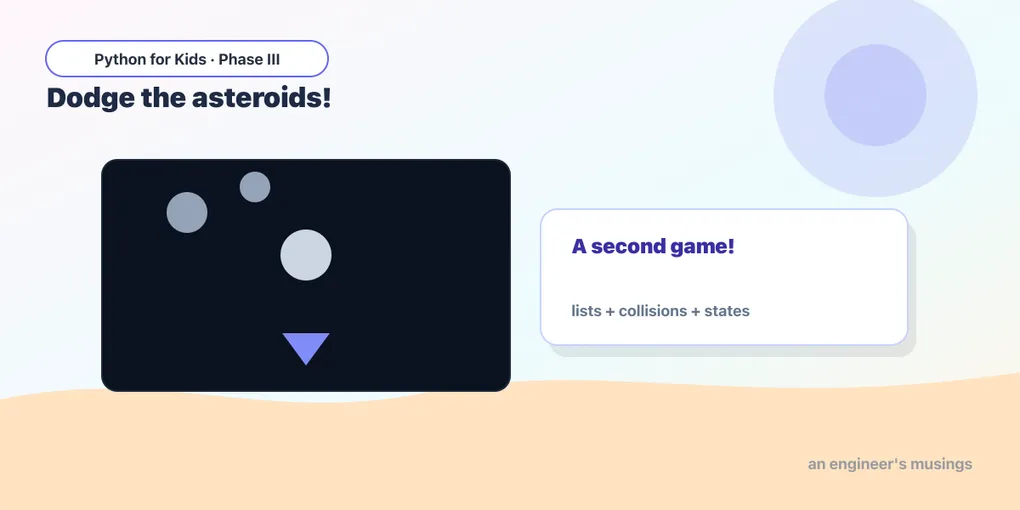
You built a whole game in the Catch project (lesson 8), learned to juggle a crowd of things with lists (lesson 9), and learned to flip between Playing and Game Over with states (lesson 10). Time to put all three together into a brand-new game.
This one is a space dodger. You fly a little ship across the bottom of the screen. Asteroids tumble down from the top — more and more of them, faster and faster. Touch one and it’s Game Over. Survive, and your score keeps climbing. Let’s build it piece by piece, then run the whole thing.
The ship: a triangle you steer
Our hero is a triangle, drawn with pg.draw.polygon. A polygon is a shape made of points joined up — give it three points and you get a triangle. Here, the points are the ship’s nose (top) and its two back corners:
Runs on Skulpt + pygame4skulpt — in your browser, nothing installed.
Click the screen, then steer with ← and →. The pg.key.set_repeat(50, 25) line is what makes holding an arrow glide the ship smoothly — just like in the Catch game. Those two if checks at the bottom keep the ship from flying off the edges.
One falling asteroid
Now an enemy. An asteroid is a circle that starts above the screen and falls down. We store it as a little dictionary — {"x": ..., "y": ...} — just like the falling things in the lists lesson:
Runs on Skulpt + pygame4skulpt — in your browser, nothing installed.
It falls, and when it drops off the bottom (y > 530) we send it back to the top to fall again. One rock is easy. A whole storm of them needs a list.
A storm of asteroids
Here’s the heart of the game. We keep a list of asteroids. Every so often we spawn a new one at a random x near the top. Each frame, every asteroid moves down. Asteroids that fall off the bottom get removed — and the safe way to remove things from a list while looping is to rebuild the list, keeping only the ones still on screen (you saw this trick in lesson 9):
Runs on Skulpt + pygame4skulpt — in your browser, nothing installed.
A new asteroid every 30 frames (about twice a second), each falling straight down, each cleaned up once it’s gone. random.randint(20, 380) picks a random spot across the screen so they don’t all line up.
Try it 🎯
Tinker with the storm above:
- More rain: change
timer >= 30totimer >= 15. Twice as many asteroids! - Faster fall: change
rock["y"] + 4torock["y"] + 7. - Bigger rocks: change the circle’s
18to28.
The crash: did an asteroid hit the ship?
Now the danger. To check whether two shapes touch, we wrap each one in a pg.Rect(left, top, width, height) — an invisible box — and ask colliderect: do these two boxes overlap? If the ship’s box and any asteroid’s box overlap, it’s a crash.
Same colliderect idea as the Catch game, just used to avoid things instead of catch them:
ship_box = pg.Rect(ship_x - 16, ship_y - 20, 32, 36)
rock_box = pg.Rect(rock["x"] - 18, rock["y"] - 18, 36, 36)
if ship_box.colliderect(rock_box):
    state = "over"
We center each box on the thing it’s wrapping: the asteroid box is 36×36 (a bit bigger than the circle), nudged up and left by 18 so the rock sits in the middle of it.
The whole game
Everything together — the steered ship, the storm of asteroids, the crash check, a score that ticks up the longer you survive, ramping difficulty (asteroids spawn faster and fall faster as your score grows), and a Game Over state with restart on SPACE (states, lesson 10):
Runs on Skulpt + pygame4skulpt — in your browser, nothing installed.
That’s a complete, playable game! Fly with ← →, dodge as long as you can, and when you crash, hit SPACE to start over. Notice how speed and gap are built from score: the higher your score, the bigger speed gets and the smaller gap gets — so the field thickens and quickens the longer you last. (// is whole-number division — score // 600 is 0 until your score passes 600, then 1, then 2…)
Your mission 🚀
Make this game yours:
- Survival is hard enough — give the player a fighting chance: start asteroids slower by changing
4 + score // 600to3 + score // 700. - Danger rocks: make some asteroids red. After you
appenda new one, you won’t have a color stored — so add"color"to the dictionary:{"x": random.randint(20, 380), "y": -30, "color": (200, 160, 120)}, then draw withrock["color"]. Now try making 1-in-5 of them red. - Show a “best” score: keep a variable
best = 0. When the game ends, ifscore > best, setbest = score. Blit it under the Game Over message.
What you learned today
- You combined everything from this phase into a second, completely different game: a dodger.
- A list of asteroids, each a dictionary, spawned over time and removed off-screen by rebuilding the list.
pg.draw.polygondraws the triangle ship;pg.Rect+colliderectdetects the crash.- A score that rewards survival, and ramping difficulty that grows from that score.
- A clean Playing → Game Over → restart loop using a
statevariable.
You’ve now built two full games from scratch. There’s only one thing left to do: build a game that’s entirely your own.
Next: Capstone: Build Your Own Game 🎮
Comments