Reaching Across Rows: LEAD, LAG, and Top-N
Window functions that read a specific other row — LAG and LEAD for month-over-month change, FIRST_VALUE and LAST_VALUE with the frame trap that quietly breaks LAST_VALUE, and the ROW_NUMBER top-N-per-group pattern. Run against PostgreSQL 18.
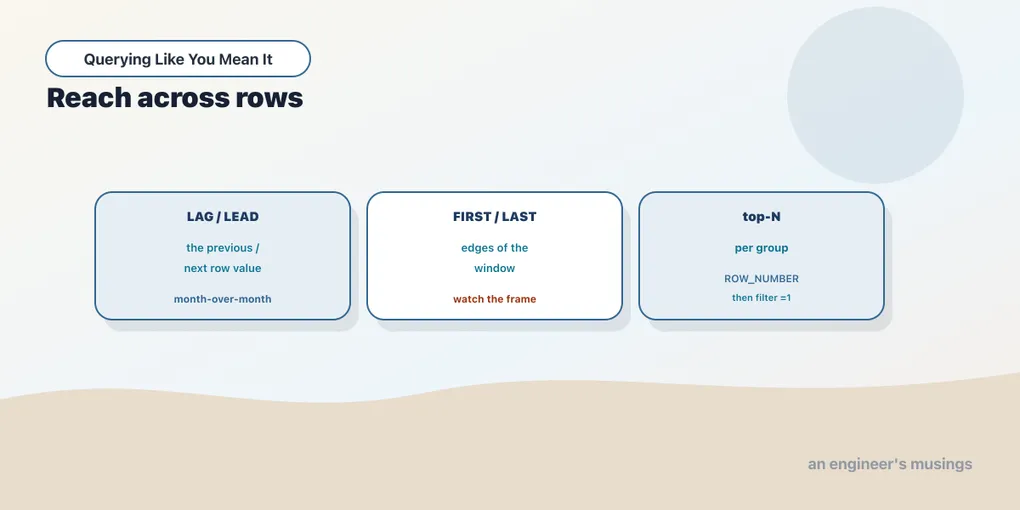
The frame chapter taught the window to aggregate across rows. This one teaches it to point at them. A whole family of window functions doesn’t sum or average anything. They reach out and grab the value from a specific other row: the one before this, the one after, the first in the window, the last. That’s exactly what you need for questions that compare a row to its neighbours — month-over-month change, growth rates, “how does this order compare to the customer’s first.” It’s also the machinery behind top-N-per-group, the single most useful window pattern in day-to-day SQL. We finish the window arc here.
LAG and LEAD: the row before and after
lag(col) returns col from the previous row in the window; lead(col) returns it from the next one. That turns “compare each month to the one before it” from a self-join into a single column. Month-over-month order growth for 2025:
WITH monthly AS (
  SELECT date_trunc('month', order_date)::date AS month, count(*) AS orders
  FROM orders WHERE order_date >= '2025-01-01'
  GROUP BY 1
)
SELECT month, orders,
       lag(orders) OVER (ORDER BY month) AS prev_month,
       orders - lag(orders) OVER (ORDER BY month) AS change,
       round(100.0 * (orders - lag(orders) OVER (ORDER BY month))
             / lag(orders) OVER (ORDER BY month), 1) AS pct_change
FROM monthly
ORDER BY month;
month | orders | prev_month | change | pct_change
------------+--------+------------+--------+------------
2025-01-01 | 1882 | | |
2025-02-01 | 1670 | 1882 | -212 | -11.3
2025-03-01 | 1855 | 1670 | 185 | 11.1
2025-04-01 | 1865 | 1855 | 10 | 0.5
2025-05-01 | 1862 | 1865 | -3 | -0.2
2025-06-01 | 1784 | 1862 | -78 | -4.2
2025-07-01 | 1838 | 1784 | 54 | 3.0
2025-08-01 | 1927 | 1838 | 89 | 4.8
2025-09-01 | 1641 | 1927 | -286 | -14.8
(9 rows)lag(orders) gives each month the previous month’s count, sitting right there in the same row, so orders - lag(orders) is the raw change and the pct_change expression is the growth rate. Notice January’s prev_month is blank: there’s no earlier row, so lag returns NULL, and every arithmetic on NULL is NULL. That’s usually what you want: no prior month, no growth number. But if you’d rather show a zero, lag(orders, 1, 0) takes a third argument as the default when there’s no such row. lag(orders, 3) reaches three rows back instead of one, which is how you’d do year-over-year on monthly data (lag(orders, 12)). lead is the mirror image, pointing forward, useful for “days until the next order” style questions.
This is the window function that most often replaces a self-join. Before window functions, “each month next to the previous month” meant joining the table to itself on month = month - 1, which is fiddly and slow. lag is one word and reads like the sentence you’d say.
FIRST_VALUE, LAST_VALUE, and the frame trap
first_value(col) and last_value(col) return col from the first and last rows of the frame. And that phrase — of the frame — is the whole trap, because you learned in the last chapter that the default frame ends at the current row. Watch:
WITH monthly AS (
  SELECT date_trunc('month', order_date)::date AS month, count(*) AS orders
  FROM orders WHERE order_date >= '2025-01-01'
  GROUP BY 1
)
SELECT month, orders,
       first_value(orders) OVER (ORDER BY month) AS first_val,
       last_value(orders)  OVER (ORDER BY month) AS last_val_default,
       last_value(orders)  OVER (ORDER BY month
                                 ROWS BETWEEN UNBOUNDED PRECEDING
                                          AND UNBOUNDED FOLLOWING) AS last_val_fixed
FROM monthly
ORDER BY month;
month | orders | first_val | last_val_default | last_val_fixed
------------+--------+-----------+------------------+----------------
2025-01-01 | 1882 | 1882 | 1882 | 1641
2025-02-01 | 1670 | 1882 | 1670 | 1641
2025-03-01 | 1855 | 1882 | 1855 | 1641
2025-04-01 | 1865 | 1882 | 1865 | 1641
2025-05-01 | 1862 | 1882 | 1862 | 1641
2025-06-01 | 1784 | 1882 | 1784 | 1641
2025-07-01 | 1838 | 1882 | 1838 | 1641
2025-08-01 | 1927 | 1882 | 1927 | 1641
2025-09-01 | 1641 | 1882 | 1641 | 1641
(9 rows)first_value behaves as expected — 1882, January’s count, on every row — because the frame always starts at the first row. But last_value_default is useless: it just echoes each row’s own orders. The default frame ends at the current row, so the “last” row of the frame is always the current row. Almost nobody wants that. The fix is to state the full frame explicitly. ROWS BETWEEN UNBOUNDED PRECEDING AND UNBOUNDED FOLLOWING spans the whole partition, and last_val_fixed correctly reports 1641 (September) on every row. Remember this one: first_value is safe with the default frame, last_value is a bug with it. If you’re reaching for last_value, you almost always need the unbounded-following frame — or you flip the ORDER BY and use first_value instead.
Top-N-per-group
Now the pattern you’ll use more than any other window trick. “The most expensive book in each genre.” “The three biggest orders per customer.” “The latest row per group.” Every one of these is a top-N-per-group, and the recipe is always the same two moves: number the rows within each group with ROW_NUMBER, then keep the numbers you want.
The most expensive book in each genre:
WITH ranked AS (
  SELECT genre, title, price,
         ROW_NUMBER() OVER (PARTITION BY genre ORDER BY price DESC) AS rn
  FROM books
)
SELECT genre, title, price
FROM ranked
WHERE rn = 1
ORDER BY genre;
genre | title | price
------------+----------------+-------
Children | Book Title 88 | 54.57
Fiction | Book Title 240 | 53.59
History | Book Title 69 | 53.37
Nonfiction | Book Title 61 | 54.50
Poetry | Book Title 527 | 54.59
Sci-Fi | Book Title 302 | 54.77
(6 rows)Six genres, six winners. ROW_NUMBER() OVER (PARTITION BY genre ORDER BY price DESC) stamps a 1 on the priciest book in each genre, a 2 on the next, and so on — restarting per genre. Then the outer query keeps only rn = 1. Want the top three per genre instead of the top one? Change the filter to rn <= 3 and nothing else moves. That’s the flexibility of the pattern: ROW_NUMBER does the ranking, an ordinary WHERE on the result picks the cutoff.
Two details make it correct. First, the filter has to be in an outer query, here a CTE. A window function can’t appear in the same query’s WHERE, because windows are computed after WHERE runs. Second, the choice of ranking function is a real decision: ROW_NUMBER guarantees exactly one row at rn = 1 even if two books tie on price, breaking the tie arbitrarily. If you’d rather keep ties — return both books when two share the top price — swap in RANK() and filter rank = 1, and a tie yields two winners. That’s the ROW_NUMBER-versus-RANK distinction from the ranking chapter, now doing real work: it’s the knob for “exactly one per group” versus “everyone tied at the top.”
All of these — lag, lead, first_value, last_value, ROW_NUMBER — are standard SQL and present in every database with window support: Postgres, SQL Server, Oracle, MySQL 8, SQLite. The top-N-per-group idiom in particular is worth memorizing as muscle memory, because it comes up constantly and there’s no cleaner way to write it.
Final thoughts
These functions reach across rows instead of folding them. lag and lead read the previous and next rows — the clean way to do month-over-month change and growth rates without a self-join. first_value and last_value read the ends of the frame. The standing warning: last_value under the default frame returns the current row, not the last, and needs an explicit UNBOUNDED FOLLOWING to mean what you think. And ROW_NUMBER plus an outer filter is the top-N-per-group pattern, the workhorse you’ll reach for weekly. That closes the window arc: rank, frame, and reach are the three things a window can do, and between them they cover most analytical SQL. Next we go back to aggregation and ask for several levels of subtotal — by genre, by status, and the grand total — in a single pass.
Comments