WHERE the Rows Are: Filtering with Comparisons and Patterns
The WHERE clause in full — comparisons, AND/OR/NOT and their precedence, BETWEEN, IN, and LIKE/ILIKE pattern matching. Run against PostgreSQL 18.
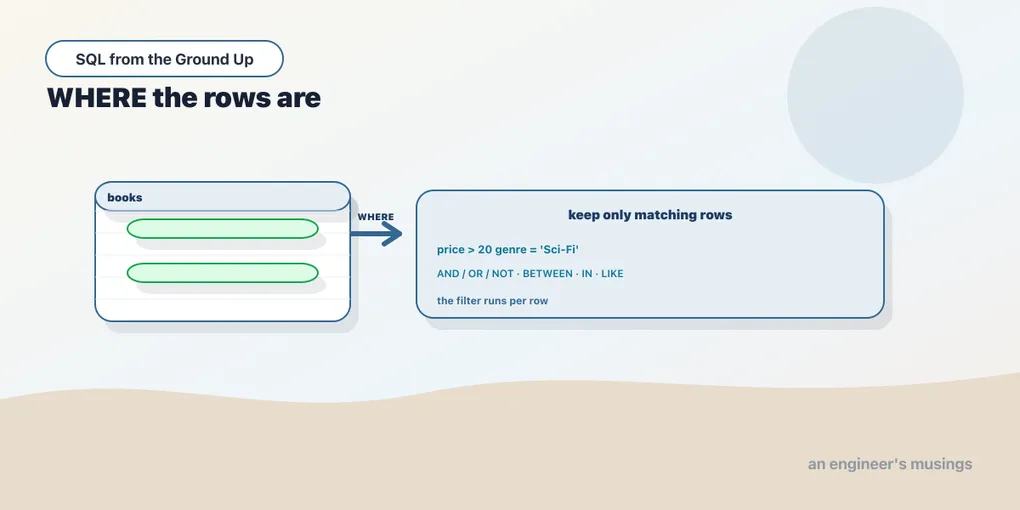
SELECT decides which columns you get. WHERE decides which rows. It sits between FROM and the select list, and its job is to keep only the rows for which a condition is true. Filtering is most of what real queries do, so this clause is worth knowing cold: the operators, how AND and OR combine, and the shorthand forms that make common filters readable.
A condition per row
WHERE takes a boolean expression and tests it against every row FROM produced, keeping the rows where it comes out true:
SELECT title, price FROM books WHERE price > 50 ORDER BY price DESC LIMIT 5; title | price
----------------+-------
Book Title 302 | 54.77
Book Title 527 | 54.59
Book Title 88 | 54.57
Book Title 484 | 54.56
Book Title 61 | 54.50The comparison operators are the ones you’d guess: =, <, >, <=, >=, and <> (also spelled !=) for “not equal.” Note that equality is a single =, not the == you may be used to in a programming language. They work on numbers, text, and dates alike, comparing text alphabetically and dates chronologically.
WHERE runs per row, before any grouping or aggregation. That timing matters. When you learn GROUP BY later, WHERE filters the individual rows going into the groups, and a separate clause (HAVING) filters the groups after. So a filter you can express on a single row’s columns always belongs in WHERE, where it runs first and cuts the row count early. Filtering counts as a real query too:
SELECT count(*) AS scifi_under_30 FROM books WHERE genre = 'Sci-Fi' AND price < 30; scifi_under_30
----------------
50Two conditions, joined by AND, and only rows satisfying both are counted. Fifty of the six hundred books are cheap science fiction.
AND, OR, NOT, and the precedence trap
AND, OR, and NOT combine conditions. They have a precedence you must know, because getting it wrong changes your answer silently. NOT binds tightest, then AND, then OR. That means AND groups its neighbours before OR does, exactly like * binds tighter than + in arithmetic. Watch what that does to a real filter. Here is the query with parentheses that spell out the intent:
SELECT count(*) AS with_parens FROM books
WHERE (genre = 'Sci-Fi' OR genre = 'Fiction') AND price < 20;
with_parens
-------------
57Fifty-seven books that are Sci-Fi-or-Fiction and cheap. Now drop the parentheses, which reads the same to a human:
SELECT count(*) AS no_parens FROM books
WHERE genre = 'Sci-Fi' OR genre = 'Fiction' AND price < 20;
no_parens
-----------
132More than double. Without parentheses, AND binds first, so Postgres reads it as Sci-Fi OR (Fiction AND price < 20): all Sci-Fi books at any price, plus the cheap Fiction ones. Same words, different question, no error to warn you. The lesson is blunt: when you mix AND and OR, parenthesize. It costs two characters and removes all doubt.
BETWEEN: a range, inclusive on both ends
Testing that a value falls in a range is common enough to have shorthand. BETWEEN a AND b means >= a AND <= b, inclusive at both ends:
SELECT count(*) AS between_20_30 FROM books WHERE price BETWEEN 20 AND 30; between_20_30
---------------
126Two things to remember. The bounds are inclusive, so BETWEEN 20 AND 30 includes exactly 20.00 and 30.00. And the low bound must come first. BETWEEN 30 AND 20 matches nothing, because it expands to >= 30 AND <= 20, which no value satisfies. There’s a negation too, NOT BETWEEN, for values outside a range:
SELECT title, price FROM books WHERE price NOT BETWEEN 10 AND 50 ORDER BY price LIMIT 5; title | price
----------------+-------
Book Title 218 | 5.14
Book Title 113 | 5.19
Book Title 77 | 5.23
Book Title 40 | 5.43
Book Title 580 | 5.49IN: membership in a set
When you want “is this column any of these values,” IN beats a chain of ORs:
SELECT count(*) AS in_three_genres FROM books
WHERE genre IN ('Sci-Fi', 'Fiction', 'Poetry');
in_three_genres
-----------------
300genre IN ('Sci-Fi', 'Fiction', 'Poetry') is exactly genre = 'Sci-Fi' OR genre = 'Fiction' OR genre = 'Poetry', but shorter and clearer as the list grows. There’s a NOT IN for the complement. It reads naturally and works perfectly here. But it has a genuinely nasty edge when the list can contain a NULL, which is the entire subject of the next chapter. For now: IN with a plain list of values is safe and idiomatic.
LIKE and ILIKE: matching text patterns
Exact string equality only gets you so far. For “starts with,” “contains,” or “looks like,” you want pattern matching with LIKE. Two wildcards do the work: % matches any run of characters (including none), and _ matches exactly one character.
SELECT customer_id, city FROM customers WHERE city LIKE 'L%' ORDER BY customer_id LIMIT 5; customer_id | city
-------------+--------
5 | Lagos
9 | Leeds
10 | London
15 | Lagos
19 | Leeds'L%' is “an L then anything,” so it matches Lagos, Leeds, and London. Use % on both sides ('%ondon%') for “contains.” Use _ when you need a fixed-width slot: '_ondon' is “one character then ondon,” which matches London and nothing else in this data.
LIKE is case-sensitive. That surprises people, and it’s a frequent source of “why did my filter return nothing.” Lowercase l finds no cities here, because every city is capitalized:
SELECT count(*) AS like_lower_l FROM customers WHERE city LIKE 'l%'; like_lower_l
--------------
0Postgres gives you a case-insensitive twin, ILIKE, which is the same pattern language with the case fold applied:
SELECT count(*) AS ilike_l FROM customers WHERE city ILIKE 'l%'; ilike_l
---------
1500Fifteen hundred customers live in a city starting with L or l, once case stops mattering. ILIKE is a Postgres extension, not standard SQL. Elsewhere you get the same effect with LOWER(city) LIKE 'l%', wrapping the column in a lowercasing function so both sides match in lower case. One more thing: to match a literal % or _ in your text, escape it (LIKE '50\%'), otherwise the wildcard eats your percent sign.
Final thoughts
WHERE is where a query earns its keep. It cuts a table down to the rows you actually care about, one boolean test per row, run early before anything is grouped. The operators are ordinary, but two habits will save you real debugging time: parenthesize the moment you mix AND with OR, and remember that LIKE is case-sensitive while ILIKE is not. There is one topic every operator in this chapter quietly depends on and none of them handled cleanly: what happens when a value is missing. A comparison against a missing value is not false, and it is not an error. It’s the single biggest trap in SQL, and it gets the whole next chapter.
Next: NULL is not a value — why missing data breaks equality, and the three-valued logic that governs it.
Comments