Triggers: The Code That Runs When You Weren't Looking
How to make the database run your code automatically on every write — trigger functions, BEFORE versus AFTER, ROW versus STATEMENT, and NEW versus OLD — built into a real updated_at auto-touch and an audit log you can watch fill up, plus the honest case against them. Run against PostgreSQL 18.
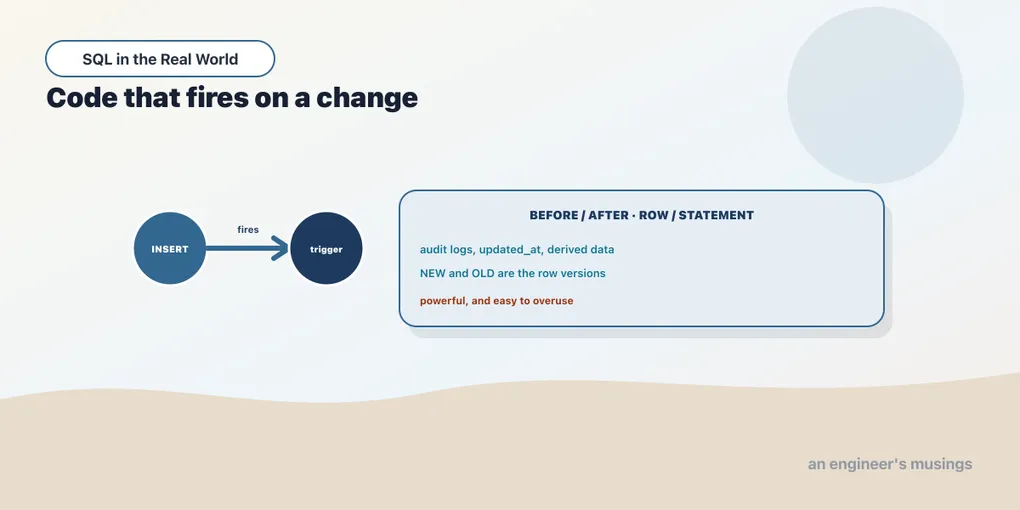
So far the database has done exactly what you told it, when you told it. A trigger changes that. A trigger is a piece of code you attach to a table that the database runs by itself whenever a row is inserted, updated, or deleted. You never call it. You write an ordinary UPDATE, and something else fires alongside it. That is the whole appeal, and the whole danger. Logic lives in the schema and runs on every write, no matter which application or script did the writing.
This chapter builds two real triggers against the bookshop and watches them work: an updated_at column that touches itself, and an audit log that records every change to a table. Both run in a scratch schema, because triggers are easy to get subtly wrong and you want a table you can drop.
Two pieces: a function, then the trigger
A trigger in Postgres is always two objects. First a trigger function — an ordinary function whose return type is the special word trigger. Second a CREATE TRIGGER that binds that function to a table and says when to run it. The function holds the logic; the trigger holds the timing. You can point many triggers at one function, or give each its own.
Inside a trigger function you get special variables the database fills in for you. NEW is the row as it will be after the write (for an insert or update). OLD is the row as it was before (for an update or delete). TG_OP is the operation as a string: 'INSERT', 'UPDATE', or 'DELETE'. Those three are most of what you ever use.
BEFORE: the trigger that can rewrite the row
Here is a small inventory table and a trigger that keeps updated_at honest:
CREATE TABLE scratch.inventory (
    sku        text PRIMARY KEY,
    stock      integer NOT NULL,
    updated_at timestamptz NOT NULL DEFAULT now()
);

CREATE FUNCTION scratch.touch_updated_at() RETURNS trigger AS $$
BEGIN
    NEW.updated_at := now();
    NEW.sku := upper(NEW.sku);
    RETURN NEW;
END;
$$ LANGUAGE plpgsql;

CREATE TRIGGER inventory_touch
    BEFORE UPDATE ON scratch.inventory
    FOR EACH ROW
    EXECUTE FUNCTION scratch.touch_updated_at();
Read the CREATE TRIGGER as a sentence: before each update, for each row, run touch_updated_at. The word BEFORE is doing real work. A BEFORE trigger runs before the row is written, and whatever it puts in NEW and returns is what actually gets stored. That is the only kind of trigger that can change the data being written. Ours does two things: it overwrites updated_at with the current time, and — to prove the point — it forces the SKU to uppercase.
Insert two rows, then update one:
INSERT INTO scratch.inventory (sku, stock) VALUES ('a-100', 5), ('b-200', 12);
UPDATE scratch.inventory SET stock = stock - 1 WHERE sku = 'a-100';
SELECT sku, stock, updated_at FROM scratch.inventory ORDER BY sku;
sku | stock | updated_at
-------+-------+-------------------------------
A-100 | 4 | 2026-08-03 00:56:11.93144+00
b-200 | 12 | 2026-08-03 00:56:07.606398+00Look at what the trigger did to the row we touched and only that row. a-100 came back as A-100 (the trigger rewrote NEW.sku), its stock dropped to 4, and its updated_at jumped forward. b-200, which we never updated, kept its original lowercase SKU and its original timestamp. The trigger fired for the row the UPDATE matched, changed the row on its way to disk, and left everything else alone. RETURN NEW is what makes the edit stick; return NULL from a BEFORE ... FOR EACH ROW trigger and the write is silently skipped for that row.
AFTER: the trigger that records what happened
The other timing is AFTER. An AFTER trigger runs once the row is already written, so changing NEW there does nothing. What it is good for is reacting to a change: writing a log, updating a summary table, sending a notification. The classic use is an audit trail. Here is one that records every insert, update, and delete against inventory:
CREATE TABLE scratch.inventory_audit (
    audit_id   bigint GENERATED ALWAYS AS IDENTITY PRIMARY KEY,
    action     text NOT NULL,
    sku        text,
    old_stock  integer,
    new_stock  integer,
    changed_at timestamptz NOT NULL DEFAULT now()
);

CREATE FUNCTION scratch.audit_inventory() RETURNS trigger AS $$
BEGIN
    IF TG_OP = 'INSERT' THEN
        INSERT INTO scratch.inventory_audit (action, sku, old_stock, new_stock)
        VALUES (TG_OP, NEW.sku, NULL, NEW.stock);
    ELSIF TG_OP = 'UPDATE' THEN
        INSERT INTO scratch.inventory_audit (action, sku, old_stock, new_stock)
        VALUES (TG_OP, NEW.sku, OLD.stock, NEW.stock);
    ELSIF TG_OP = 'DELETE' THEN
        INSERT INTO scratch.inventory_audit (action, sku, old_stock, new_stock)
        VALUES (TG_OP, OLD.sku, OLD.stock, NULL);
    END IF;
    RETURN NULL;  -- an AFTER trigger's return value is ignored
END;
$$ LANGUAGE plpgsql;

CREATE TRIGGER inventory_audit
    AFTER INSERT OR UPDATE OR DELETE ON scratch.inventory
    FOR EACH ROW
    EXECUTE FUNCTION scratch.audit_inventory();
One trigger covers all three operations, and TG_OP lets the function branch on which one fired. NEW and OLD show up exactly where they make sense. An insert has no OLD, a delete has no NEW, and an update has both, so the log records the before and after stock. Now exercise it:
INSERT INTO scratch.inventory (sku, stock) VALUES ('C-300', 20);
UPDATE scratch.inventory SET stock = 99 WHERE sku = 'b-200';
DELETE FROM scratch.inventory WHERE sku = 'A-100';
SELECT audit_id, action, sku, old_stock, new_stock FROM scratch.inventory_audit ORDER BY audit_id;
audit_id | action | sku | old_stock | new_stock
----------+--------+-------+-----------+-----------
1 | INSERT | C-300 | | 20
2 | DELETE | A-100 | 4 |
3 | UPDATE | B-200 | 12 | 99Three writes, three audit rows, written by nobody. The application issued a plain insert, update, and delete; the audit table filled itself. The DELETE row captured the stock that was about to vanish, which is exactly the value you can no longer get any other way once the row is gone. This is the honest strength of triggers: the log cannot drift from the data, because there is no code path that writes the table without also writing the log.
ROW versus STATEMENT
Both triggers above said FOR EACH ROW, and they fire once per affected row. The alternative is FOR EACH STATEMENT, which fires once per statement regardless of how many rows it touched — even zero. A statement-level trigger has no NEW or OLD, because there is no single row to point at. It is for coarse reactions like “something changed in this table, refresh the cache.” Watch it fire exactly once for a two-row update:
CREATE TRIGGER inventory_bulk
    AFTER UPDATE ON scratch.inventory
    FOR EACH STATEMENT
    EXECUTE FUNCTION scratch.note_bulk();

UPDATE scratch.inventory SET stock = stock + 1;  -- touches 2 rows
NOTICE: inventory changed (statement-level, fires once)
UPDATE 2Two rows changed, one notice. A row-level trigger on the same statement would have run twice.
The case against triggers
Everything above is a reason to like triggers. Here is the reason to be wary of them: they are invisible. A developer reading the application code sees an ordinary UPDATE and has no way to know that it also rewrote a column, wrote an audit row, and refreshed a cache. The logic runs, but it runs offstage. When an updated_at value is wrong, or a row mysteriously uppercases itself, the cause is in a schema object nobody thought to look at. Triggers also run inside your transaction. A slow or failing trigger makes every write slow or failing, and a trigger that writes to another table can deadlock against one that writes back.
The rule of thumb: use triggers for things that must be true no matter who writes, and that are genuinely about the data’s integrity. Think audit logs, updated_at, derived columns you can’t express as a generated column. Keep business logic that a reader would expect to find in the application in the application. A trigger is a promise the database keeps for you; make sure the promise is one you’d want kept even when you’ve forgotten it exists.
The other databases differ here. MySQL supports BEFORE/AFTER row triggers with NEW/OLD but has no statement-level triggers and allows only limited multiples per timing; SQLite has triggers but no stored-procedure language to speak of. The Postgres model in this chapter is the fullest of the three.
Final thoughts
A trigger is two objects and three questions. The objects: a function returning trigger, and a CREATE TRIGGER that binds it. The questions: BEFORE or AFTER (can it change the row, or only react to it), ROW or STATEMENT (once per row, or once per statement), and which of NEW/OLD/TG_OP the logic needs. Get those right and you have data guarantees that no application can bypass, which is the point. Just remember that the code runs where nobody is looking, so reserve it for the things that truly belong to the data itself. Triggers are the smallest unit of logic living in the database; next we meet the larger units.
Next: Logic that lives in the database — SQL and PL/pgSQL functions, procedures that can COMMIT, and why the planner cares whether your function is IMMUTABLE.
Comments