Who Can See Which Rows: Roles and Row-Level Security
Giving the application a least-privilege login instead of superuser, proving a denied action, and letting the database filter rows per tenant with row-level security — one policy, same query, different results. Run against PostgreSQL 18.
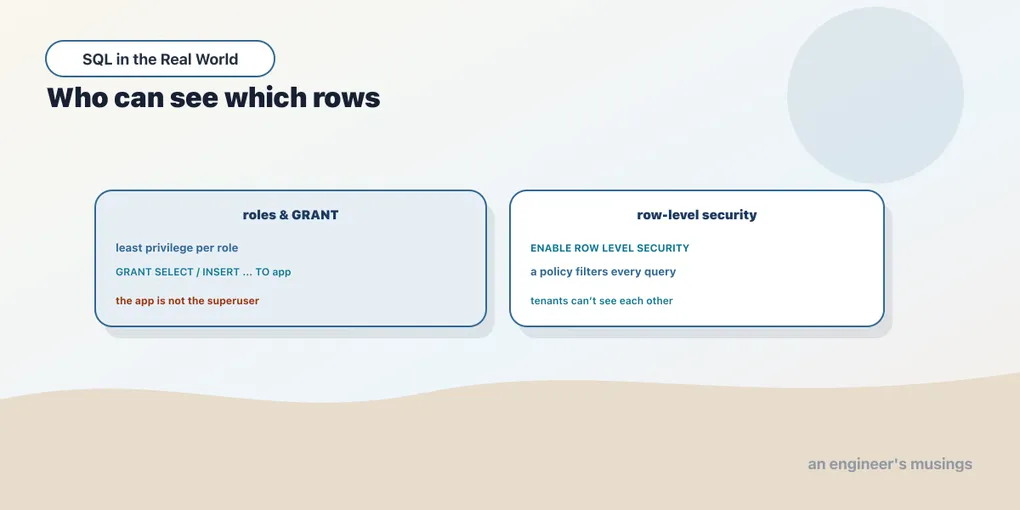
Every query so far ran as postgres, the superuser who can do anything to anything. That is fine at a learning prompt and wrong in production. The application that serves your requests should be able to do exactly what it needs and nothing more, and some rows it should not be able to see at all. Postgres enforces both at the database level, below your application code, where a bug in the app cannot talk its way around them. This chapter is fully runnable, and we run all of it against the bookshop.
Roles and least privilege
A role in Postgres is a user or a group; the two are the same object. The app connects as its own role, granted only the privileges it needs. Create a login role for the bookshop app:
CREATE ROLE app LOGIN PASSWORD 'app_secret';CREATE ROLEBy default this role can do almost nothing. It cannot even read a table until you GRANT it access. The app reads and writes orders and reads customers, so grant exactly that and no more:
GRANT SELECT, INSERT ON orders    TO app;
GRANT SELECT          ON customers TO app;
Notice what is missing: no DELETE, no UPDATE, no DROP, no superuser. This is least privilege. If the app never deletes orders, its role should not be able to delete orders, so that a SQL-injection hole or a logic bug simply cannot. We can prove the role is what we think it is:
SELECT rolname, rolsuper, rolcanlogin FROM pg_roles WHERE rolname='app'; rolname | rolsuper | rolcanlogin
---------+----------+-------------
app | f | tNot a superuser, can log in. Now step into its shoes. A superuser can SET ROLE to become any role for the rest of the session, which is the easiest way to test permissions without opening a second connection. As app, the granted read works:
SET ROLE app;
SELECT count(*) FROM orders;
count
-------
60000And the ungranted delete is refused by the database itself, before it touches a single row:
SET ROLE app;
DELETE FROM orders WHERE order_id = 23871;
ERROR: permission denied for table ordersThat error is your safety net. It does not depend on the application remembering to check anything; the privilege was never granted, so the operation is impossible for this role. Give the app a role scoped to its job, and a whole class of “the code accidentally deleted production” incidents stops being possible.
Row-level security: filtering the table itself
Privileges are all-or-nothing per table: app can read every row of orders or none. Often that is too coarse. In a multi-tenant app, tenant 1 must never see tenant 2’s orders, yet both go through the same app role running the same query. You could bolt a WHERE tenant_id = ? onto every query and pray no one forgets. Row-level security (RLS) moves that filter into the table, where it cannot be forgotten.
Turn it on for orders and add a policy that says which rows a query may see. We key it on a session variable the app sets per request, app.tenant_id:
ALTER TABLE orders ENABLE ROW LEVEL SECURITY;
CREATE POLICY orders_tenant_isolation ON orders
  USING (customer_id = current_setting('app.tenant_id')::int);
The USING expression is a filter Postgres silently ANDs onto every query against the table for a restricted role. current_setting('app.tenant_id') reads a session variable the application sets right after it borrows a connection, from the authenticated user’s identity, never from user input. A row is visible only when its customer_id matches. (Some teams key the policy on current_user instead, one database role per tenant; the session-variable form scales to many tenants on one role.)
Now the payoff. Here is the whole trick of RLS in two runs of the same query. As app with the session set to tenant 1:
SET ROLE app;
SET app.tenant_id = '1';
SELECT order_id, customer_id, status FROM orders ORDER BY order_id;
order_id | customer_id | status
----------+-------------+-----------
23871 | 1 | returned
27508 | 1 | returned
29004 | 1 | shipped
38038 | 1 | cancelled
47274 | 1 | placed
53048 | 1 | delivered
(6 rows)Six rows, all customer 1. Change one session variable to tenant 2 and run the identical SELECT:
SET ROLE app;
SET app.tenant_id = '2';
SELECT order_id, customer_id, status FROM orders ORDER BY order_id;
order_id | customer_id | status
----------+-------------+-----------
5611 | 2 | returned
10014 | 2 | returned
...
59423 | 2 | delivered
(17 rows)Seventeen rows, all customer 2, and not one of customer 1’s is anywhere in the result. The query text never mentioned customer_id. There is no WHERE clause to forget, because the filter lives in the table. Every SELECT, UPDATE, and DELETE the app runs is scoped automatically to the tenant whose id is in the session. The policy applies to writes too, so tenant 2 physically cannot update tenant 1’s row.
The owner exemption, and FORCE
There is a sharp edge here that only running reveals. RLS does not apply to superusers, and it does not apply to a table’s owner, both of which bypass every policy by default. That is why, as postgres, SELECT count(*) FROM orders still returns all 60,000 even with the policy in place. Postgres is superuser and owner. The isolation you just saw only bites the restricted app role, and that is exactly the point. Your migrations and admin scripts run as the owner and see everything, while the app sees its slice.
But if your app connects as the role that also owns its tables, RLS would silently do nothing, because the owner is exempt. FORCE ROW LEVEL SECURITY closes that gap by making the policy apply to the owner too. With a non-superuser owner reading its own table, the policy is bypassed at first, then enforced once forced:
-- owner, default: sees every row
 tenant_id |    note
-----------+------------
         1 | note for 1
         2 | note for 2
         3 | note for 3

-- after ALTER TABLE ... FORCE ROW LEVEL SECURITY, with app.tenant_id = '1'
 tenant_id |    note
-----------+------------
         1 | note for 1
Three rows down to one, from the same owner running the same query. The rule to carry: superusers always bypass RLS, a table’s owner bypasses it unless you FORCE it, and everyone else is subject to the policy. Design so the app connects as a restricted role, not the owner, and use FORCE as a belt-and-braces guard when it might.
A note across databases: row-level security this way is a PostgreSQL feature (SQL Server has a similar Security Policy mechanism). MySQL and SQLite have no built-in RLS. There the per-tenant filter has to live in the application or in views. That is exactly the fragility RLS exists to remove.
Final thoughts
Two ideas, both enforced by the database rather than trusted to your code. Give the application a role with least privilege, so an action it should never take is not merely un-called but impossible. You saw the permission denied that proves it. Then let row-level security filter the rows, so tenant isolation is a property of the table, not a WHERE clause every query has to remember. You saw one policy return different rows for different tenants from identical SQL. Both live below the application, and that is what makes them trustworthy: a bug in the app cannot grant a privilege it was never given, or read a row a policy forbids. Next we bring the whole track together on the bookshop one last time.
Next: From your first SELECT to production — the whole track, applied to the bookshop, and where to go next.
Comments