Scoping Tools Across Agents: Distribution, tool_choice, and MCP
Why an agent's tool access is a design decision, not an afterthought — scoping tools so selection stays reliable, forcing a call with the three tool_choice modes, wiring MCP servers with the right scope and env-var secrets, and combining the built-in tools, including the Edit-fails-so-Read-then-Write fallback.
The previous chapter was about designing a single tool well — its inputs, its description, the errors it hands back. This one steps up a level. Once you have good tools, you have to decide who gets which of them, how they’re wired in, and when to take the choice out of the model’s hands. That’s tool access, and it turns out to be as much a design lever as the tools themselves. An agent’s capabilities are exactly the tools it can reach. The set you hand it shapes how well it reasons, which makes distribution a decision worth making deliberately rather than by default.
What “tool access” actually means
Every agent runs with a tool set: the specific list of tools it’s allowed to call on any given turn. In the agentic loop, that set is the menu the model picks from each time it decides to act. Nothing outside the set exists as far as the agent is concerned, and everything inside it is a live option the model has to consider every turn.
So “tool access” is really two questions stacked together. Which tools does an agent have — the roster you assign it. And where do those tools come from — some are built into Claude Code, some you write yourself, and some arrive over MCP from an external server. This chapter works through both: how to size and scope the roster, and how to wire in the external tools that fill it out.
The instinct most people bring is that more tools is more capable. Hand the agent everything and let it sort out what it needs. That instinct is wrong, and understanding why it’s wrong is the foundation for everything else here.
Why scoping matters — and the cost of getting it wrong
Here’s the counterintuitive principle the exam presses hardest: giving an agent more tools makes it worse at using them. An agent with 18 tools chooses less reliably than one with 4–5. Every extra tool adds decision complexity: more near-neighbors to confuse, more chances to misroute. And an agent handed tools outside its specialization tends to misuse them. A synthesis agent given a web-search tool will attempt searches it should have left to the researcher.
That reframes tool access from “how much can I give it” to “how little does its role actually need.” Each tool you add is a small tax on every decision the agent makes, paid whether or not it ever calls that tool. A tight roster keeps the model’s choices sharp; a sprawling one blurs them.
The counterweight: scoping is a discipline you apply because the agent has a defined role, not a reflex to strip tools down to nothing. An agent genuinely does need the tools its job requires. Starving it — routing every small need back through a coordinator — trades reliability for latency and coordination overhead. The skill is matching the roster to the role: the few tools the job needs, and no more. When you catch yourself adding a tool “just in case,” that’s the tax showing up.
The landscape of tool access
There are a handful of distinct moves for shaping what an agent can do, and it helps to see them as a map before drilling into any one:
- Scoped tool access — give each agent only the tools its role needs, so selection stays reliable. The default move, and the one below.
- Constrained tools — replace a broad, general-purpose tool with a narrow one that can only do the safe thing.
- Forced choice (
tool_choice) — take the decision away from the model entirely when a turn must produce a tool call, or a specific tool call. - External tools via MCP — bring in tools an external server provides, scoped to a project or to you personally, with secrets kept out of the config.
- The built-in tools — the ones Claude Code ships with, combined well.
The first four are about controlling access; the last is about using what you already have. Take them in turn.
Scoping and constraining: the two levers
Scoped tool access is the primary fix: give each agent only the tools its role needs, with a small number of limited cross-role tools for genuine high-frequency needs. A synthesis agent doesn’t get the full search toolkit. It might get a single narrow verify_fact tool for the common case, while complex retrieval routes back through the coordinator. This is the same scoping discipline as tool descriptions, applied at the level of which tools exist for whom. When an exam item describes an agent misusing a tool, the fix is almost always “it shouldn’t have had that tool,” not “write a better prompt.”
The second lever is finer: replace a generic tool with a constrained one. A broad fetch_url that will pull anything becomes load_document that validates the URL is a document. Narrowing the tool narrows the ways it can be misused. Where scoping decides whether an agent has a tool, constraining decides how much that tool can do once it has it. The two compose: a well-scoped agent holding well-constrained tools has the smallest possible surface for misuse.
Forcing the model’s hand: tool_choice
Scoping shapes what’s available; sometimes you need to control whether and which tool the model actually calls on a given turn. That’s tool_choice. anthropic 0.120.0 exposes exactly these modes:
"auto"(the default) — the model may call a tool or may return text. Right for open-ended turns."any": the model must call a tool, but chooses which. Use this to guarantee structured output: the model can’t respond with conversational prose, so a downstream parser always gets a tool call.- Forced —
{"type": "tool", "name": "extract_metadata"}— the model must call that specific tool. Use it to ensure a particular step runs first (extract metadata before any enrichment), then continue in follow-up turns.
The exam distinction to keep straight: "any" guarantees a tool call; forced guarantees the named tool. Reach for "any" when several extraction schemas exist and you just need one of them chosen; reach for forced when a specific tool must run before others. Both defeat the failure mode where the model returns chatty text when you needed structured data.
Bringing in external tools: MCP servers
Most of the tools an agent uses in practice aren’t hand-written for it. They come from MCP servers, which extend the agent with external tools: a GitHub integration, a database client, an internal API. MCP is the standard connector for this. The design question it raises is a scoping question one level up: not which tools does this agent get, but who gets this server at all. That’s decided by where you configure it. Two scopes, from the current Claude Code docs:
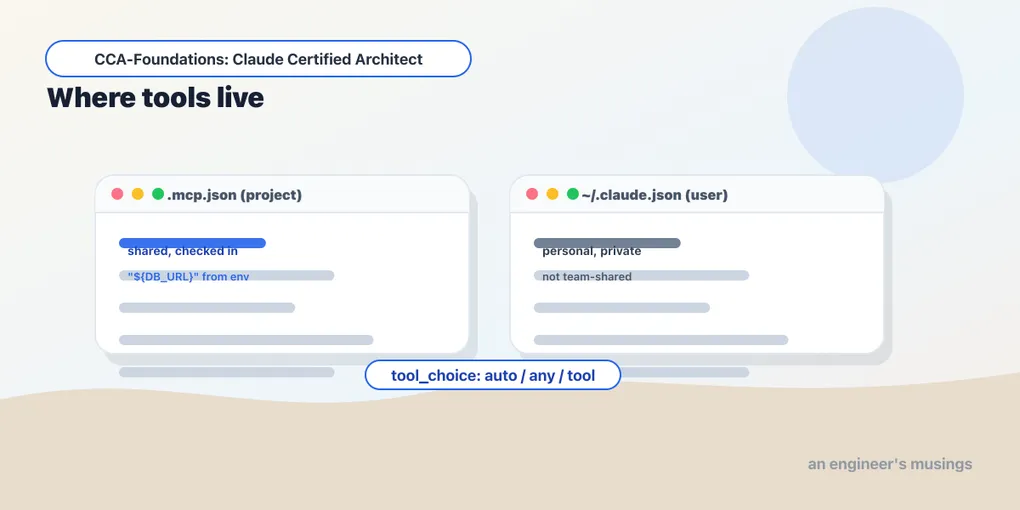
- Project scope —
.mcp.jsonat the repo root, committed to version control. This is shared team tooling: everyone who checks out the repo gets these servers. - User scope —
~/.claude.json, personal and not shared. This is where personal or experimental servers go, so you can try one without imposing it on teammates.
Secrets never get committed. .mcp.json supports environment-variable expansion — you write ${GITHUB_TOKEN} and the value is read from the environment at runtime, so the config is shareable while the credential stays out of the repo:
{
  "mcpServers": {
    "github": {
      "command": "npx", "args": ["-y", "@modelcontextprotocol/server-github"],
      "env": { "GITHUB_TOKEN": "${GITHUB_TOKEN}" }
    }
  }
}
A few operational facts the exam draws on. Tools from all configured servers are discovered at connection time and available simultaneously — the agent sees the union. MCP resources, as opposed to tools, expose content catalogs: issue summaries, a documentation hierarchy, a database schema. These give the agent visibility into available data without spending exploratory tool calls to discover it. One practical tuning note: enhance your MCP tool descriptions so the agent prefers them over a built-in like Grep when the MCP tool is more capable. A thin MCP description loses to the built-in the model already trusts. Finally, prefer community MCP servers for standard integrations (Jira, GitHub) and reserve custom servers for genuinely team-specific workflows. Reimplementing a standard integration is wasted effort and another thing to maintain.
The discovery fact feeds straight back into scoping. Because every configured server’s tools are available at once, a machine with a dozen servers wired in is an agent with a bloated roster. It’s the same too-many-tools tax, arriving through configuration instead of through a hand-written list.
Using what you have: the built-in tools
The last piece is not about controlling access but about combining the tools Claude Code already ships with. Each has a distinct job, and knowing which does what is what lets you reach for the right one:
Grep— search file contents for a pattern (a function name, an error string, an import).Glob— find files by path/name pattern (**/*.test.tsx).Read/Write— full-file read and write.Edit— a targeted modification, located by unique text matching.
The most-tested behavior is Edit’s failure mode: Edit requires the text it’s replacing to be unique in the file. If the anchor text appears more than once, Edit can’t tell which occurrence you mean and it fails. The reliable fallback is Read the file, then Write it back with the change — you take full control of the content rather than relying on a unique anchor. Knowing this fallback is knowing why “just use Edit” isn’t always the answer.
The deeper skill is how you combine these to understand a codebase without drowning in it: don’t read every file upfront. Start with Grep to find entry points and callers, then Read to follow imports and trace flows from there — building understanding incrementally. Tracing a function’s usage means first finding all its exported names, then Grep-ing each name across the codebase. This is context management in miniature: pull in what a question needs, not the whole tree, which is exactly the discipline Domain 5 formalizes.
Final thoughts
Tool access is as much a design decision as tool design. Scope each agent to the few tools its role needs, constrain generic tools, and use tool_choice to control the model when you must — "any" for guaranteed structured output, forced for a required-first step. MCP servers wire in at project scope (shared, committed) or user scope (personal). Env-var expansion keeps secrets out of the repo, and resources cut exploratory calls. Among the built-ins, Grep-then-Read builds understanding incrementally, and Read+Write is the fallback when Edit’s unique-anchor requirement can’t be met. Fewer, well-scoped, well-described tools beat a big undifferentiated pile every time.
Next: Arc 3 opens with CLAUDE.md and path-specific rules — the configuration hierarchy that tells Claude Code your project’s conventions.
Comments