What Is in This Request?
Inspect payload and HTTP attributes, follow a selector and trace a payload replacement.
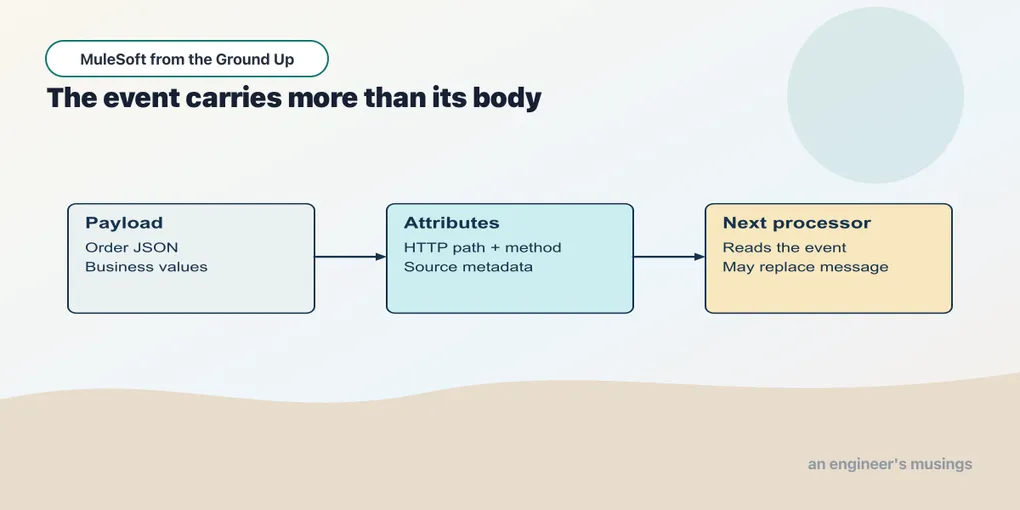
A processor part-way down a flow asks for payload.orderId and gets nothing useful. The order did not vanish from the request; the current payload is simply no longer the order. That is the confusion this chapter removes, and it starts from a plainer observation: an HTTP request contains more than its body. A POST can carry an order document while its URL identifies a particular order and its headers describe the document’s format. Mule makes those pieces available separately, and knowing which piece a processor is reading is what tells you whether a selector can still work.
Stop chapter 1’s runtime with ACB’s Stop button. From the ACB examples, open book/checkpoints/02-event as the project folder, then open src/main/mule/app.xml. This checkpoint keeps the greeting and adds two flows. Use the canvas toolbar’s Flow List to choose the flow named in each example. All requests still go to 127.0.0.1:18881.
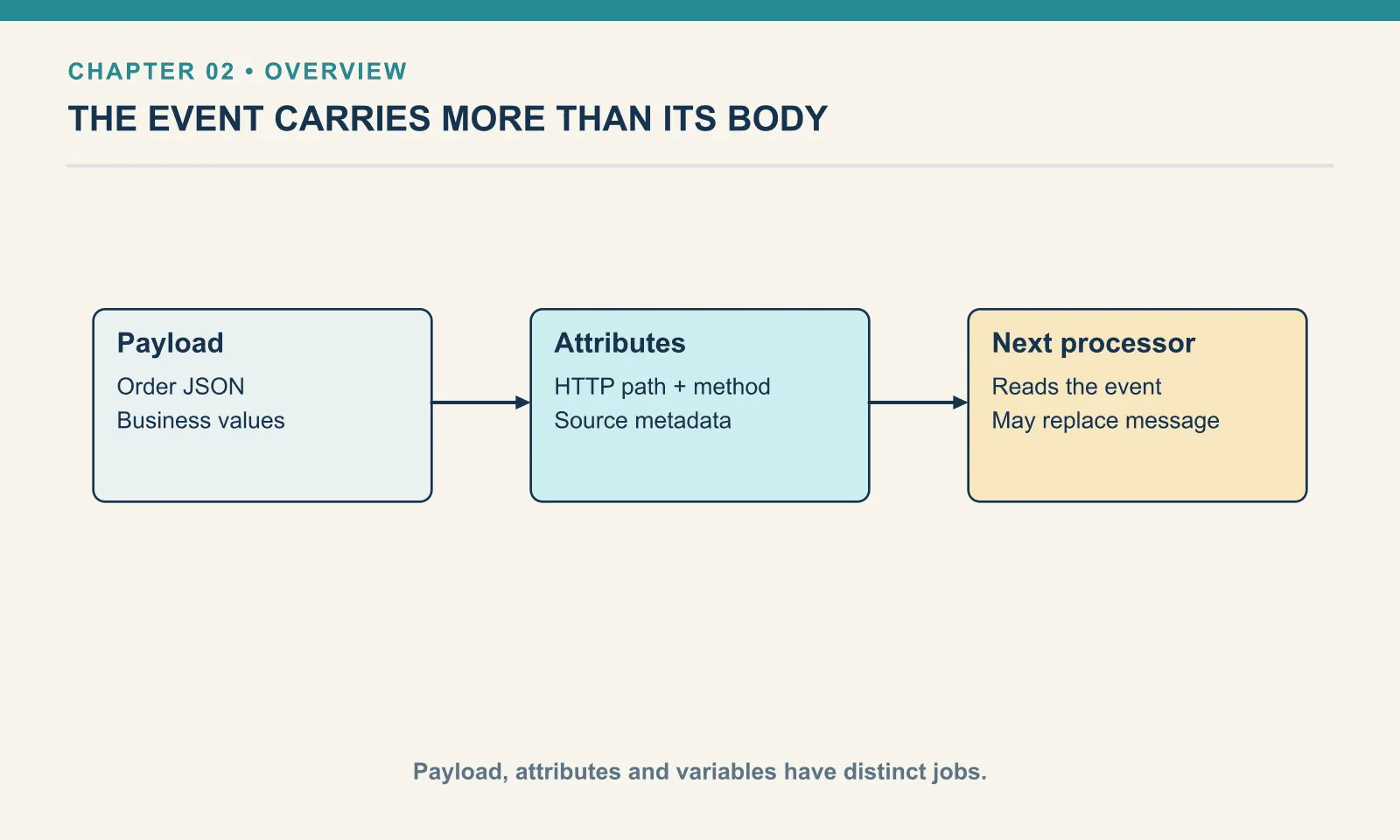
Payload, attributes and variables
The event contains a message and variables. The message has a payload and attributes. For an HTTP Listener, the payload represents the request body; the attributes include information such as the request method, path parameters and headers.
| Part | A useful first example |
|---|---|
payload | The JSON order sent in the request body |
attributes | The method and the order identifier captured from the URL |
vars | Values the flow explicitly retains during this event’s processing |
This table is a conceptual description, not a JSON object that Mule creates with those three keys. The expression names are how a processor reads the relevant parts of the event.
Read one path parameter
Example 003 — Inspect an incoming request
- In Flow List, choose
inspect-request. - Select Listener. Its path is
/inspect/{orderId}; this endpoint accepts POST requests and uses the sameHTTP_Listenerconnection as chapter 1. - Select Set Payload. In General → Value, use the fx control to select expression mode if it is not already active. Enter the expression below inside the editor’s displayed brackets:
attributes.uriParams.orderId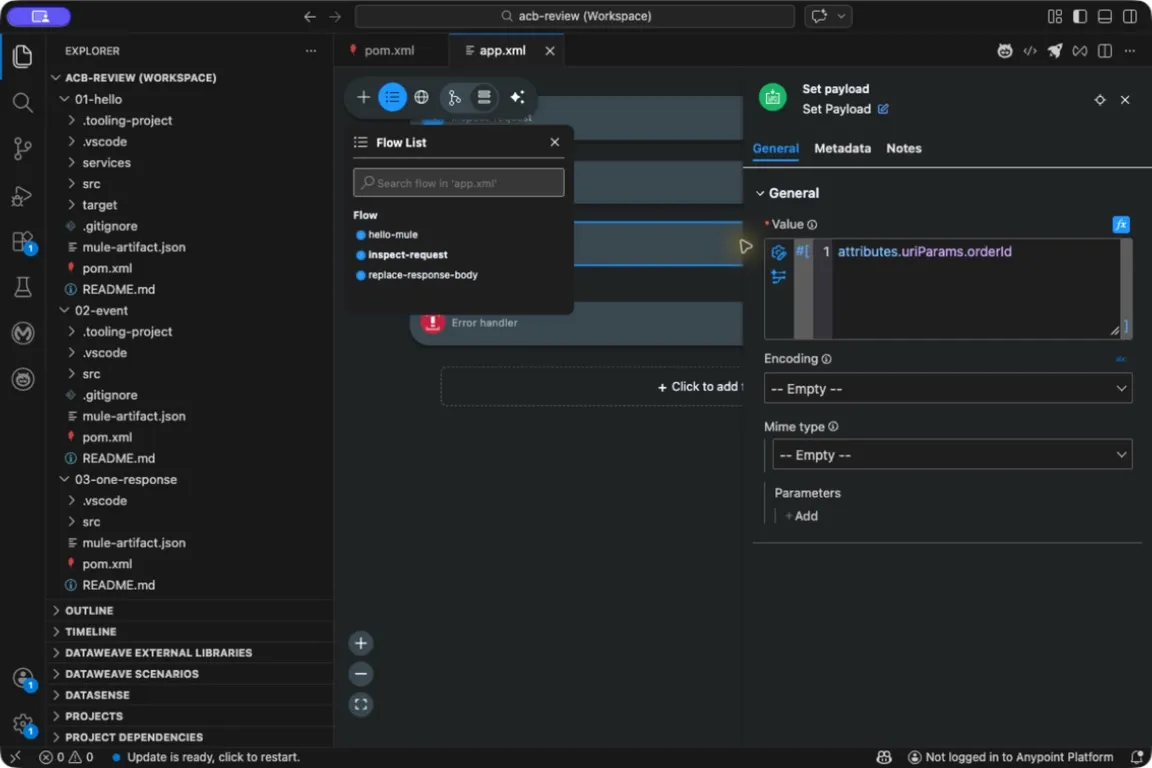
The editor supplies the expression brackets. The text inside them selects a value from the current event.
The braces in /inspect/{orderId} name a path parameter. In a request to /inspect/A-1001, the listener records A-1001 under that name. attributes.uriParams.orderId follows three steps: take the event’s attributes, select their URI parameters, then select orderId.
ACB stores an expression with a #[...] wrapper, but its expression field already displays those brackets: do not paste a second wrapper. In text mode the same characters would be a literal response rather than a selector. DataWeave is the language inside this field. Here we select one existing value; chapter 3 constructs complete objects.
Save the project and start Run Mule Application from Run and Debug, as in chapter 1. Wait for successful deployment.
Send an order body while requesting that path:
curl --include -H 'Content-Type: application/json' \
  --data '{"orderId":"BODY-2"}' \
  http://127.0.0.1:18881/inspect/A-1001
The response body is A-1001. Set Payload selected the path parameter, so the body field BODY-2 did not determine the response. This deliberately different input makes the source of the value visible.
An actual update operation should define what happens when a path identifier and body identifier disagree; it might reject the disagreement or use one location exclusively. Leave the question open and a log line can identify one order while the request that follows submits another — a defect that is easy to miss in a sample where every identifier matches. We are only inspecting the two locations here, so the example makes no order-update promise.
Watch a processor change the body
Example 004 — Replace the response body
In Flow List, choose replace-response-body. The canvas reads Listener → Logger → Set Payload. Select the Listener to see /replace, then select Set Payload to see the text-mode value Request received.
To see the body before replacement:
- Stop the current run. Open Run and Debug (Cmd+Shift+D), select Debug Mule Application, and start it. Run Mule Application does not stop at breakpoints.
- Open the … menu on the Set Payload card and choose Add Breakpoint. A breakpoint marker appears on the card and in the Breakpoints section of Run and Debug.
- After deployment, send this request from a separate terminal:
curl --include -H 'Content-Type: application/json' \
  --data '{"orderId":"BODY-2"}' \
http://127.0.0.1:18881/replace- The canvas highlights Set Payload when execution pauses before it runs. In Variables, expand Mule Event → Mule Message. Inspect Payload, which contains
{"orderId":"BODY-2"}, and Attributes, which describe the POST to/replace. - Press Step Over (F10) to execute Set Payload. It is the last processor in this flow, so the request completes. Check the client’s response: status
200, bodyRequest received.
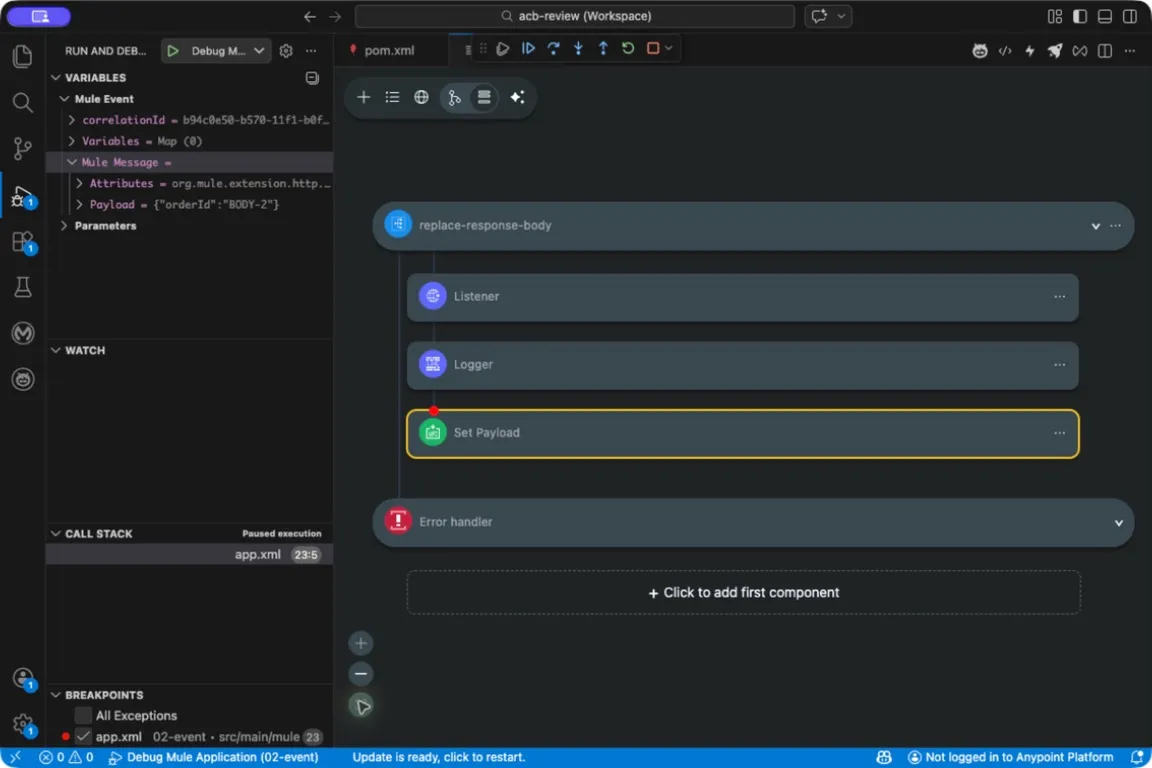
The breakpoint pauses before replacement. The client waits until execution resumes; a pending curl request is expected here.
Remove or disable the breakpoint in Breakpoints before sending unattended checks. From the extracted examples’ root, python3 book/run.py verify 02 checks the greeting, path selector and replacement response. A breakpoint left enabled can make that HTTP check time out.
A Logger is useful for identifying where the current value changed, but logging the entire payload is rarely the best long-term diagnostic: in a real application, logging arbitrary bodies can expose customer data. Here the Logger writes a fixed message. The debugger shows the controlled fixture at Set Payload without requiring a production logging format.
A trace on paper should look like this:
| Position | Payload | HTTP path context |
|---|---|---|
| After the Listener | The input JSON document | /replace |
| After Set Payload | Request received | Still the incoming request |
| At the client | The returned text body | The client receives an HTTP response |
Processors differ in what they replace. Set Payload changes the body; a later connector can return both a new payload and new attributes. The key is context — the same expression can produce different results before and after a processor, because it is evaluating a different message. The first outbound HTTP request gets its own example of that, so there is no need to predict every connector’s behavior from this one processor.
The event moves forward
Mule messages are immutable — changing message content produces another message instance rather than mutating that message in place. A processor therefore produces the event state the next processor uses instead of editing a shared object, and you still experience a changing current value as processors pass their results along. From the flow’s point of view, the important observation stays concrete: downstream processors see the new payload.
Immutability is a rule about message values, not a promise that everything reachable through a payload is cheap to duplicate or safe to use concurrently. A payload can represent streamed content or Java objects, and the formats and execution scopes that raise those resource questions take them up where they arise. For now, write down the value a processor receives and the value it supplies to the next one.
Try it
1. Follow the name. Rename {orderId} in the listener path to {reference}. What else must change?
Show answer
Change the selector to attributes.uriParams.reference. The selector must use the parameter name declared by the listener. The value in the URL can stay A-1001.
2. Select the method. In the Set Payload expression field, replace the selector with attributes.method, then save and hot-deploy. Send the POST again.
Show answer
The body should identify POST, because this time the expression selects the request method. The order document can stay unchanged.
3. Draw the replacement. Why can a processor after Set Payload no longer read the original order using payload.orderId?
Show answer
The current payload is now the replacement text. That selector reads the current message, not a history of earlier messages. Chapter 5 retains a required value in a variable before changing the payload.
Restore the original expression after the exercises and stop the runtime before opening chapter 3.
The event gives each value a location. The next chapter uses those values to build a response with a shape of our own.
Run against: Desktop ACB pack 1.22.1 with the component versions recorded in the downloadable examples’ environment.json, VS Code 1.110.1 on macOS arm64, Mule 4.12.3 and Java 17.0.13+11. Canvas operations and local HTTP behavior checked on 20 September 2026; platform deployment and other operating systems were not tested.
Next: Build One Response
Comments