Text, Bent to Your Will: String Functions and Regular Expressions
Reshaping text in the database — case and trimming, substrings and splitting, concatenation, then the pattern-matching ladder from LIKE up through POSIX regular expressions and the regexp_ family. Run against PostgreSQL 18.
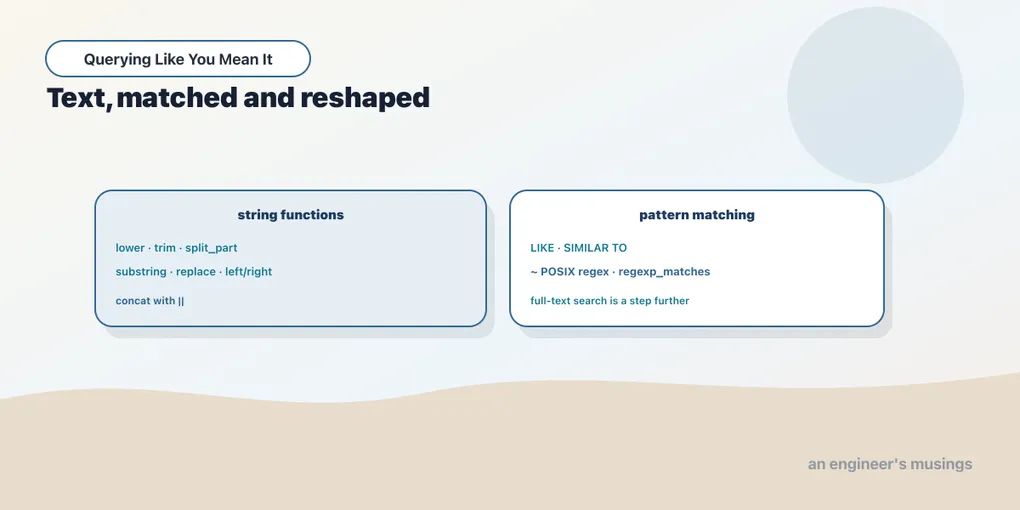
A surprising amount of real analytical work is text wrangling. An email arrives as one string and you want the domain. A product code packs three fields into a dash-separated token. A title has a number buried in it that you need to sort on. You could pull the rows into application code and do it there, but that means moving data across the wire to run a loop the database could run in place. SQL has a deep bench of string functions, and above them a full regular-expression engine. This chapter walks the bench, from the plain functions you’ll reach for daily up to POSIX regex for the jobs nothing else can do.
Case, length, trimming
The simplest transforms change case or strip whitespace. lower and upper do what they say; initcap capitalizes the first letter of each word. length counts characters, and trim (with ltrim/rtrim variants) removes leading and trailing whitespace, or any characters you name.
SELECT city, lower(city) AS lo, upper(city) AS up,
       initcap(lower(city)) AS init, length(city) AS len
FROM customers
WHERE customer_id IN (1, 3, 9)
ORDER BY customer_id;
city | lo | up | init | len
----------+----------+----------+----------+-----
New York | new york | NEW YORK | New York | 8
Dublin | dublin | DUBLIN | Dublin | 6
Leeds | leeds | LEEDS | Leeds | 5
(3 rows)Case folding earns its keep in comparisons. Storage might be mixed-case, but if you group or join on lower(city) you fold “London”, “LONDON”, and “london” into one bucket. Trimming matters at import time, where a stray trailing space silently splits what should be one group. trim(both 'x' FROM 'xxfooxx') returns foo, so trim cleans more than spaces when you tell it what to strip.
Slicing: substring, left, right, split_part
To pull a piece out of a string, you have three tools. left(s, n) and right(s, n) take characters from an end. substring(s FROM start FOR len) takes a run from anywhere (positions are 1-indexed). And split_part(s, delim, n) splits on a delimiter and returns the nth piece, which is the cleanest way to parse structured text.
SELECT title, left(title, 4) AS l4, right(title, 3) AS r3,
       substring(title FROM 6 FOR 5) AS mid
FROM books
ORDER BY book_id
LIMIT 4;
title | l4 | r3 | mid
--------------+------+-----+-------
Book Title 1 | Book | e 1 | Title
Book Title 2 | Book | e 2 | Title
Book Title 3 | Book | e 3 | Title
Book Title 4 | Book | e 4 | Title
(4 rows)split_part shines on emails. An address is a local part, an @, and a domain, so splitting on @ gives you either side by position:
SELECT email, split_part(email, '@', 1) AS local,
       split_part(email, '@', 2) AS domain
FROM customers
ORDER BY customer_id
LIMIT 4;
email | local | domain
-----------------------+-----------+-------------
customer1@example.com | customer1 | example.com
customer2@example.com | customer2 | example.com
customer3@example.com | customer3 | example.com
customer4@example.com | customer4 | example.com
(4 rows)Grouping on split_part(email, '@', 2) gives a customers-per-domain report with no regex at all. Reach for split_part first; it handles the great majority of “parse this token” jobs and it’s far more legible than a pattern.
Building strings: concat, ||, replace
Going the other direction, || concatenates and replace does literal find-and-replace. For joining several fields with a separator, concat_ws (with-separator) is the ergonomic choice, and it has one property worth committing to memory: it skips NULLs, whereas || propagates them.
SELECT concat_ws(' / ', 'a', NULL, 'c') AS joined,
       'a' || NULL || 'c'               AS via_pipes;
joined | via_pipes
--------+-----------
a / c |
(1 row)concat_ws dropped the NULL and joined the survivors; || saw a NULL operand and returned NULL for the whole expression. That NULL-propagation of || is the same three-valued-logic rule from the fundamentals series, and it bites when you build a label out of columns that might be NULL. Use concat_ws when any part might be missing, and replace for straightforward substitutions:
SELECT replace('Sci-Fi', '-', ' ') AS spaced,
       concat_ws(', ', 'Author 1', 'UK') AS byline;
spaced | byline
--------+--------------
Sci Fi | Author 1, UK
(1 row)Pattern matching: LIKE, ILIKE, SIMILAR TO
Now to matching. LIKE is the portable workhorse, with % for “any run of characters” and _ for “one character”. ILIKE is Postgres’s case-insensitive LIKE. Cities starting with L:
SELECT DISTINCT city FROM customers WHERE city LIKE 'L%' ORDER BY 1; city
--------
Lagos
Leeds
London
(3 rows)ILIKE 'new%' matches “New York” without you having to case-fold either side. Above LIKE sits SIMILAR TO, which mixes SQL wildcards with a slice of regex syntax (alternation, grouping, quantifiers):
SELECT DISTINCT city FROM customers
WHERE city SIMILAR TO '(London|Lagos|Leeds)'
ORDER BY 1;
city
--------
Lagos
Leeds
London
(3 rows)SIMILAR TO is an awkward middle rung. It’s more than LIKE but less than real regex, and its %-means-wildcard-but-also-regex-metacharacters mix confuses more than it helps. In practice you skip from LIKE straight to POSIX regex.
POSIX regular expressions: ~ and ~*
The real power is the POSIX operators. ~ matches a regular expression, ~* matches case-insensitively, and prefixing either with ! negates it. Full regex syntax applies: character classes, anchors, quantifiers, the lot. Cities that look like “Word Capital” (two capitalized words):
SELECT DISTINCT city FROM customers
WHERE city ~ '^[A-Z][a-z]+ [A-Z]'
ORDER BY 1;
city
----------
New York
(1 row)Only “New York” has the internal capital after a space. And a case-insensitive count of emails shaped like customer<digits>@:
SELECT count(*) FROM customers WHERE email ~* 'CUSTOMER[0-9]+@'; count
-------
5000
(1 row)All 5,000 match despite the uppercase pattern, because ~* folds case. The anchors (^, $), classes ([0-9], [A-Z]), and quantifiers (+, *, ?) are the standard regex vocabulary, and they behave the way they do in every other engine you know.
Extracting and rewriting: the regexp_ family
Matching answers yes/no. To pull the matched text out, regexp_matches(s, pattern) returns an array of the capturing groups. Every book title has a number in it; this grabs it:
SELECT title, (regexp_matches(title, '([0-9]+)'))[1] AS num
FROM books
ORDER BY book_id
LIMIT 3;
title | num
--------------+-----
Book Title 1 | 1
Book Title 2 | 2
Book Title 3 | 3
(3 rows)The [1] subscript picks the first capture group out of the returned array (arrays get their own chapter shortly). regexp_replace(s, pattern, replacement) rewrites matches, and the replacement can reference capture groups with \1, \2. A tidy privacy transform keeps the first letter of an email’s local part and masks the rest:
SELECT email, regexp_replace(email, '(.).*(@.*)', '\1***\2') AS obscured
FROM customers
ORDER BY customer_id
LIMIT 3;
email | obscured
-----------------------+------------------
customer1@example.com | c***@example.com
customer2@example.com | c***@example.com
customer3@example.com | c***@example.com
(3 rows)Group 1 captured the first character, group 2 captured @ onward, and the middle was replaced with ***. To mask every match rather than the first, add the 'g' flag as a fourth argument. Finally, regexp_split_to_table splits one string into many rows, which is how you turn a delimited field into a set you can join or aggregate:
SELECT regexp_split_to_table('Fiction,Sci-Fi,History', ',') AS genre; genre
---------
Fiction
Sci-Fi
History
(3 rows)One string in, three rows out. That row-producing shape is what makes it a genuine set operation rather than a scalar transform, and it pairs naturally with the aggregation you already know.
One step further: full-text search
Regex finds patterns, but it doesn’t understand language. Searching prose for a word means dealing with stemming (refund, refunds, refunded), stop words, and ranking, and regex has no idea about any of that. Postgres has a dedicated feature for it: full-text search, built on the tsvector type and the @@ match operator.
SELECT to_tsvector('english', 'The Art of the Long Refund Policy')
       @@ to_tsquery('english', 'refund') AS matches;
matches
---------
t
(1 row)to_tsvector reduced the sentence to normalized lexemes, to_tsquery parsed the search term, and @@ matched them with stemming and stop-word removal applied. Backed by a GIN index, this stays fast over large text columns where LIKE '%word%' would force a full scan. Full-text search is a chapter of its own; for now, know that when the job shifts from “match a pattern” to “search words,” this is the tool, not regex.
A note on portability
Case, trim, substring, ||, and LIKE are standard SQL and travel everywhere. Past that, dialects diverge. ILIKE and split_part are Postgres. The POSIX ~ operators are Postgres; MySQL spells the same idea REGEXP (and RLIKE), SQLite needs the REGEXP operator wired up by the host program. regexp_replace exists widely but its capture-group syntax and flags vary. When you lean on regex, you’re leaning on the engine, so pin the dialect in your head the way you pin a version.
Final thoughts
Text work climbs a ladder. At the bottom are the plain functions — case, trim, substring, split_part, concat_ws — which handle most jobs and read clearly, so reach for them first. split_part in particular parses more delimited fields than any regex you’ll write. Above them is pattern matching, from LIKE for simple wildcards straight up to POSIX ~ for real expressions, with the regexp_ family to extract, rewrite, and split. And past pattern matching, when you’re searching language rather than characters, full-text search takes over. Keep the ladder in mind and you’ll pick the lowest rung that does the job, which is almost always the right one. Next we leave flat text behind for structured documents living inside a single column.
Next: JSON inside the database
Comments