Arrays and the Join That Sees the Row: LATERAL
Postgres arrays as first-class values — array_agg, unnest, ANY/ALL, overlap — and then LATERAL, the correlated join that lets a subquery reference the outer row, with the clean top-N-per-group it makes possible. Run against PostgreSQL 18.
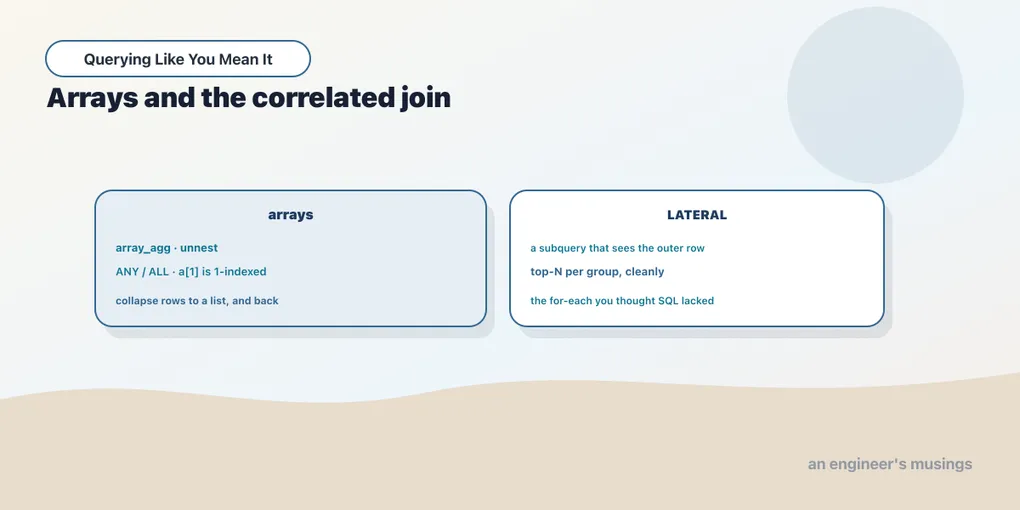
Two features that feel unrelated turn out to be a natural pair. Arrays let a single column hold an ordered list of values, breaking the one-scalar-per-cell rule on purpose. LATERAL lets a subquery in the FROM clause see the columns of the rows beside it, which is the one thing a plain subquery cannot do. They meet because expanding an array is a per-row operation, and per-row operations in the FROM clause are exactly what LATERAL is for. This chapter takes each in turn, then lands on the pattern that justifies the whole chapter: a clean top-N per group.
Arrays are real values
Postgres arrays are first-class. Any type can be an array, you can store one in a column, and you can build one on the fly. The most common way you’ll meet arrays is array_agg, the aggregate that collects a group’s values into a list instead of folding them to a scalar. It takes ORDER BY and DISTINCT just like the other aggregates. Genres per author:
SELECT a.name, array_agg(DISTINCT b.genre ORDER BY b.genre) AS genres
FROM authors a JOIN books b ON b.author_id = a.author_id
WHERE a.author_id IN (1, 2)
GROUP BY a.name
ORDER BY a.name;
name | genres
----------+-----------------------------------------------------
Author 1 | {Fiction,History,Nonfiction,Poetry,Sci-Fi}
Author 2 | {Children,Fiction,History,Nonfiction,Poetry,Sci-Fi}
(2 rows)Each author’s genres, gathered into one array value per row. The literal syntax is ARRAY[...], and the single most important thing to remember is that Postgres arrays are 1-indexed, not 0-indexed like nearly every programming language you know. array_length(a, 1) gives the length along the first dimension:
SELECT (ARRAY['a','b','c'])[1] AS first,
       (ARRAY['a','b','c'])[3] AS third,
       array_length(ARRAY['a','b','c'], 1) AS len;
first | third | len
-------+-------+-----
a | c | 3
(1 row)Subscript [1] returned the first element. This catches every newcomer once, so file it away now: the first element is [1], and subscripting past the end returns NULL rather than erroring.
unnest: arrays back to rows
If array_agg folds rows into an array, unnest does the reverse, expanding an array into one row per element. It’s the array counterpart to the JSON shredding from the last chapter:
SELECT unnest(ARRAY['Sci-Fi','Fiction','History']) AS genre; genre
---------
Sci-Fi
Fiction
History
(3 rows)One array in, three rows out. That round trip moves data between two shapes: “list in a cell” and “row per value.” array_agg collects into the first, unnest expands into the second — reach for whichever a query needs.
ANY, ALL, and overlap
Arrays plug into comparisons through ANY and ALL. x = ANY(arr) is true if x equals any element, which is the array spelling of IN. x > ALL(arr) is true only if x beats every element. Orders in a set of statuses:
SELECT count(*) FROM orders WHERE status = ANY(ARRAY['shipped','delivered']); count
-------
34983
(1 row)SELECT 42 > ALL(ARRAY[10,20,30]) AS bigger_than_all; bigger_than_all
-----------------
t
(1 row)ANY/ALL matter beyond being a wordier IN because the array can be a value, not just a hardcoded list: a column, a parameter, the result of array_agg. And to ask whether two arrays share any element, the overlap operator &&:
SELECT ARRAY['epic','desert'] && ARRAY['spice','epic'] AS overlaps,
       ARRAY['a','b']         && ARRAY['c','d']         AS no_overlap;
overlaps | no_overlap
----------+------------
t | f
(1 row)The first pair shares epic, so it overlaps; the second shares nothing. &&, @> (contains), and <@ (is contained by) give you set relationships between arrays directly.
LATERAL: the join that sees the row
Now the second half. A subquery in the FROM clause is normally sealed off from the other tables in that clause. It’s computed independently, and it cannot reference a column from the table next to it. LATERAL removes that seal: a LATERAL subquery can reference columns of the tables that appear before it. That turns it into a per-row computation running inside the FROM clause, which is precisely the capability arrays and set-returning functions want.
The move that makes it worth learning is top-N per group. You’ve seen this before with a window function: ROW_NUMBER() OVER (PARTITION BY genre ORDER BY price DESC), then keep rows where the number is 3 or less. That approach scans and ranks every row. LATERAL expresses the same question differently: for each genre, run a small ordered LIMIT 3 subquery that can see that genre. Top three books by price in each genre:
SELECT g.genre, t.title, t.price
FROM (SELECT DISTINCT genre FROM books) g
CROSS JOIN LATERAL (
  SELECT b.title, b.price
  FROM books b
  WHERE b.genre = g.genre
  ORDER BY b.price DESC, b.book_id
  LIMIT 3
) t
ORDER BY g.genre, t.price DESC;
genre | title | price
------------+----------------+-------
Children | Book Title 88 | 54.57
Children | Book Title 484 | 54.56
Children | Book Title 346 | 53.92
Fiction | Book Title 240 | 53.59
Fiction | Book Title 192 | 52.45
Fiction | Book Title 204 | 51.72
History | Book Title 69 | 53.37
History | Book Title 171 | 53.06
History | Book Title 315 | 52.72
Nonfiction | Book Title 61 | 54.50
Nonfiction | Book Title 169 | 53.62
Nonfiction | Book Title 205 | 53.34
Poetry | Book Title 527 | 54.59
Poetry | Book Title 83 | 54.38
Poetry | Book Title 131 | 53.57
Sci-Fi | Book Title 302 | 54.77
Sci-Fi | Book Title 20 | 54.31
Sci-Fi | Book Title 332 | 53.54
(18 rows)Six genres, three books each, eighteen rows. The WHERE b.genre = g.genre inside the subquery is the whole trick: g.genre comes from the outer FROM item, and only LATERAL lets the subquery reach it. Read it as a loop the database runs for you: for each genre g, fetch its three priciest books. Except you described it as a set, so it stayed a single query. The CROSS JOIN LATERAL runs the subquery once per outer row and unions the results.
LATERAL versus the window approach
Both the window function (the ranking chapter) and LATERAL give correct top-N-per-group results, and the choice is about fit. The window approach ranks every row and then filters, which is clean when you also want the rank number itself or you’re already windowing. LATERAL fetches only N rows per group, and with an index on (genre, price DESC) it can stop after three per genre instead of sorting the whole table. So LATERAL tends to win when N is small relative to group size and the right index exists. The window form wins when you want the rank exposed, or you’re avoiding a correlated subquery. Knowing both, and why each fits where it does, is the point.
LATERAL also pairs with set-returning functions. The implicit-LATERAL comma joins from the last chapter (FROM docs, jsonb_array_elements(...)) are LATERAL under the hood. Writing LATERAL explicitly lets a function’s arguments reference the outer row: FROM books b, LATERAL unnest(...), where the unnest argument depends on b.
A note on portability
This chapter is the least portable in the series, and it’s worth being blunt about why. Arrays are a Postgres (and SQL-standard) type that MySQL does not have at all — no ARRAY type, no array_agg, no unnest. MySQL fakes the “list in a cell” need with JSON arrays or GROUP_CONCAT into a delimited string, both weaker. LATERAL itself is standard SQL and travels better: MySQL 8 supports LATERAL, SQL Server spells the same idea CROSS APPLY / OUTER APPLY, and Oracle has both LATERAL and APPLY. So the top-N-per-group LATERAL pattern ports; the array machinery around it mostly does not.
Final thoughts
Arrays and LATERAL are the two features that most bend SQL toward general-purpose computation without breaking its set-based soul. Arrays let a column carry an ordered list, with array_agg/unnest to move between list-shape and row-shape and ANY/ALL/&& to compare them — just remember the 1-indexing. LATERAL lets a FROM-clause subquery see the row beside it, which unlocks per-row computations, correlated set-returning functions, and the tidy top-N-per-group that fetches only what it needs. Both trade a little portability for real expressive power, so lean on them where Postgres is home and reach for the portable equivalent when it isn’t. Next we put the whole series to work in one report, the kind you’d actually ship.
Comments