ORDER BY, DISTINCT, and the Sharp Edges
Sorting results with multiple keys and NULL placement, de-duplicating with DISTINCT and Postgres DISTINCT ON, and the join bug DISTINCT can hide. Run against PostgreSQL 18.
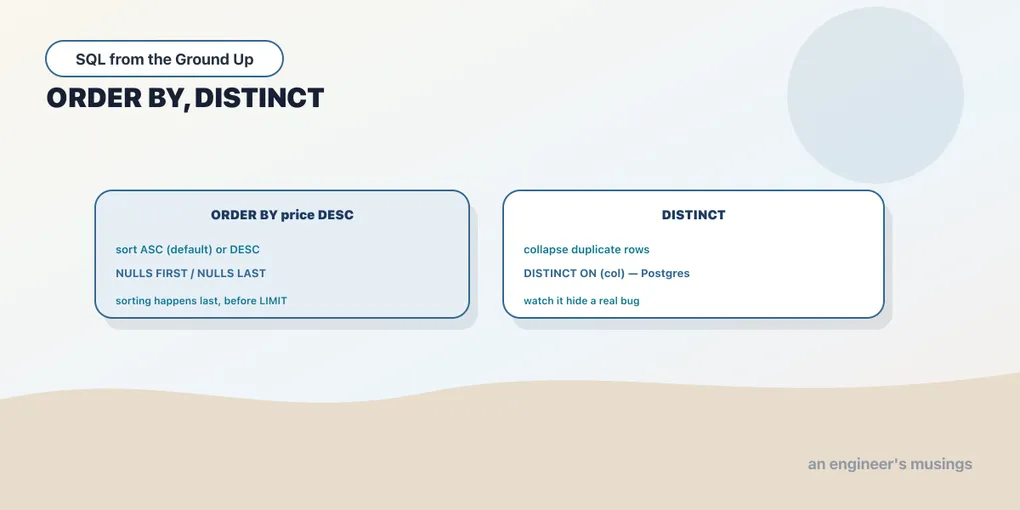
A query returns a set of rows, and a set has no inherent order. If you want the output in a particular sequence, you have to ask for it, and that is what ORDER BY is for. Its companion in this chapter is DISTINCT, which collapses duplicate rows. Both shape the result you hand back rather than which rows qualify. And both have edges worth knowing: where nulls sort, how DISTINCT interacts with a join, and a Postgres-only trick that saves a lot of typing.
ORDER BY: asking for a sequence
By default a query gives you rows in whatever order is convenient for the database, which you must never rely on. ORDER BY pins it down:
SELECT title, price FROM books ORDER BY price DESC LIMIT 5; title | price
----------------+-------
Book Title 302 | 54.77
Book Title 527 | 54.59
Book Title 88 | 54.57
Book Title 484 | 54.56
Book Title 61 | 54.50DESC sorts descending, highest first; ASC sorts ascending and is the default, so plain ORDER BY price goes low to high. Sorting works on text (alphabetical, by the database’s collation), on dates (chronological), and on numbers. Each key can carry its own direction.
Multiple keys, and ties
One sort key often isn’t enough, because it leaves ties unresolved. List several keys and the database sorts by the first, then breaks ties with the second, and so on:
SELECT genre, title, price FROM books ORDER BY genre, price DESC LIMIT 8; genre | title | price
----------+----------------+-------
Children | Book Title 88 | 54.57
Children | Book Title 484 | 54.56
Children | Book Title 346 | 53.92
Children | Book Title 166 | 53.36
Children | Book Title 232 | 53.19
Children | Book Title 292 | 53.05
Children | Book Title 532 | 52.31
Children | Book Title 514 | 52.30Genre ascending is the primary order (Children sorts first alphabetically), and within each genre, price descending decides the sequence. Each key’s direction is independent: ORDER BY genre ASC, price DESC is perfectly normal. This is also the answer to the pagination worry from the SELECT chapter. To page reliably you need a sort so specific it never ties. That usually means ending your ORDER BY on a unique column like the primary key.
Ordering by an expression, an alias, or a position
The sort key doesn’t have to be a stored column. You can sort by an expression computed per row, and you can sort by a select-list alias that names one. The alias works here even though referencing it inside the select list failed back in the SELECT chapter. The reason is timing: ORDER BY runs after the select list is projected, so the aliases exist by the time it looks for them:
SELECT title, round(price * 0.9, 2) AS sale FROM books ORDER BY sale DESC LIMIT 4; title | sale
----------------+-------
Book Title 302 | 49.29
Book Title 527 | 49.13
Book Title 88 | 49.11
Book Title 484 | 49.10And you can sort by ordinal position, the column’s number in the select list. ORDER BY 2 means “the second output column”:
SELECT title, price FROM books ORDER BY 2 DESC LIMIT 4; title | price
----------------+-------
Book Title 302 | 54.77
Book Title 527 | 54.59
Book Title 88 | 54.57
Book Title 484 | 54.56Ordering by position is compact, and fine for a throwaway query at the prompt. In code that ships, prefer the alias or the expression. ORDER BY 2 breaks the moment someone reorders the select list, and it tells the next reader nothing about what you meant.
Where do nulls sort?
Nulls aren’t greater or less than any real value, so the database needs a rule for where to park them. The default is easy to get wrong. In Postgres, NULLs sort last on ASC and first on DESC (the mental model is that a null counts as larger than everything). Here it is with a small inline set:
SELECT n FROM (VALUES (3), (1), (NULL), (2)) AS v(n) ORDER BY n; n
---
1
2
3
(4 rows)The blank last row is the null, sorted to the bottom on ascending. Flip to descending and it jumps to the top:
SELECT n FROM (VALUES (3), (1), (NULL), (2)) AS v(n) ORDER BY n DESC; n
---
3
2
1
(4 rows)When that default isn’t what you want, override it explicitly with NULLS FIRST or NULLS LAST:
SELECT n FROM (VALUES (3), (1), (NULL), (2)) AS v(n) ORDER BY n ASC NULLS FIRST; n
---
1
2
3
(4 rows)One portability note: this default is not universal. MySQL and SQLite sort nulls first on ascending, the opposite of Postgres, and older MySQL doesn’t support the NULLS FIRST/LAST keywords at all. If null placement matters to your result, state it explicitly and don’t trust the default.
DISTINCT: removing duplicate rows
DISTINCT drops duplicate rows from the result, keeping one of each. The most common use is “what values actually occur in this column”:
SELECT DISTINCT genre FROM books ORDER BY genre; genre
------------
Children
Fiction
History
Nonfiction
Poetry
Sci-FiSix hundred books collapse to the six distinct genres. DISTINCT considers the whole select list, not just one column. So SELECT DISTINCT genre, price keeps every unique genre-and-price combination, which is many more rows. It’s a common mistake to expect DISTINCT to apply to only the first column; it never does.
DISTINCT ON: one row per group, the Postgres way
Postgres has an extension that plain DISTINCT can’t do: keep the first row for each value of some key, where “first” is decided by ORDER BY. DISTINCT ON (genre) gives you one row per genre, and putting price DESC in the sort makes that one row the priciest book of its genre:
SELECT DISTINCT ON (genre) genre, title, price
FROM books ORDER BY genre, price DESC;
genre | title | price
------------+----------------+-------
Children | Book Title 88 | 54.57
Fiction | Book Title 240 | 53.59
History | Book Title 69 | 53.37
Nonfiction | Book Title 61 | 54.50
Poetry | Book Title 527 | 54.59
Sci-Fi | Book Title 302 | 54.77The rule to remember: the DISTINCT ON columns must be the leading columns of ORDER BY, and whatever sorts first within each group is the row you keep. It’s a genuinely convenient “top row per category” without a subquery or window function. It is also Postgres-only. On other databases the same job is done with a window function (ROW_NUMBER()), which this track covers later.
The sharp edge: DISTINCT can hide a join bug
DISTINCT is sometimes reached for as a quick fix when a query returns unexpected duplicates, and that reflex is dangerous. Duplicates are often a symptom that a join is multiplying rows, and slapping DISTINCT on top hides the symptom instead of fixing the cause. The bookshop’s data makes this vivid. Join books to order_items and the raw result is enormous:
SELECT count(*) AS total_joined_rows
FROM books b JOIN order_items oi ON oi.book_id = b.book_id;
total_joined_rows
-------------------
149942Now ask “which genres appear in orders” and let DISTINCT tidy it:
SELECT DISTINCT b.genre
FROM books b JOIN order_items oi ON oi.book_id = b.book_id
ORDER BY b.genre;
genre
------------
Children
Fiction
History
Nonfiction
Poetry
Sci-FiSix neat rows. But those six came out of a 149,942-row join, and the tidy result hides the grain that produced it. Every ordered book fans out once per line item that references it, so a popular book appears hundreds of times before DISTINCT folds the whole thing back to six genres. Here that’s harmless because you only wanted the genre names. It stops being harmless the moment you compute a sum or an avg over that same join. The fan-out multiplies your numbers, and DISTINCT won’t save you, because you’re aggregating, not de-duplicating. The habit worth building: when DISTINCT “fixes” a duplicate problem, stop and ask why the duplicates were there. Sometimes the answer is a join grain you didn’t intend.
Final thoughts
ORDER BY is how you turn an unordered set into a sequence. Logically it is one of the last things a query does: after filtering, grouping, and projection, and just before LIMIT takes its slice off the top. That’s why it can see select-list aliases and why pairing it with LIMIT gives you a stable top-N. DISTINCT de-duplicates across the whole select list, DISTINCT ON keeps the best row per group, and both deserve a moment’s suspicion when they’re papering over duplicates a join created. You now have the full single-table query: choose columns, filter rows, handle nulls, sort, and de-duplicate. The last piece of the foundation is the thing every column has been quietly carrying all along, its type, and what happens when you convert between them on purpose.
Next: Types, and casting on purpose — the type behind every column, and how to convert between them without surprises.
Comments