Types Have Opinions: Numbers, Dates, and the 5/2 = 2 Trap
The types every column carries — integers and the overflow that errors, why money is numeric and never float, text and boolean, the date/timestamp/timestamptz split, casting with :: and CAST, and the integer-division surprise. Run against PostgreSQL 18.
Every column in a relational database has a type, and the type is not decoration. It decides how the value is stored, how much space it takes, and what operations are legal on it. It also decides, in the part that bites people, how arithmetic behaves. A column typed integer and a column typed numeric give you different answers to the same division. If you’ve only ever worked in a dynamically typed language where a number is just a number, SQL’s insistence on types will surprise you at least once. This chapter is about surprising you here, on purpose, instead of in production.
We’ll go type by type through what the bookshop actually uses. Then casting — turning one type into another — and the single most common gotcha in the whole language.
Integers, and the overflow that stops you
integer is the workhorse: a signed 4-byte whole number, range roughly minus 2.1 billion to plus 2.1 billion. Every *_id column in the bookshop is one. It’s fast and compact, and it has a hard ceiling. Cross that ceiling and Postgres does not wrap around silently the way C would:
SELECT 2147483647 + 1 AS overflow;ERROR: integer out of rangeThat error is a feature. A silent wraparound to a negative number is the kind of bug that corrupts data for months before anyone notices. When you genuinely need bigger numbers — row counts on a large table, anything counting bytes or money in cents — reach for bigint (8 bytes, ±9.2 quintillion):
SELECT 2147483647::bigint + 1 AS ok_bigint; ok_bigint
------------
2147483648numeric for money, never float
Here is the type distinction that matters most in a business database. There are two families of non-integer numbers, and they are not interchangeable.
numeric (also spelled decimal) is exact. You declare it as numeric(precision, scale) — books.price is numeric(6,2), meaning up to six digits total with two after the point. It stores 26.35 as exactly 26.35, and arithmetic on it stays exact.
real (4 bytes) and double precision (8 bytes) are binary floating point. They’re fast, they cover an enormous range, and they cannot represent most decimal fractions exactly. The classic demonstration:
SELECT 0.1::double precision + 0.2::double precision AS double_sum;
SELECT 0.1::numeric + 0.2::numeric AS numeric_sum;
double_sum
---------------------
0.30000000000000004
numeric_sum
-------------
0.3That trailing ...04 is not a Postgres bug; it’s how binary floating point works everywhere, in every language. And the error is not just cosmetic. Watch what happens when you sum real money across the bookshop’s line items:
SELECT sum(unit_price * quantity)              AS revenue_numeric,
       sum(unit_price::real * quantity)        AS revenue_real
FROM order_items;
revenue_numeric | revenue_real
-----------------+-------------------
9017181.88 | 9017181.895784378The two answers agree for the first eight digits and then diverge in the third decimal place, over roughly 150,000 line items. Round each to cents and the float total reads 9017181.90 against the correct 9017181.88 — two cents summoned out of rounding noise. Two cents sounds harmless until it’s a financial report that has to reconcile to the penny, and the discrepancy grows with the row count. The float answer is the wrong one. Store money as numeric. It’s the reason the bookshop’s price and unit_price columns are typed the way they are.
(MySQL and SQLite have the same DECIMAL vs float split; SQLite in particular stores everything loosely, so the discipline is on you.)
Text, and booleans
For strings, Postgres gives you text (unlimited length), varchar(n) (capped at n characters), and char(n) (fixed, space-padded — avoid it). The bookshop uses text for titles, names, and emails. There is no performance penalty for text in Postgres, so the common advice is: use text unless a length limit is a real business rule. And note that casting to a length does silently truncate:
SELECT 'Book Title 1'::varchar(4) AS truncated; truncated
-----------
Bookboolean holds true, false, or NULL. Postgres is generous about input: 't', 'yes', '1' all read as true, 'f', 'no', '0' as false.
SELECT true AS t, 'yes'::boolean AS y, 0::boolean AS z; t | y | z
---+---+---
t | t | f(MySQL has no real boolean type — BOOLEAN is an alias for TINYINT(1), and you get back 0/1. SQLite likewise stores 0/1. Postgres is the one with an honest boolean.)
Dates, timestamps, and the timezone that isn’t there
The bookshop stores order_date, signup_date, and published as date — a calendar day, no time, no zone. Dates support arithmetic in days:
SELECT published, published + 30 AS plus_30_days, age(current_date, published) AS shelf_age
FROM books ORDER BY book_id LIMIT 2;
published | plus_30_days | shelf_age
------------+--------------+-------------------------
2013-08-02 | 2013-09-01 | 13 years
2012-04-07 | 2012-05-07 | 14 years 3 mons 25 daysWhen you need a moment in time, there are two types, and choosing wrong is a genuine footgun. timestamp (without time zone) is a wall-clock reading with no zone attached. timestamptz (with time zone) is an absolute instant: on input it converts to UTC, and on output it renders in your session’s zone. The difference shows the instant you feed either one an offset:
SELECT '2026-06-30 14:00:00+05:30'::timestamp   AS as_timestamp,
       '2026-06-30 14:00:00+05:30'::timestamptz AS as_timestamptz;
as_timestamp | as_timestamptz
---------------------+------------------------
2026-06-30 14:00:00 | 2026-06-30 08:30:00+00timestamp threw the +05:30 away and kept the digits 14:00. timestamptz understood the offset and stored the actual instant, 08:30 UTC. If you record events from users in different zones as plain timestamp, you have lost the information needed to compare them. Store instants as timestamptz, and let it keep everything in UTC internally. (MySQL’s TIMESTAMP normalizes to UTC but DATETIME does not; SQLite has no date types at all and stores them as text or numbers — the discipline, again, is yours.)
Casting: :: and CAST
Turning a value from one type into another is a cast. Postgres gives you two spellings — the terse value::type and the standard CAST(value AS type) — and they do the same thing:
SELECT '42'::integer + 8         AS shorthand,
       CAST('42' AS integer) + 8 AS standard;
shorthand | standard
-----------+----------
50 | 50Only :: is Postgres-specific; CAST(...) is standard SQL and works everywhere. One behavior to file away: casting a fractional number to integer rounds, it does not truncate.
SELECT 37.78::integer AS rounded, 3.9::integer AS also_rounded; rounded | also_rounded
---------+--------------
38 | 4And casting into a numeric(p,s) rounds to the declared scale — 12.345::numeric(6,2) gives 12.35. This is exactly what happens when a price lands in the bookshop’s numeric(6,2) column.
The 5/2 = 2 trap
Save this one. It is the mistake every SQL beginner makes, and it produces wrong numbers that look perfectly reasonable, so nobody catches it in review.
Division between two integers is integer division. The result is an integer, and the fractional part is discarded:
SELECT 5/2 AS int_div; int_div
---------
2Not 2.5. Two. Postgres saw two integers and gave you an integer back. The fix is to make at least one operand non-integer, which you do with a decimal literal or a cast:
SELECT 5/2.0 AS with_decimal, 5::numeric/2 AS with_cast; with_decimal | with_cast
--------------------+--------------------
2.5000000000000000 | 2.5000000000000000The type of the expression tells the whole story:
SELECT pg_typeof(5/2) AS a, pg_typeof(5::numeric/2) AS b; a | b
---------+---------
integer | numericWhere this actually bites: computing an average by hand as sum(x) / count(x), or a percentage as part / whole * 100. Both operands are integer counts, so you get a truncated whole number and a plausible-looking wrong answer. Cast one side to numeric first, every time. (MySQL, for what it’s worth, returns 2.5 here; SQLite matches Postgres and gives 2. Portable SQL does not assume either — it casts.)
Final thoughts
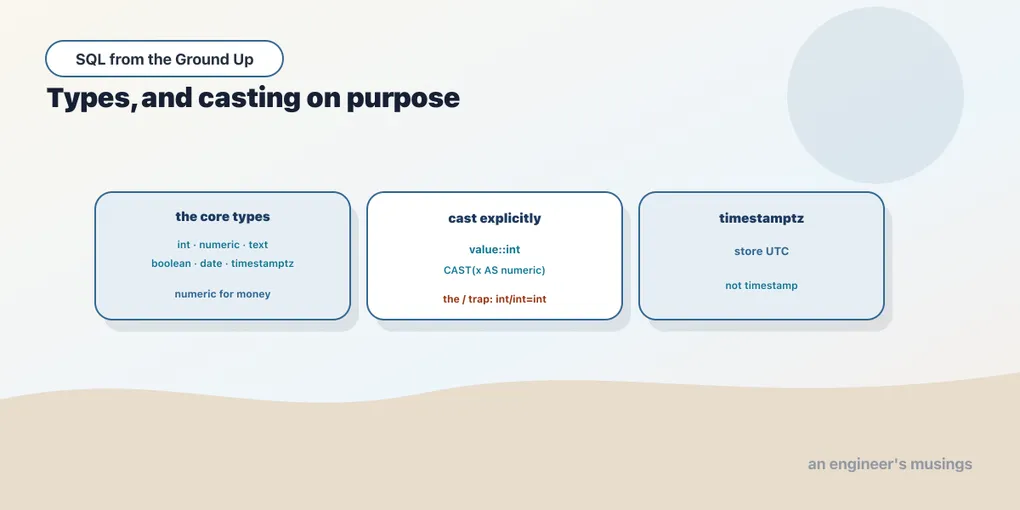
Types are the contract between you and the database about what a value means. The three to carry out of this chapter: money and any exact decimal is numeric, never real or double; an instant in time is timestamptz stored as UTC, not a bare timestamp; and integer-by-integer division truncates, so cast before you divide. Everything else you can look up. These three you want in muscle memory. Each one fails quietly rather than loudly — a wrong total, a lost hour, a truncated ratio — and quiet failures are the expensive kind.
Next up, we stop looking at one table at a time. The whole point of the relational model is the links between tables, and joins are how you follow them.
Comments