The Rest of the Joins: Right, Full, Cross, Self, and Anti
Beyond inner and left — RIGHT and FULL OUTER joins and why MySQL lacks one, CROSS JOIN and its cardinality explosion, self-joins that pair a table against itself, and the anti-join for finding rows with no match, two ways. Run against PostgreSQL 18.
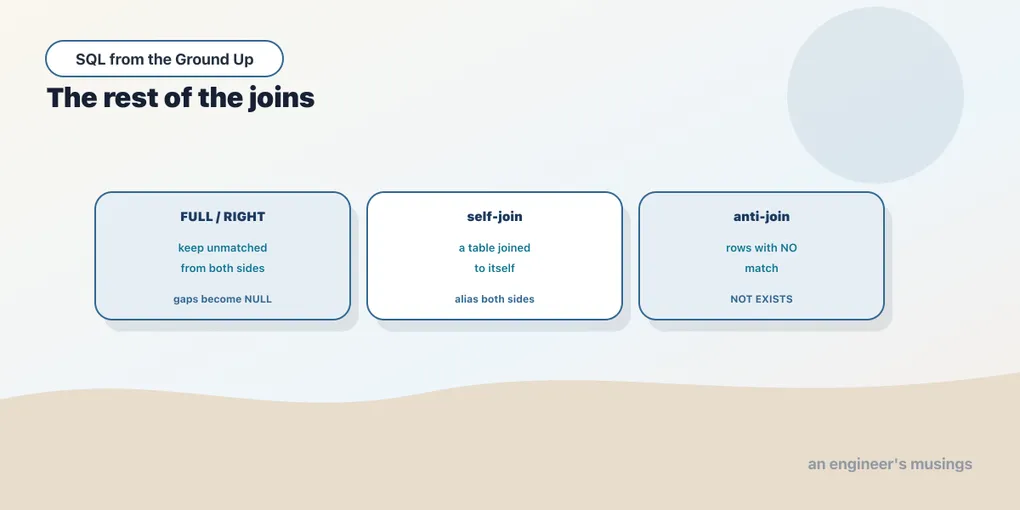
Inner and left joins cover most of the work, but they’re not the whole family. This chapter finishes it. There are the outer joins from the other direction, the cross join that pairs everything with everything, and the self-join that matches a table against itself. Then there’s the anti-join, which asks the opposite of every join so far: which rows have no match? Each is a small idea. Together they close out the join toolkit, so nothing you meet later feels unfamiliar.
RIGHT and FULL OUTER
A LEFT JOIN keeps every row from the left table. A RIGHT JOIN keeps every row from the right. That’s the entire difference, and it means RIGHT JOIN is just a LEFT JOIN written backwards — A RIGHT JOIN B is B LEFT JOIN A with the tables swapped. Because left is the one everyone reads fluently, most people simply never write a right join; they flip the table order and use left. Here it is on two scratch sets so you can see it keep the unmatched right value:
SELECT l.x AS left_x, r.x AS right_x
FROM (VALUES (1),(2),(3)) AS l(x)
RIGHT JOIN (VALUES (2),(3),(4)) AS r(x) ON l.x = r.x
ORDER BY coalesce(r.x, l.x);
left_x | right_x
--------+---------
2 | 2
3 | 3
| 4
(3 rows)The 4 on the right had no partner on the left, and the right join kept it with a NULL left column. A FULL OUTER JOIN goes further: it keeps unmatched rows from both sides at once. That’s everything that matched, plus the left-only rows with NULL on the right, plus the right-only rows with NULL on the left:
SELECT l.x AS left_x, r.x AS right_x
FROM (VALUES (1),(2),(3)) AS l(x)
FULL OUTER JOIN (VALUES (2),(3),(4)) AS r(x) ON l.x = r.x
ORDER BY coalesce(l.x, r.x);
left_x | right_x
--------+---------
1 |
2 | 2
3 | 3
| 4
(4 rows)1 is left-only, 4 is right-only, 2 and 3 matched. FULL OUTER JOIN is what you reach for when reconciling two sets: you need to see both “in the left, missing on the right” and “in the right, missing on the left” in one pass. Comparing yesterday’s inventory against today’s, say. One portability note: MySQL has no FULL OUTER JOIN (and no plain RIGHT/LEFT limitation, but full is simply absent). The workaround there is a LEFT JOIN unioned with a RIGHT JOIN. Postgres, SQL Server, and Oracle support it directly.
CROSS JOIN: every pairing
A CROSS JOIN has no ON clause because it matches nothing conditionally — it pairs every left row with every right row. The result has left_count × right_count rows, which is why it’s also called the Cartesian product. Used deliberately it’s how you build a grid. Pairing two genres with three order statuses gives six combinations:
SELECT g.genre, s.status
FROM (VALUES ('Fiction'),('Poetry')) AS g(genre)
CROSS JOIN (VALUES ('placed'),('shipped'),('delivered')) AS s(status)
ORDER BY g.genre, s.status;
genre | status
---------+-----------
Fiction | delivered
Fiction | placed
Fiction | shipped
Poetry | delivered
Poetry | placed
Poetry | shipped
(6 rows)Two rows times three rows is six. That scaling is the thing to respect. Cross-join the bookshop’s six genres with its five order statuses and you get 30 rows — harmless. But a cross join of two real tables multiplies their sizes: 600 books against 5,000 customers is three million rows. A CROSS JOIN you meant is a report scaffold. A CROSS JOIN you wrote by accident is a runaway query that fills the disk — usually from a forgotten ON clause, or two tables listed comma-separated with no join condition. If a query is suddenly returning far more rows than either table holds, a missing join condition is the first suspect.
Self-join: a table against itself
Nothing says the two sides of a join have to be different tables. Join a table to itself and you can relate its rows to each other. The trick is aliasing: name the table twice, and the two aliases behave like two independent tables. To find pairs of authors from the same country, join authors to authors:
SELECT a1.name AS author_a, a2.name AS author_b, a1.country
FROM authors a1
JOIN authors a2 ON a2.country = a1.country AND a2.author_id > a1.author_id
WHERE a1.country = 'UK'
ORDER BY a1.author_id, a2.author_id;
author_a | author_b | country
-----------+-----------+---------
Author 1 | Author 9 | UK
Author 1 | Author 17 | UK
Author 1 | Author 25 | UK
Author 1 | Author 33 | UK
Author 9 | Author 17 | UK
Author 9 | Author 25 | UK
Author 9 | Author 33 | UK
Author 17 | Author 25 | UK
Author 17 | Author 33 | UK
Author 25 | Author 33 | UK
(10 rows)Five UK authors produce ten pairs. The author_id > a1.author_id condition is doing real work. Without it you’d get every author paired with themselves (Author 1 / Author 1), and every pair listed twice in both orders (1, 9 and 9, 1). Requiring the second id to be strictly greater keeps one copy of each unordered pair and drops the self-pairs. Self-joins are the standard way to handle rows that relate to other rows in the same table: employees and their managers, parts and sub-parts, any hierarchy stored in one table with a pointer back to itself.
The anti-join: rows with no match
Every join so far finds rows that do match. The anti-join finds the rows that don’t — the customers with no order, the products never reviewed, the authors nobody’s read. It’s one of the most useful shapes in SQL and it has two idiomatic spellings.
One subtlety in the bookshop: every customer here has placed at least one order, and every book has been ordered. So “customers with no orders at all” returns nothing. A more interesting question does have answers: customers who have ordered but have never had an order reach delivered status. First, NOT EXISTS:
SELECT c.customer_id, c.name, c.city
FROM customers c
WHERE NOT EXISTS (
    SELECT 1 FROM orders o
    WHERE o.customer_id = c.customer_id AND o.status = 'delivered'
)
ORDER BY c.customer_id
LIMIT 5;
customer_id | name | city
-------------+--------------+----------
110 | Customer 110 | London
161 | Customer 161 | New York
482 | Customer 482 | Toronto
532 | Customer 532 | Toronto
624 | Customer 624 | Mumbai
(5 rows)There are 33 such customers in all. NOT EXISTS reads almost like English: keep a customer for whom there does not exist a delivered order. The inner SELECT 1 is a convention — EXISTS only cares whether the subquery yields any row, never what’s in it, so you select a constant.
The second spelling uses a LEFT JOIN and then filters for the NULLs. Recall that a left join keeps unmatched left rows with NULL on the right; the customers with no delivered order are exactly the ones whose joined order_id came back NULL:
SELECT c.customer_id, c.name, c.city
FROM customers c
LEFT JOIN orders o
       ON o.customer_id = c.customer_id AND o.status = 'delivered'
WHERE o.order_id IS NULL
ORDER BY c.customer_id
LIMIT 5;
customer_id | name | city
-------------+--------------+----------
110 | Customer 110 | London
161 | Customer 161 | New York
482 | Customer 482 | Toronto
532 | Customer 532 | Toronto
624 | Customer 624 | Mumbai
(5 rows)Identical rows, same 33 customers. This is the “anti-join via left join”: join, then keep only the misses by testing the right-side key IS NULL. Two things make it correct. First, the status filter sits in the ON clause. Put it in WHERE and it would discard the very rows you’re hunting, as the last chapter warned. Second, you test a right-side column that can’t legitimately be NULL — a primary key like order_id. A NULL there can only mean “no match,” never “matched a row that happened to hold NULL.”
Both forms are fine, and on modern Postgres they usually plan to the same thing. A third form you’ll see in older code, NOT IN (SELECT ...), is best avoided. If that subquery ever returns a single NULL, NOT IN returns no rows at all, silently. That’s a direct consequence of the three-valued logic from the NULL chapter. Prefer NOT EXISTS or the LEFT JOIN ... IS NULL pattern, both of which handle NULLs the way you’d expect.
Final thoughts
That’s the whole join family. RIGHT and FULL OUTER keep unmatched rows from the other side or both sides (mind that MySQL lacks full). CROSS JOIN pairs everything with everything and must be used on purpose, never by a forgotten ON. A self-join relates a table’s rows to each other through two aliases. And the anti-join — NOT EXISTS or LEFT JOIN ... IS NULL — finds the rows with no partner, which is often the most valuable question you can ask. With filtering, sorting, types, and the full join set in hand, you can assemble almost any result set. What you can’t yet do is summarize one — collapse many rows into a count, a total, an average. That’s next.
Comments