Many Rows Into One: COUNT, GROUP BY, and the HAVING/WHERE Split
Collapsing rows into summaries — count/sum/avg/min/max, the difference between count(*), count(col), and count(DISTINCT), GROUP BY and the error that enforces it, HAVING versus WHERE, and the FILTER clause for conditional aggregates. Run against PostgreSQL 18.
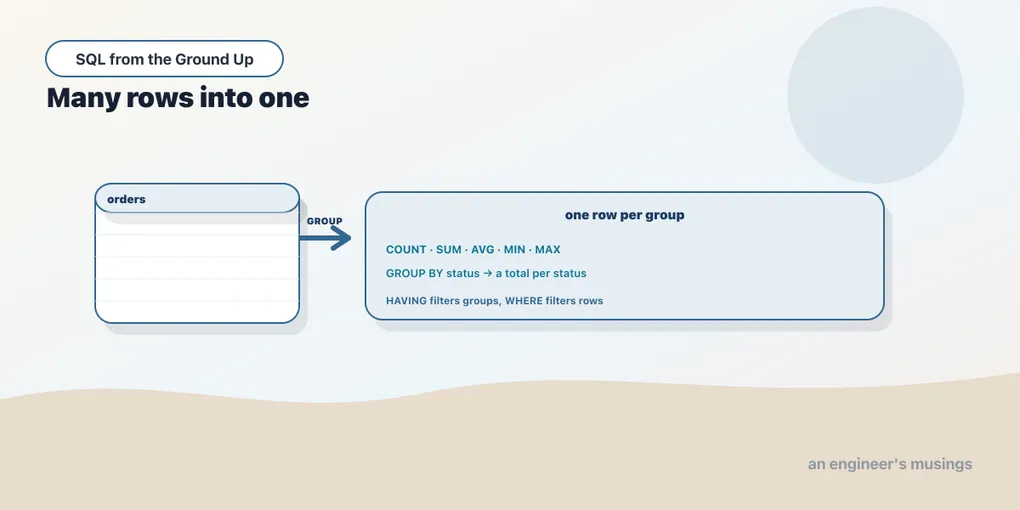
Everything so far has returned rows more or less as they sit in the tables — filtered, joined, sorted, but still one output row per underlying row. Aggregation is the first tool that fundamentally changes the shape of the answer. It takes many rows and collapses them into one summary: a count, a total, an average. This is the “describe the set” idea from the very first chapter made concrete. You don’t loop and accumulate; you name the summary you want and the grouping it applies to, and the database does the folding. This chapter is aggregates, GROUP BY, and the two clauses people most often confuse, HAVING and WHERE.
The five aggregates
An aggregate function takes a whole column’s worth of values and returns a single one. The five you’ll use constantly are count, sum, avg, min, and max. Applied with no grouping, they fold the entire table into one row:
SELECT count(*)                  AS line_items,
       sum(quantity)             AS units_sold,
       round(avg(unit_price), 2) AS avg_price,
       min(unit_price)           AS cheapest,
       max(unit_price)           AS priciest
FROM order_items;
line_items | units_sold | avg_price | cheapest | priciest
------------+------------+-----------+----------+----------
149942 | 299496 | 30.11 | 5.14 | 54.77One row out of nearly 150,000. count(*) counted the rows, sum(quantity) added a column, avg/min/max summarized another. Note the round(avg(...), 2) — avg on a numeric column returns many decimal places, so wrapping it in round is normal housekeeping. And every one of these ignores NULLs — except count(*), which we’re about to pull apart. That’s a direct consequence of the NULL rules from earlier: a NULL isn’t a value, so it isn’t summed or averaged.
count(*) vs count(col) vs count(DISTINCT)
count has three forms and they answer three different questions. count(*) counts rows. count(column) counts rows where that column is not NULL. count(DISTINCT column) counts the distinct non-NULL values. On the authors table:
SELECT count(*)                   AS rows,
       count(country)             AS non_null,
       count(DISTINCT country)    AS distinct_countries
FROM authors;
rows | non_null | distinct_countries
------+----------+--------------------
40 | 40 | 8Here count(*) and count(country) agree at 40, because every author has a country on file. count(DISTINCT country) is 8: forty authors, but only eight countries between them. The count(*)-versus-count(col) gap only appears when the column has NULLs — and a left join is the easiest way to manufacture some. Recall the authors-and-Sci-Fi left join from two chapters back, where authors with no Sci-Fi book got a NULL:
SELECT count(*)         AS rows_returned,
       count(b.book_id) AS scifi_books,
       count(DISTINCT a.author_id) AS authors
FROM authors a
LEFT JOIN books b ON b.author_id = a.author_id AND b.genre = 'Sci-Fi';
rows_returned | scifi_books | authors
---------------+-------------+---------
104 | 100 | 40Now the three diverge. count(*) is 104 (every row the join produced, including the four NULL ones). count(b.book_id) is 100 (it skips those four NULLs — there really are 100 Sci-Fi books). count(DISTINCT a.author_id) is 40 (all authors are represented). Picking the wrong form is a classic bug: count(*) where you meant count(DISTINCT customer_id) over-counts customers by however many orders each has placed.
GROUP BY: one summary per group
An aggregate over the whole table gives one number. Usually you want one number per category — revenue per genre, orders per status. GROUP BY partitions the rows into groups and runs the aggregate once per group. Revenue per genre, joining line items to books:
SELECT b.genre,
       count(*)                                AS line_items,
       sum(oi.quantity)                        AS units,
       round(sum(oi.quantity * oi.unit_price), 2) AS revenue
FROM order_items oi
JOIN books b ON b.book_id = oi.book_id
GROUP BY b.genre
ORDER BY revenue DESC;
genre | line_items | units | revenue
------------+------------+-------+------------
Sci-Fi | 24991 | 50091 | 1567345.25
History | 24970 | 49756 | 1543230.51
Children | 24780 | 49533 | 1525966.72
Nonfiction | 25411 | 50566 | 1504489.80
Poetry | 25060 | 50179 | 1485716.37
Fiction | 24730 | 49371 | 1390433.23
(6 rows)Six groups, six summary rows, sorted by revenue. Read the query as: partition the joined rows by genre, and within each partition count the line items, sum the quantities, and total the money. The spread is realistic because the corrected seed spreads orders across all 600 books — no single genre dominates. A simpler grouping, orders by status:
SELECT status, count(*) AS orders
FROM orders
GROUP BY status
ORDER BY orders DESC;
status | orders
-----------+--------
delivered | 24944
returned | 10161
shipped | 10039
placed | 9815
cancelled | 5041
(5 rows)The rule GROUP BY enforces
Here’s the rule that catches everyone at least once: every column in the SELECT list must either be inside an aggregate or named in the GROUP BY. There is no other option, and Postgres refuses queries that break it:
SELECT genre, title, count(*) FROM books GROUP BY genre;ERROR: column "books.title" must appear in the GROUP BY clause
or be used in an aggregate functionThe error is logical, not fussy. You’ve asked to collapse 100 books per genre into one row — but which of the 100 title values should that one row show? The question has no answer, so the database rejects it rather than pick arbitrarily. Either aggregate the column (min(title), count(DISTINCT title)) or add it to the GROUP BY (which makes finer groups). MySQL historically let this slide and returned a random title from the group, a footgun so notorious that modern MySQL defaults to the strict behavior too. Postgres was never lenient here, and you should be glad.
HAVING vs WHERE
Once you’re grouping, you often want to filter — but filter what? There are two moments to filter, and they are not interchangeable. WHERE filters rows, before grouping. HAVING filters groups, after aggregating. The tell is simple: if your condition mentions an aggregate, it must be HAVING, because the aggregate doesn’t exist yet when WHERE runs.
Genres whose average price exceeds 30 is a per-group condition on an aggregate, so it’s HAVING:
SELECT genre, round(avg(price), 2) AS avg_price, count(*) AS n
FROM books
GROUP BY genre
HAVING avg(price) > 30
ORDER BY avg_price DESC;
genre | avg_price | n
----------+-----------+-----
Sci-Fi | 31.33 | 100
History | 31.05 | 100
Children | 30.75 | 100Three of the six genres clear the bar. You could not write this with WHERE avg(price) > 30 — that’s an error, because WHERE is evaluated per row, before any average has been computed. The two clauses cooperate rather than compete: WHERE narrows the rows that go into the groups, HAVING narrows the groups that come out. A query that filters to recent books, groups by genre, and keeps only the busy genres uses both. WHERE published >= '2020-01-01' narrows the rows; HAVING count(*) > 5 narrows the groups. Each does its job at its own stage. Reach for WHERE whenever the condition is about individual rows; it’s cheaper, because it shrinks the data before the grouping work.
FILTER: conditional aggregates in one pass
Sometimes you want several differently-filtered counts in one row — total orders, and how many were delivered, and how many cancelled, side by side. Postgres has a clean tool for this: the FILTER (WHERE ...) clause on an aggregate. Each aggregate gets its own row filter, all in a single scan:
SELECT count(*)                                          AS total_orders,
       count(*) FILTER (WHERE status = 'delivered')      AS delivered,
       count(*) FILTER (WHERE status = 'cancelled')      AS cancelled,
       round(100.0 * count(*) FILTER (WHERE status = 'returned')
             / count(*), 1)                              AS pct_returned
FROM orders;
total_orders | delivered | cancelled | pct_returned
--------------+-----------+-----------+--------------
60000 | 24944 | 5041 | 16.9One pass over orders, four different summaries. Notice the percentage uses 100.0 * ... / count(*) with a decimal literal — that’s the integer-division trap from the types chapter, sidestepped by making one operand non-integer so the division stays fractional. FILTER is the readable way to build these breakdown reports; the older portable trick is sum(CASE WHEN status = 'delivered' THEN 1 ELSE 0 END), which does the same thing more verbosely and works everywhere. FILTER is standard SQL, supported by Postgres and SQLite; MySQL doesn’t have it, so there you fall back to the CASE form.
Putting it together: top authors by revenue
One query to tie the chapter together. Which authors earned the most? That’s a three-table join (line items to books to authors), grouped by author, summed, and sorted:
SELECT a.name,
       count(DISTINCT b.book_id)                AS titles,
       round(sum(oi.quantity * oi.unit_price), 2) AS revenue
FROM order_items oi
JOIN books b   ON b.book_id = oi.book_id
JOIN authors a ON a.author_id = b.author_id
GROUP BY a.author_id, a.name
ORDER BY revenue DESC
LIMIT 8;
name | titles | revenue
-----------+--------+-----------
Author 15 | 23 | 401290.12
Author 38 | 22 | 371682.05
Author 11 | 21 | 347047.70
Author 34 | 21 | 326048.98
Author 23 | 20 | 308125.44
Author 7 | 19 | 303550.91
Author 20 | 19 | 275812.06
Author 5 | 18 | 275519.56Two details earn their place. GROUP BY a.author_id, a.name groups by the id (the thing that’s actually unique) and carries name along so it can appear in the select list without tripping the GROUP-BY rule. And count(DISTINCT b.book_id) counts each author’s titles once despite the fan-out. The join repeats a book’s row for every order it appears in, so a plain count(*) would report order-line counts, not titles. That DISTINCT is grain-awareness from the joins chapter, applied.
Final thoughts
Aggregation is where SQL stops handing you rows and starts handing you answers. The five functions fold a column to a scalar; GROUP BY folds it once per category; HAVING filters the folded groups while WHERE filters the rows before they’re folded; and FILTER lets one query carry several conditional summaries at once. The rules that feel like nagging are all the same principle: an aggregate row has to have a well-defined answer for every column it shows. Every select column grouped or aggregated; DISTINCT to undo a fan-out; HAVING for aggregate conditions. Next we let a query’s result feed another query, which is how you ask questions that aggregation alone can’t reach.
Next: A query inside a query
Comments