Stacking Result Sets: UNION, INTERSECT, and EXCEPT
Combining whole query results the way set theory says you should — UNION versus UNION ALL and why the dedup costs you, INTERSECT for the overlap, EXCEPT for the difference, and the column rules that make it all line up. Run against PostgreSQL 18.
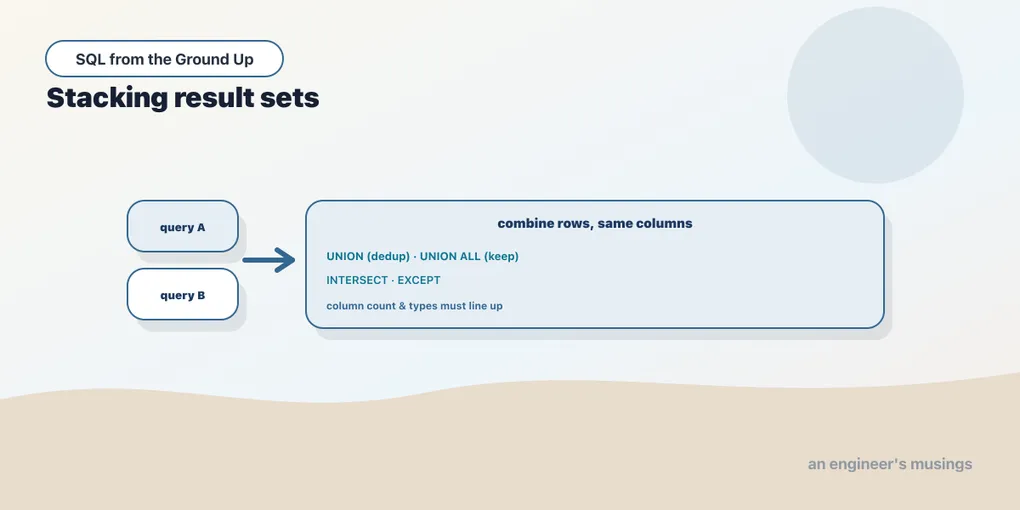
Joins glue tables together sideways, matching rows by a shared key to make wider rows. Set operators do something different: they stack the results of two queries vertically, one result set on top of another, and then apply set logic to the combined pile. If a join answers “what goes with what,” a set operator answers “what’s in both of these lists, or in one but not the other.” The relational model is built on sets, and these three operators (UNION, INTERSECT, EXCEPT) are that idea made literal.
The lining-up rule
Because you’re stacking result sets, the two queries have to produce the same shape. Same number of columns, in the same order, with compatible types. Break either rule and Postgres refuses before it runs anything.
Wrong column count:
SELECT genre FROM books
UNION
SELECT genre, price FROM books;
ERROR: each UNION query must have the same number of columnsIncompatible types (text stacked on numeric):
SELECT genre FROM books
UNION
SELECT price FROM books;
ERROR: UNION types text and numeric cannot be matchedThe output column names come from the first query. The second query’s names are ignored; only its values are stacked. So design the first SELECT to carry the labels you want.
UNION versus UNION ALL
UNION combines two result sets and removes duplicates, returning the distinct set of rows across both. UNION ALL combines them and keeps every row, duplicates and all. That one word is the whole difference, and it has both a correctness and a performance dimension.
Take two lists of genres: genres that have at least one cheap book, and genres that have at least one expensive book.
SELECT genre FROM books WHERE price < 25
UNION ALL
SELECT genre FROM books WHERE price > 45;
Each side returns one row per matching book, so this pile is large and full of repeats. Count it:
SELECT count(*) FROM (
    SELECT genre FROM books WHERE price < 25
    UNION ALL
    SELECT genre FROM books WHERE price > 45
) t;
count
-------
359359 rows. Now swap UNION ALL for plain UNION:
SELECT count(*) FROM (
    SELECT genre FROM books WHERE price < 25
    UNION
    SELECT genre FROM books WHERE price > 45
) t;
count
-------
6Six. Every genre has both cheap and expensive books, so the distinct set is just the six genres. The 359 collapsed to 6 because UNION deduplicated.
That dedup isn’t free. To remove duplicates the database has to hash or sort the entire combined result, then compare rows. UNION ALL just concatenates and streams. You can see the extra work in the query plan. EXPLAIN ANALYZE shows the UNION ALL version as a bare Append over the two scans. The plain UNION wraps that same Append in a HashAggregate step whose sole job is to collapse the 359 rows to 6.
UNION ALL:  Append ...                     Execution Time: 0.257 ms
UNION:      HashAggregate (Group Key: genre)
              -> Append ...                Execution Time: 0.340 ms
Both finish in well under a millisecond on this tiny, fully-cached table, so don’t read too much into the absolute numbers. But the UNION is consistently slower, and the gap widens with row count, because the dedup has to process every row. The rule of thumb writes itself: if you know the two sides can’t overlap, or you don’t care about duplicates, use UNION ALL. Reach for plain UNION only when you actually need the dedup, and know you’re paying a sort for it.
INTERSECT: rows in both
INTERSECT returns only the rows that appear in both result sets, deduplicated. It’s the overlap. A useful question in the shop: which customers have both returned an order and cancelled one? Two separate queries, one per behavior, intersected.
First, the sizes of each group:
SELECT count(*) FROM (SELECT DISTINCT customer_id FROM orders WHERE status='returned') t;   -- 4318
SELECT count(*) FROM (SELECT DISTINCT customer_id FROM orders WHERE status='cancelled') t;  -- 3163
Now the intersection:
SELECT count(*) FROM (
    SELECT customer_id FROM orders WHERE status = 'returned'
    INTERSECT
    SELECT customer_id FROM orders WHERE status = 'cancelled'
) t;
count
-------
27062,706 customers have done both. Note that each side has duplicate customer_ids (a customer can have many returned orders), but INTERSECT, like UNION, returns distinct rows, so the result counts each customer once. Peek at a few:
SELECT customer_id FROM orders WHERE status = 'returned'
INTERSECT
SELECT customer_id FROM orders WHERE status = 'cancelled'
ORDER BY customer_id
LIMIT 5;
customer_id
-------------
1
2
3
4
6EXCEPT: rows in the first but not the second
EXCEPT returns the rows in the first result set that do not appear in the second, deduplicated. It’s set subtraction, and order matters: A EXCEPT B is not B EXCEPT A. Which customers have returned an order but never cancelled one?
SELECT count(*) FROM (
    SELECT customer_id FROM orders WHERE status = 'returned'
    EXCEPT
    SELECT customer_id FROM orders WHERE status = 'cancelled'
) t;
count
-------
1612The arithmetic checks out: 4,318 customers returned something, 2,706 of them also cancelled, and 4,318 − 2,706 = 1,612 returned-but-never-cancelled. EXCEPT is the readable way to express “in this group but not that one.” When both sides are full queries, it’s a clean alternative to the NOT EXISTS anti-join from the last chapter. (One portability note: MySQL only gained INTERSECT and EXCEPT in version 8.0.31; older MySQL has neither, and you fall back to joins or NOT EXISTS. Postgres and SQLite have had all three for years.)
Like UNION, both INTERSECT and EXCEPT have ALL variants that keep duplicates and follow multiset rules, but you’ll reach for those far less often than the plain, deduplicating forms.
ORDER BY sorts the whole result
One clause trips people up: where does ORDER BY go? It belongs to the combined result, not to either branch, so it appears once, at the very end, after the last query. Sorting the whole stacked set:
SELECT genre, price FROM books WHERE price < 25
UNION ALL
SELECT genre, price FROM books WHERE price > 54
ORDER BY price DESC
LIMIT 5;
genre | price
------------+-------
Sci-Fi | 54.77
Poetry | 54.59
Children | 54.57
Children | 54.56
Nonfiction | 54.50The ORDER BY and LIMIT apply to the merged output of both branches, not to the second SELECT alone. Say you genuinely need to sort or limit one branch before combining — a “top 3 from each.” Wrap that branch in a subquery with its own ORDER BY/LIMIT, then set-operate on the results.
Final thoughts
Set operators stack query results and reason about them as sets. UNION merges and dedups, UNION ALL merges and keeps everything (and skips the sort, so it’s faster), INTERSECT gives the overlap, and EXCEPT gives the difference in one direction. The lining-up rule is what makes two queries stackable: same column count, compatible types, names from the first query. A single trailing ORDER BY sorts the whole result. That closes out reading data. Everything so far has only looked. Next we start changing it, carefully, in a scratch schema, because writes are where a stray keystroke costs you a table.
Next: INSERT, UPDATE, DELETE — putting rows in, changing them, taking them out, and the missing WHERE that ruins a Friday.
Comments