Putting Rows In and Taking Them Out: INSERT, UPDATE, DELETE
The three verbs that change data — INSERT with RETURNING, UPDATE and DELETE with the WHERE that saves you, the missing WHERE that doesn't, and ON CONFLICT for a clean upsert. Everything demonstrated in a scratch schema. Run against PostgreSQL 18.
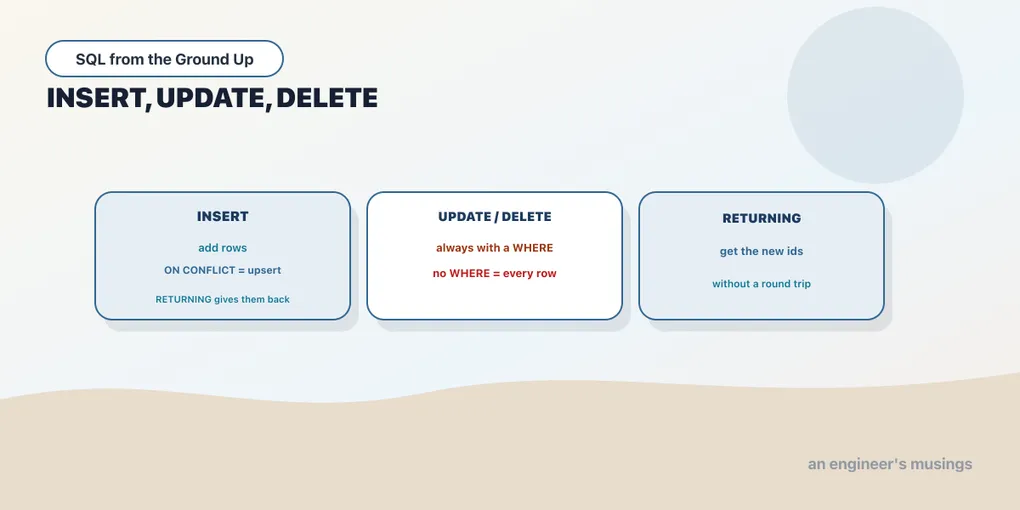
Every query so far has been read-only. Now we change data, and the stakes go up: a bad SELECT wastes a second, a bad UPDATE rewrites ten thousand rows. To keep the bookshop’s real tables intact, everything in this chapter runs in a throwaway scratch schema. That’s a good habit anyway. When you’re about to write, rehearse somewhere it doesn’t matter.
CREATE SCHEMA IF NOT EXISTS scratch;

CREATE TABLE scratch.demo_books (
    book_id  integer GENERATED ALWAYS AS IDENTITY PRIMARY KEY,
    title    text NOT NULL,
    genre    text,
    price    numeric(6,2) NOT NULL
);
book_id is an identity column: the database assigns it, counting up, so we never supply it. More on that next chapter.
INSERT: one row, or many
INSERT adds rows. The basic form names the columns you’re providing and lists the values:
INSERT INTO scratch.demo_books (title, genre, price)
VALUES ('The Well-Grounded Rowid', 'Nonfiction', 39.00);
INSERT 0 1That tag is Postgres’s receipt: INSERT 0 1 means one row inserted. (The 0 is a legacy OID field, effectively always zero now; read the last number.) You can insert several rows in one statement by listing more tuples. That’s both less typing and much faster than one statement per row:
INSERT INTO scratch.demo_books (title, genre, price) VALUES
    ('Set Theory for Cats', 'Sci-Fi', 24.50),
    ('The NULL Also Rises', 'Fiction', 31.00),
    ('A Tale of Two Commits', 'History', 44.99);
INSERT 0 3Three rows, one round trip. Notice we never mentioned book_id; the identity column filled itself in as 1 through 4.
RETURNING: get the generated values back
Here’s a problem the identity column creates: you just inserted a row, but you don’t know the id the database picked. RETURNING solves it. Tack it onto an INSERT and the statement hands back columns from the rows it just wrote, generated values included:
INSERT INTO scratch.demo_books (title, genre, price)
VALUES ('Joins and the Art of Motorcycle Maintenance', 'Nonfiction', 28.00)
RETURNING book_id, title;
book_id | title
---------+---------------------------------------------
5 | Joins and the Art of Motorcycle MaintenanceThe database assigned book_id = 5 and told us in the same round trip. This is how application code learns the primary key of a row it just created, without a second query to go look it up. RETURNING works on UPDATE and DELETE too, and it’s a Postgres strength; MySQL has no direct equivalent (you call LAST_INSERT_ID() afterward).
UPDATE: change rows that match
UPDATE changes columns in existing rows. The SET clause says what to change; the WHERE clause says which rows. Give every Nonfiction title a 10% price bump:
UPDATE scratch.demo_books
SET price = price * 1.10
WHERE genre = 'Nonfiction';
UPDATE 2UPDATE 2 — two rows matched and changed. The new price can reference the old one (price = price * 1.10), because SET sees each row’s current values. And RETURNING shows you exactly what you changed:
UPDATE scratch.demo_books SET price = 49.99
WHERE book_id = 4
RETURNING book_id, title, price;
book_id | title | price
---------+-----------------------+-------
4 | A Tale of Two Commits | 49.99DELETE: remove rows that match
DELETE removes whole rows. Same idea: WHERE picks them.
DELETE FROM scratch.demo_books WHERE genre = 'Sci-Fi';DELETE 1One row gone. There is no partial delete; a row either survives or it doesn’t. Which is exactly why the next section exists.
The missing WHERE
The single most expensive mistake in SQL is an UPDATE or DELETE that forgets its WHERE. Without it, the statement applies to every row in the table. There’s no confirmation prompt and no “are you sure.” It just does what you said. Watch, safely, in scratch:
UPDATE scratch.demo_books SET genre = 'CLEARANCE';UPDATE 4UPDATE 4 — every remaining row rewritten in one statement:
SELECT book_id, title, genre FROM scratch.demo_books ORDER BY book_id; book_id | title | genre
---------+---------------------------------------------+-----------
1 | The Well-Grounded Rowid | CLEARANCE
3 | The NULL Also Rises | CLEARANCE
4 | A Tale of Two Commits | CLEARANCE
5 | Joins and the Art of Motorcycle Maintenance | CLEARANCEEvery genre, gone, replaced. On a real 600-row books table that’s the whole catalog mislabeled; on a million rows it’s a very bad afternoon. The row-count in the tag is your early warning: if you expected to touch 2 rows and the tag says UPDATE 60000, you left off a WHERE. Two habits protect you. Run the same WHERE as a SELECT first to see what it matches, and wrap risky writes in a transaction so you can ROLLBACK (the finale of this series). Some people even run psql in a mode that refuses a WHERE-less update.
ON CONFLICT: the upsert
A common need: insert a row, but if one with the same key already exists, update it instead. Doing that with a SELECT then a branch is racy and clumsy. Postgres folds it into one atomic statement with INSERT ... ON CONFLICT. Here’s a small inventory table keyed by SKU:
CREATE TABLE scratch.inventory (
    sku   text PRIMARY KEY,
    title text NOT NULL,
    stock integer NOT NULL
);
INSERT INTO scratch.inventory VALUES
    ('BK-323', 'The Comprehensive Index', 5),
    ('BK-536', 'Vacuum of the Query Planner', 8);
Now a restock that mixes an existing SKU with a brand-new one:
INSERT INTO scratch.inventory (sku, title, stock) VALUES
    ('BK-323', 'The Comprehensive Index', 10),
    ('BK-777', 'Refactoring the WHERE Clause', 3)
ON CONFLICT (sku) DO UPDATE
    SET stock = scratch.inventory.stock + EXCLUDED.stock
RETURNING sku, stock;
sku | stock
--------+-------
BK-323 | 15
BK-777 | 3Read the mechanism. ON CONFLICT (sku) names the unique column to watch. For BK-777, no conflict, so it’s a plain insert at stock 3. For BK-323, a row already exists, so instead of failing on the duplicate key, the DO UPDATE runs. It sets stock to the existing value (scratch.inventory.stock, 5) plus the value we tried to insert (EXCLUDED.stock, 10), giving 15. EXCLUDED is the special alias for “the row that would have been inserted.” The table afterward:
  sku   |            title             | stock
--------+------------------------------+-------
 BK-323 | The Comprehensive Index      |    15
 BK-536 | Vacuum of the Query Planner  |     8
 BK-777 | Refactoring the WHERE Clause |     3
One statement, two behaviors, no race. That pattern (SQLite spells it the same way; MySQL uses ON DUPLICATE KEY UPDATE) is the standard way to make a load idempotent: run it twice and the second run updates rather than duplicates.
Final thoughts
Three verbs change data. INSERT adds rows, UPDATE and DELETE change and remove the ones their WHERE selects, RETURNING hands back what the database generated, and ON CONFLICT turns insert-or-update into one clean statement. The row-count tag on every write is your receipt and your alarm; read it. And the lesson under all of it: writes have no undo button outside a transaction, so the WHERE clause is not a detail, it’s the guardrail. Next we design the table itself, and the constraints that stop bad data from getting in at all.
Next: Shape and guardrails: DDL and constraints — CREATE TABLE, keys, and the rules that reject bad rows at the door.
Comments