Shape and Guardrails: CREATE TABLE and the Constraints That Say No
Designing the table itself — column types, PRIMARY KEY and identity columns, and the five constraints (NOT NULL, UNIQUE, CHECK, DEFAULT, FOREIGN KEY) that reject bad data at the door, each shown by triggering its real error. Run against PostgreSQL 18.
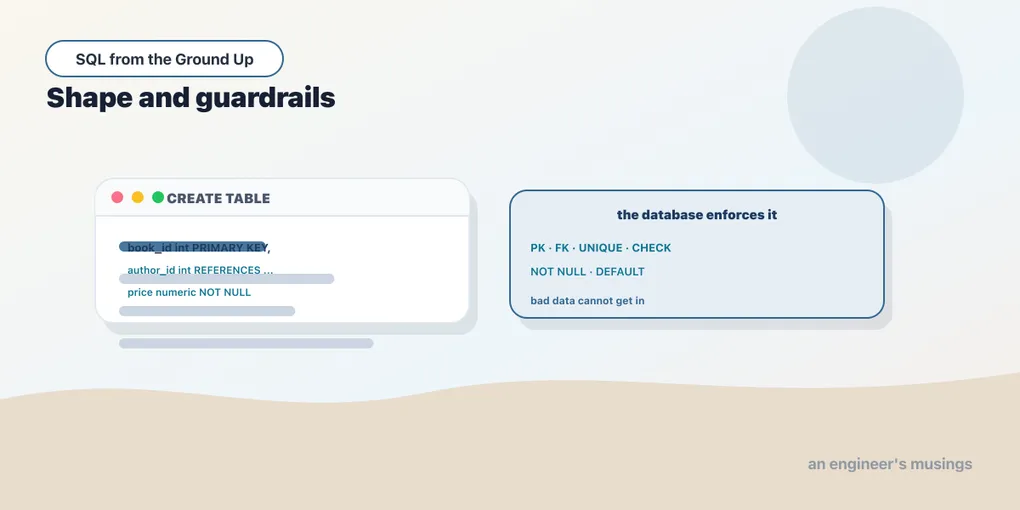
Every chapter so far has worked inside tables that already existed: reading rows, filtering them, changing them. This one builds the table. The statements that create and alter structure are DDL — Data Definition Language — as opposed to the SELECT/INSERT/UPDATE DML you’ve been writing. And DDL is where you get to be strict. A table isn’t just a place to put data; it’s a set of promises about what the data is allowed to be. Those promises are called constraints, and their whole job is to reject bad rows before they ever land. A price can’t be negative, an ISBN can’t repeat, a book can’t point at an author who doesn’t exist. You declare each rule once, and the database enforces it forever — on every write, no matter which application or careless script is doing the writing.
Everything here runs in the scratch schema again, because DDL is even less reversible than DML: drop a column and its data is gone.
CREATE TABLE, with types
A table declaration names each column and gives it a type. The type is the first constraint: it decides what values the column can hold at all. Here’s a small catalog, with a parent table for its authors:
CREATE TABLE scratch.writers (
    writer_id integer GENERATED ALWAYS AS IDENTITY PRIMARY KEY,
    name      text NOT NULL
);

CREATE TABLE scratch.catalog (
    book_id   integer GENERATED ALWAYS AS IDENTITY PRIMARY KEY,
    isbn      text UNIQUE NOT NULL,
    title     text NOT NULL,
    genre     text DEFAULT 'Uncategorized',
    price     numeric(6,2) NOT NULL CHECK (price >= 0),
    writer_id integer NOT NULL REFERENCES scratch.writers(writer_id)
);
That one catalog statement carries every constraint this chapter covers. The types are the ones from the data-types chapter: integer for whole numbers, text for strings, and numeric(6,2) for exact money (up to six digits, two after the point). We’ll add a boolean later. Choosing types well is the quiet half of schema design: numeric not float for money, text not varchar(255) for strings in Postgres. The loud half is the constraints, so let’s trigger each one.
PRIMARY KEY and identity columns
PRIMARY KEY marks the column that uniquely identifies a row. It’s really two constraints in a trench coat: UNIQUE plus NOT NULL. Every table should have one.
GENERATED ALWAYS AS IDENTITY says the database assigns this value — you never supply book_id, it counts up on its own. This is the modern SQL-standard replacement for Postgres’s old serial; prefer it. (MySQL spells the same idea AUTO_INCREMENT; SQLite uses an INTEGER PRIMARY KEY.) Insert a row and omit the key entirely:
INSERT INTO scratch.writers (name) VALUES ('Ursula K. Le Guin'), ('Terry Pratchett');

INSERT INTO scratch.catalog (isbn, title, price, writer_id)
VALUES ('978-0-441-01359', 'A Wizard of Earthsea', 15.99, 1)
RETURNING book_id, title, genre;
book_id | title | genre
---------+----------------------+---------------
1 | A Wizard of Earthsea | Uncategorized
(1 row)Two things happened without our asking. book_id came back as 1 (the identity column filled itself), and genre came back as Uncategorized even though we never mentioned it. That second one is the DEFAULT at work.
DEFAULT: a value when you don’t supply one
DEFAULT 'Uncategorized' gives genre a value for any insert that leaves it out. Defaults are how you keep a column NOT NULL without forcing every caller to spell out a value they don’t care about — a created_at timestamptz DEFAULT now() is the classic. The row above proves it: no genre supplied, Uncategorized stored.
NOT NULL, UNIQUE, CHECK: three ways to reject a row
The point of a constraint is what it refuses. The honest way to show one is to violate it and read the error. Postgres names the constraint in the message, which is exactly what you want at 2am.
NOT NULL rejects a missing value. title is NOT NULL, so:
INSERT INTO scratch.catalog (isbn, title, price, writer_id)
VALUES ('978-0-06-085397', NULL, 9.99, 2);
ERROR: null value in column "title" of relation "catalog" violates not-null constraint
DETAIL: Failing row contains (3, 978-0-06-085397, null, Uncategorized, 9.99, 2).UNIQUE rejects a duplicate. isbn is UNIQUE, and we already stored 978-0-441-01359:
INSERT INTO scratch.catalog (isbn, title, price, writer_id)
VALUES ('978-0-441-01359', 'A Wizard of Earthsea (reprint)', 16.99, 1);
ERROR: duplicate key value violates unique constraint "catalog_isbn_key"
DETAIL: Key (isbn)=(978-0-441-01359) already exists.CHECK rejects a value that fails a boolean test you wrote. CHECK (price >= 0) forbids a negative price:
INSERT INTO scratch.catalog (isbn, title, price, writer_id)
VALUES ('978-0-06-085397', 'Free Book', -5.00, 2);
ERROR: new row for relation "catalog" violates check constraint "catalog_price_check"
DETAIL: Failing row contains (4, 978-0-06-085397, Free Book, Uncategorized, -5.00, 2).Three different guardrails, three different errors, all raised before the row was stored. A CHECK can be any expression over the row’s own columns — CHECK (price >= 0), CHECK (discount <= price), CHECK (status IN ('draft','live')) — and it runs on every insert and update. (One portability note: MySQL silently ignored CHECK until version 8.0.16; Postgres and SQLite have enforced it for years.)
FOREIGN KEY: the constraint that spans two tables
The other four constraints police a single row. A foreign key polices the relationship between tables. writer_id integer NOT NULL REFERENCES scratch.writers(writer_id) says every catalog.writer_id must match a real writers.writer_id. It fails in both directions.
Insert a book pointing at a writer who doesn’t exist:
INSERT INTO scratch.catalog (isbn, title, price, writer_id)
VALUES ('978-0-06-085397', 'Ghostwritten', 12.00, 99);
ERROR: insert or update on table "catalog" violates foreign key constraint "catalog_writer_id_fkey"
DETAIL: Key (writer_id)=(99) is not present in table "writers".And, the other direction, try to delete a writer while a book still points at them:
DELETE FROM scratch.writers WHERE writer_id = 1;ERROR: update or delete on table "writers" violates foreign key constraint "catalog_writer_id_fkey" on table "catalog"
DETAIL: Key (writer_id)=(1) is still referenced from table "catalog".This is referential integrity: the database will not let you create a dangling pointer, and it will not let you orphan a child row by removing its parent. That guarantee is why the relational model can trust its joins — a foreign key is a promise, kept by the engine, that the thing on the other end is really there. (You can tell it what to do on parent deletion — ON DELETE CASCADE to remove the children too, ON DELETE SET NULL to blank the pointer — but the safe default, shown here, is to refuse. And a caution for SQLite users: foreign keys are off by default there, silently unenforced until you run PRAGMA foreign_keys = ON.)
ALTER TABLE, and the identity gap
Schemas change. ALTER TABLE reshapes an existing one without rebuilding it. The common move is adding a column, with a default so existing rows get a value:
ALTER TABLE scratch.catalog ADD COLUMN in_print boolean NOT NULL DEFAULT true;

INSERT INTO scratch.catalog (isbn, title, genre, price, writer_id)
VALUES ('978-0-06-102072', 'Small Gods', 'Fiction', 14.50, 2)
RETURNING book_id, title, in_print;
book_id | title | in_print
---------+------------+----------
6 | Small Gods | t
(1 row)Look at that book_id: 6, not 2. We’ve only stored two rows successfully, yet the identity counter is at 6. The four failed inserts above each grabbed a number (2, 3, 4, 5) before the constraint rejected them, and an identity sequence never gives a number back. This is by design and worth internalizing early: identity values are unique and increasing, but not gap-free. Never assume they’re contiguous, never use count(*) to guess the next id, and don’t panic when you see holes — a rolled-back transaction or a rejected insert is all it takes.
Final thoughts
DDL is where you decide what your data is allowed to be, and constraints are how you enforce it without writing a line of application code. A PRIMARY KEY identifies a row; NOT NULL demands a value; UNIQUE forbids repeats; CHECK enforces a rule you invent; DEFAULT supplies a value when the caller won’t; and a FOREIGN KEY guarantees that a reference points at something real. Each one turns a class of bad data into an error at the door instead of a corrupt row you discover months later. Declare the rules once, in the schema, and every writer that ever touches the table inherits them. But there’s one guarantee constraints alone can’t give you: that a group of statements either all happen or none do. A transfer that debits one account and credits another has to be all-or-nothing, and that’s the last idea in this series.
Next: All of it, or none of it: transactions — BEGIN, COMMIT, ROLLBACK, and why atomicity is the feature that makes a database trustworthy.
Comments