The Rows That Won't Leave: VACUUM and Bloat
Why an UPDATE doesn't overwrite, how dead tuples pile up and grow your tables, reading n_dead_tup, and what VACUUM versus VACUUM FULL actually reclaim. Run against PostgreSQL 18.
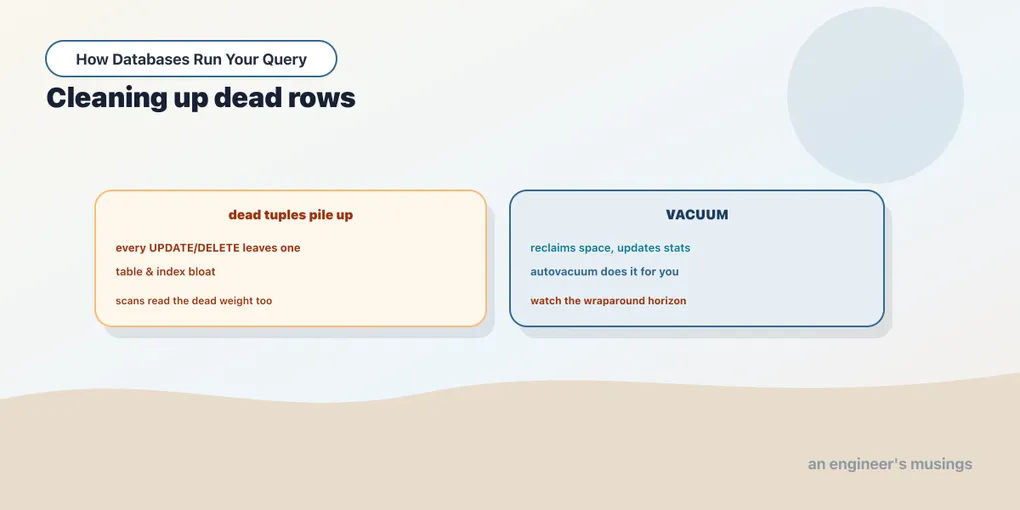
Back in the MVCC chapter you learned the surprising fact that Postgres never changes a row in place. An UPDATE writes a new version of the row and marks the old one as expired; a DELETE just marks the row expired without writing anything new. This is what lets readers keep seeing a consistent snapshot while writers work. But it has a cost that MVCC alone doesn’t pay off: those expired versions, called dead tuples, physically stay in the table. They sit there taking up space until something comes along to clean them out. That something is VACUUM, and understanding it is the difference between a table that stays lean and one that quietly swells to ten times its necessary size.
Watching dead tuples pile up
Let me make the problem visible. I copied the 60,000-row orders table into a scratch table called churn, and turned off autovacuum on it so nothing cleans up behind my back:
CREATE TABLE churn AS SELECT * FROM orders;
ALTER TABLE churn SET (autovacuum_enabled = false);
Fresh, it holds 60,000 live rows and about 3.3 MB. Now I update every row, five times over. Each pass rewrites all 60,000 rows, and each rewrite leaves the previous version behind as a dead tuple:
UPDATE churn SET status = status; -- run five timesPostgres tracks the fallout in a system view, pg_stat_user_tables. After the five passes:
 n_live_tup | n_dead_tup
------------+------------
      60000 |     299879
Sixty thousand live rows, and nearly 300,000 dead ones, five expired versions of every row, exactly as five full-table updates would produce. And the table on disk grew right along with them:
 size
-------
 18 MB
From 3.3 MB to 18 MB, with the same 60,000 rows of real data. That fivefold swell is bloat: space occupied by tuples no live query can see. Bloat isn’t just wasted disk. Every sequential scan now has to read past all those dead versions, so a bloated table is a slower table even when its live row count never changed.
VACUUM: reclaim the space, keep the file
VACUUM is the cleanup. It scans the table, finds tuples that are dead to every open transaction, and marks their space as free for reuse. Run it on the churned table:
VACUUM churn; n_live_tup | n_dead_tup
------------+------------
60000 | 0The dead tuples are gone from the accounting: n_dead_tup dropped to zero. But look at the size:
 size
-------
 18 MB
Still 18 MB. This is the part that surprises people. Plain VACUUM does not return space to the operating system. It reclaims the dead space inside the file and marks it reusable, so the next inserts and updates fill those holes instead of extending the file. The table stops growing, but it doesn’t shrink. For most tables that’s exactly what you want. The free space gets recycled, and a steady workload reaches an equilibrium size without ever handing memory back and forth with the OS.
VACUUM does one more quietly important job: it updates the planner’s statistics (its full name for this is VACUUM ANALYZE, and autovacuum runs the analyze half too). The statistics chapter showed how much the planner leans on accurate row estimates. A table that’s never vacuumed has stale stats, and stale stats make bad plans.
VACUUM FULL: rewrite and shrink
When you genuinely need the space back, because a table bloated badly after a one-time mass delete, say, there’s VACUUM FULL. It doesn’t reclaim in place. It writes a brand-new, compact copy of the table with only the live rows, then swaps it in and drops the old one:
VACUUM FULL churn; size
-------
3072 kB18 MB down to 3 MB, back to roughly the original size. The dead space is truly gone, returned to the OS. So why not always use VACUUM FULL? Because it takes an ACCESS EXCLUSIVE lock on the table for the entire rewrite: no reads, no writes, nothing, until it finishes. On a large production table that can mean minutes of downtime. It also needs enough free disk to hold a second full copy while it runs. VACUUM FULL is a maintenance-window tool, not a routine one. The routine tool is plain VACUUM, and better still, the one that runs itself.
Note that the size I measured with pg_total_relation_size counts the indexes too, and indexes bloat right alongside the table: every dead tuple leaves a dead index entry pointing at it. Plain VACUUM cleans dead index entries so their slots can be reused, but like the table it doesn’t shrink the index files. VACUUM FULL rebuilds the indexes as part of its rewrite, which is why our whole-relation size dropped so cleanly. To shrink just an index without touching the table, REINDEX rebuilds it, and REINDEX ... CONCURRENTLY does so without the exclusive lock, at the cost of running longer.
Autovacuum does this for you
You will rarely type VACUUM in production, because Postgres runs it for you. Autovacuum is a background process that watches every table and vacuums it when the dead tuples cross a threshold. The threshold is computed, not fixed. The two settings that drive it default to:
 autovacuum_vacuum_threshold  = 50
 autovacuum_vacuum_scale_factor = 0.2
The formula is threshold + scale_factor × n_live_tup. For our 60,000-row table that’s 50 + 0.2 × 60000 = 12,050 dead tuples. Cross that and autovacuum wakes up and cleans the table. That 20% default is fine for medium tables and too lazy for large, hot ones: a billion-row table would accumulate 200 million dead tuples before autovacuum stirred. For such tables you lower scale_factor per-table so cleanup happens sooner. The reason I disabled autovacuum on churn at the start was precisely so it wouldn’t clean up mid-demo and hide the bloat.
Autovacuum is also why the “Postgres needs constant manual VACUUM” folklore is out of date. On any modern install, tuning autovacuum for your biggest, busiest tables is the real job; typing the command by hand is the exception.
The other thing VACUUM does: freezing
There’s a second reason VACUUM is not optional, and it has nothing to do with space. Every row carries the transaction id (xid) that created it, and that counter is 32 bits, so it wraps around. To keep old rows readable forever, VACUUM freezes them, stamping them as permanently visible so their xid no longer matters. The distance a table has drifted since its oldest unfrozen row shows up as age(relfrozenxid):
SELECT relname, age(relfrozenxid) FROM pg_class WHERE relname = 'orders'; relname | age
---------+-----
orders | 248A few hundred is nothing. The danger zone is around two billion, where Postgres starts refusing new writes to force a freeze and protect your data from wraparound corruption. Autovacuum handles this automatically with its own anti-wraparound runs, so you almost never think about it. But a very high age(relfrozenxid) on a huge table is a genuine alarm worth monitoring.
MySQL’s InnoDB has the same undo-versioning idea but a different cleanup story. A background purge thread removes old row versions, and its equivalent of bloat lives partly in the undo logs. There’s no xid wraparound to freeze against. SQLite, single-writer and simpler, reclaims space with VACUUM too, but the concurrency pressures that make it a constant concern in Postgres don’t apply.
Final thoughts
Dead tuples are the tax MVCC charges for never blocking readers. Every update and delete leaves an old version behind, and left alone they bloat a table well past the size of its real data: our churned copy swelled fivefold to 18 MB. VACUUM reclaims that dead space for reuse and refreshes the planner’s statistics, but it does not shrink the file. VACUUM FULL does shrink, by rewriting the whole table under an exclusive lock you can’t afford casually. In practice autovacuum runs the routine cleanup for you. Tuning it for your hottest tables, plus watching relfrozenxid age on your largest, is the real maintenance work. Next we take a different approach to keeping big tables manageable: instead of cleaning one enormous table, we split it into many.
Next: One table, many pieces: partitioning — how declarative partitioning divides a table by range, and how the planner skips the pieces it doesn’t need.
Comments